
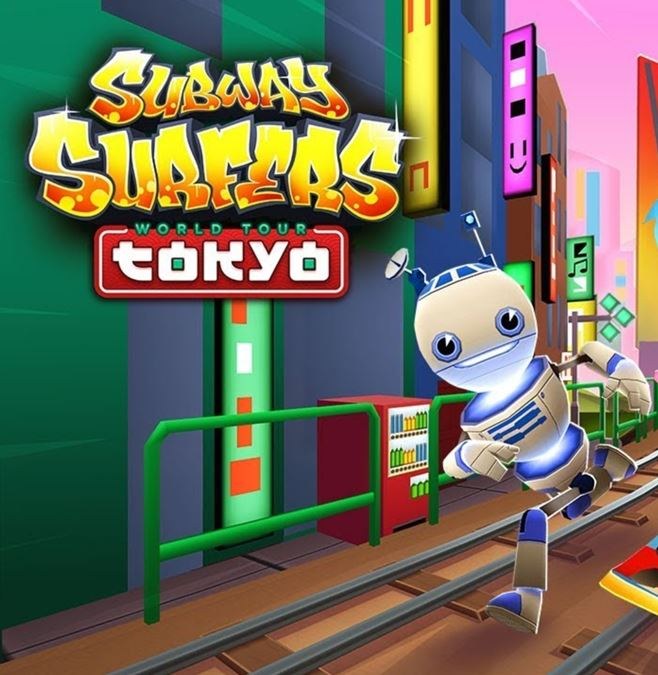
Subway Surfers Tokyo is a browser-based endless runner where you dodge obstacles and outrun a policeman through a stylized Tokyo setting. It suits players who enjoy fast, reflex-driven gameplay and don't mind troubleshooting browser performance to fix stuttering issues. The core loop is simple, but smooth play requires closing tabs and tweaking settings.
Why Subway Surfers Tokyo Stutters (And What Actually Helps)
Subway Surfers Tokyo drops you into a familiar setup with a fresh coat of paint. The catalogue description keeps it simple: extreme sports fans are trading waves for train tracks, and a determined local policeman wants to spoil the fun. Your job is to help the subway surfer escape the pursuit. That is the whole pitch, and it works because the game does not need much more than that.
But if you have spent any time with this entry, you know the real enemy is not the cop. It is the frame drop. The stutter. The moment where the screen hesitates for half a second and your character plows straight into a barrier. This article is about fixing that, using only what is in front of you.
The Loop You Are Actually Playing
Subway Surfers Tokyo is a runner. You are moving forward automatically, swiping or pressing to change lanes, jump, and roll. The policeman is behind you, and the scenery is doing a lot of work to sell the Tokyo setting. The game wants you to keep moving, collect whatever is on the tracks, and avoid the obstacles that appear in clusters.
What you are optimizing for is simple: smooth, uninterrupted forward motion. Every action you take is a decision about your next three seconds. Lane change now or after the jump? Roll under that barrier or slide around it? The game rewards rhythm, not reaction speed. When the game runs at a steady frame rate, you can develop that rhythm. When it stutters, you are guessing.
That is why the browser fixes matter more than your reflexes. A smooth browser session turns Subway Surfers Tokyo from a game about surviving random lag into a game about reading the track ahead and making clean choices.
What Kills Your Run Early, In Order
Most runs do not end because of a hard obstacle. They end because of a small mistake that compounds. Here is what the game structure implies, based on the catalogue notes and how this genre typically behaves.
- The hesitation lane change. You see a barrier two lanes ahead. You wait half a beat to confirm it is there. Then you swipe, but the game registers it late because the browser is busy rendering something in the background. You clip the edge. Run over. The fix is not to swipe earlier. The fix is to make sure the browser is not the bottleneck.
- The jump that was a roll. Some obstacles are low barriers that require a roll. Some are gaps that require a jump. In a stuttering session, you might see a low barrier, swipe down, and the game eats the input. You jump instead. You sail into the barrier. This is a classic input lag symptom, and it is almost never your fault.
- The cop catching up after a slow corner. The policeman is persistent. If you lose momentum because you are dodging a lag spike, the pursuit closes the gap. You recover, but now you are under pressure, and the next obstacle cluster arrives sooner than you expect. One misread later, you are done.
None of these are skill issues. They are environment issues. The game is asking for consistent performance, and your browser is not delivering it.
The Browser Fixes That Actually Work
You do not need to download anything. Subway Surfers Tokyo is a browser game, and the fixes are about clearing the path for the browser to do its job. Here is what to check, in order of impact.
Close the other tabs. This is the obvious one, but people skip it. Every open tab is using memory, and some are using processor time even when idle. If you have a social feed running in the background, it is refreshing constantly. That refresh steals cycles from the game. Close everything except the game tab. If you need a reference, write it down or use a second device.
Check your browser's hardware acceleration. Most modern browsers have this on by default, but it can get switched off after an update or a crash. Hardware acceleration lets your graphics card handle the rendering instead of your processor. For a game like Subway Surfers Tokyo, which is visually busy, this can be the difference between a smooth run and a slideshow. Look in your browser settings, find the acceleration toggle, and make sure it is enabled. If it is already on, try turning it off and on again. Sometimes the setting gets stuck.
Update your browser. This sounds like generic advice, but it is not. Browser engines are updated constantly, and game performance is a major focus. An outdated browser is running old code against a game that was built for newer standards. The result is stutter. Check for updates, install them, restart the browser, and try again.
Reduce the window size. This is a practical fix that people ignore. If you are running the game in a maximized window on a large monitor, the browser is rendering a huge canvas. Shrink the window to about two-thirds of your screen. The game will still be playable, and the rendering load drops significantly. You might lose a little visual immersion, but you gain consistency.
Disable browser extensions. Ad blockers, password managers, and translation tools are all running scripts on every page you visit. Some of those scripts are heavy. For a game session, temporarily disable extensions that are not essential. You can re-enable them afterward. This is a temporary fix, not a permanent change.
Restart the browser before you play. If the browser has been open for hours, it has accumulated memory fragmentation. Tabs you closed are not fully released. Cached data is sitting around. A fresh restart clears all of that. It is a five-second fix that resolves a surprising number of performance issues.
Phone vs. Desktop: Where the Game Runs Better
The catalogue does not specify a platform, but Subway Surfers as a series is associated with mobile play. That said, the browser version is what you are here for. If you have a choice, here is what the evidence suggests.
On a desktop, you have more control over the environment. You can close tabs, adjust settings, and manage extensions. The rendering hardware is usually stronger. The tradeoff is that desktop browsers are heavier. They are running a full operating system with many background processes.
On a phone, the browser is more constrained, but the game is often designed with touch input in mind. The swipes feel more natural. The downside is that phones overheat, and when they do, the browser throttles performance to cool down. That throttling causes exactly the stutter you are trying to avoid.
If you are on a phone, the same fixes apply: close other apps, lower the screen brightness slightly to reduce heat, and consider airplane mode if you do not need notifications. If you are on a desktop, focus on the browser settings and the window size.
There is no universal winner. The best platform is the one you can keep cool and free of distractions.
A Short Practice Plan That Builds Consistency
Once the browser is running smoothly, you still need to train your eye and your thumb. Here is a practical plan that does not require a time commitment. It is about repetition with intent.
Session one: lane discipline. Play for ten minutes and do not collect anything. Just focus on staying in your lane and switching only when an obstacle forces you. This builds the habit of reading the track ahead without the distraction of pickups. You will die more than usual because you are not grabbing coins that might have been safe, but that is the point.
Session two: the jump-roll rhythm. Play for ten minutes and focus only on the low barriers and gaps. When you see a low barrier, roll. When you see a gap, jump. Do not think about anything else. The goal is to make the input automatic so that when the game does hiccup, your muscle memory compensates.
Session three: the pursuit pressure. Play normally, but pay attention to the cop's position. When the cop is close, your track is more congested. When the cop is far, you have breathing room. Use that information. If the cop is close, take a conservative lane. If the cop is far, be more aggressive. This session is about managing the psychological pressure of the pursuit, not just the physical obstacles.
Session four: the full run. Put it all together. Play a normal game with the goal of surviving as long as possible. Do not restart on the first mistake. Let the run end naturally, then note where you died. Was it a lane change? A misread obstacle? A lag spike? Adjust accordingly.
This plan works because it isolates one variable at a time. You are not trying to improve everything at once. You are building a reliable baseline, and then you are layering skills on top of it.
The Bottom Line
Subway Surfers Tokyo is a game about flow. The pursuit, the track layout, and the obstacles all push you toward a state where your hands move before your brain catches up. That flow state is impossible if the game is not running smoothly.
The fixes are not glamorous. Close tabs, check settings, shrink the window, restart the browser. But they work because they address the root cause of most stutter: the browser is doing too much at once. Strip away the excess, and the game has room to breathe.
Once the game runs smoothly, the rest is practice. The policeman will be waiting, but at least you will be moving fast enough to keep your distance.



