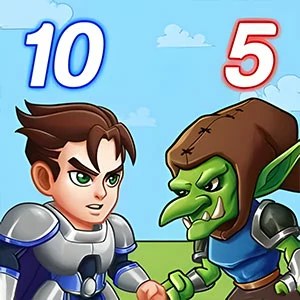

Prince and Princess is a browser room escape game: after the king dies, an emperor imprisons the royal pair and you must free them. The catalogue lists no controls, so this guide covers genre-standard mobile tap habits and puzzle routines. Suits casual escape-room fans.
Prince and Princess is a room escape game. The catalogue description sets the scene: after the king's death, the emperor took power and imprisoned the prince and princess. Your job is to help them escape. That is the whole premise, and it is worth keeping in mind before we go any further.
The catalogue does not list the specific controls, and the automated check that loaded the game reported an empty controls field. So this article will not pretend to know which button opens which door. What we can do is talk about how to play a room escape game on a phone without fighting your own screen, and how to build a routine that makes the puzzle-solving part easier.
What We Actually Know About the Game
The description is short. It is a room escape game. It has a prince and a princess, an emperor who seized power, and a prison to escape from. The genre is puzzle. Nothing in the catalogue mentions the number of rooms, a timer, a hint system, an inventory, or a specific art style.
That matters for a controls guide, because room escape games vary a lot. Some are tap-only. Some ask you to drag items between slots. Some hide clues in the background and expect you to zoom in. Without confirmed details, the honest approach is to prepare for the common patterns rather than claim knowledge of this game's exact scheme.
The automated check did confirm one thing: the game loaded on a desktop browser. It took about 7.5 seconds. That is not instant. On a phone, a slow first load is normal for a browser game with assets, so give it a moment before you start tapping.
The Loop You Are Optimizing For
Room escape games follow a recognizable rhythm. You enter a space, scan it for anything interactive, collect what you can, and then work out what the collected items unlock. You repeat that until the exit opens.
On a phone, the friction is rarely the puzzle itself. It is the handling. A small hot spot that is easy to tap with a mouse becomes a coin flip with a thumb. A drag that feels natural on a trackpad can turn into an accidental drop on a touchscreen. So the thing you are optimizing is not just your logic. It is the accuracy and calmness of your taps.
Think of it as two separate skills. One is noticing: spotting the object that looks out of place, the number scratched on a frame, the drawer that is a slightly different shade. The other is input: hitting the thing you noticed on the first try. Mobile players tend to lose more time to the second skill than the first.
Mobile Controls: What to Do Differently
Since the catalogue does not specify the control scheme, treat the following as genre-standard practice, not as confirmed facts about Prince and Princess.
- Tap with the pad of your finger, not the tip. It is more accurate on small targets and reduces mis-taps on adjacent objects.
- Hold still for a beat after tapping. Many escape games animate a response, and tapping again too fast can cancel or double-register.
- If an item needs dragging, drag slowly and watch for the drop zone to highlight before you release.
- Use both hands if the game allows it. One thumb to hold, the other to tap, keeps the screen steady.
- Turn the phone to the orientation the game expects. If the layout looks cramped or cut off, try the other way.
None of that is exotic advice. It is the boring stuff that separates a smooth session from a frustrating one. Most of the frustration people report with mobile escape games comes from rushing the input, not from the puzzle being unfair.
Mistakes That End Runs Early
Escape games rarely have a fail state in the traditional sense, but they do have ways to waste a session. Here are the ones worth avoiding.
Tapping everything at once. When a room opens, the temptation is to sweep the screen. That produces noise: animations you did not read, items you picked up without noting where they came from, and sometimes a state change you did not intend. Go deliberately. One object at a time.
Not writing things down. Phone screens are small. A clue in the corner of a painting is easy to lose once you have moved to another part of the room. Keep a notes app open in a split view, or use paper. Jot the clue and where you found it. That single habit saves more time than any control trick.
Assuming a dead end. If a puzzle will not budge, the missing piece is usually somewhere you already looked. Re-scan the room before you conclude the game is broken. Look at edges, behind furniture, and at anything with a number or symbol on it.
Ignoring the description's framing. The catalogue tells you the prince and princess are imprisoned and need to escape. That is the goal. If you find yourself unsure what you are working toward, come back to it. The objective is escape, not collection for its own sake.
Playing on a dying battery or a weak connection. The desktop load took roughly 7.5 seconds. A phone on a poor connection will be slower, and a slow load invites impatient tapping before the scene is ready. Wait for the screen to settle.
Phone Versus Desktop
The verified check ran on desktop and confirmed the game loads in a browser. That is the only environment we have hard evidence for. It does not tell us how the game behaves on a phone.
What we can say is general. Desktop gives you a larger view and a precise pointer. Phones give you portability and a touchscreen that is less precise for small targets. If a puzzle in this game depends on spotting a tiny detail, a larger screen is likely to be kinder. If you only have a phone, that is fine — just slow down and use the tap habits above.
Free browser play is one of the nice things about this genre: no install, no account, just a page. That also means you can try it on whichever device is in front of you and see how it feels before committing to a long session.
A Short Practice Plan
You do not need to grind to get better at escape games. You need a routine. Here is one that fits in a few short sessions.
Session one: calibration. Open the game and do nothing but tap. Tap a few objects and watch how the game responds. Note whether taps register instantly, whether there is a delay, and whether anything needs a drag. You are learning the input model, not solving anything. Five minutes is plenty.
Session two: inventory discipline. Start fresh and, every time you pick something up, write down what it is and where you found it. Do not try to solve fast. The goal is the habit. By the end you should have a short list you could hand to someone else.
Session three: full run, slow pace. Play properly, but keep the deliberate tapping and the notes going. If you get stuck, re-scan the current room before moving on. Resist the urge to tap randomly.
Session four: review. Look back at your notes. Which clues did you miss the first time? Which taps did you fumble? That review is where the real improvement happens, and it takes ten minutes.
Keeping It Enjoyable
Room escape games are meant to be a puzzle, not a test of patience with your own thumbs. If a session turns into repeated mis-taps and rising irritation, put the phone down and come back later. Fresh eyes find clues that tired ones walk past.
And keep expectations honest. The catalogue gives us a premise and a genre, not a rulebook. If the controls in Prince and Princess turn out to differ from the patterns described here, trust what the game shows you over anything in this article. The habits — slow taps, notes, deliberate scanning — hold up regardless of the exact scheme.
The prince and princess are waiting. Take your time getting them out.