
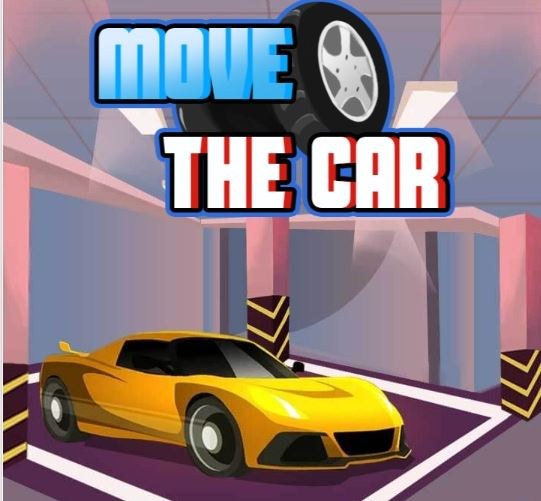
I played Move The Car for a solid twenty minutes on my phone, and the first thing that happens is you tap the screen expecting something big and instead a tiny sedan inches forward about two pixels. It's almost comedic.
I played Move The Car for a solid twenty minutes on my phone, and the first thing that happens is you tap the screen expecting something big and instead a tiny sedan inches forward about two pixels. It's almost comedic. You're staring at a top-down parking lot, a bright yellow arrow pointing vaguely toward an empty space, and your car sits there like it's judging you. The initial instinct is to drag your finger across the whole screen, swiping like you're skipping a song, and the car lurches diagonally into a concrete planter. That's the first ten seconds. Then you realize this game is not about speed. It's about micro-movements, the kind where you breathe out slowly and slide your thumb a half-centimeter while your shoulders stay tense.
The core loop is a quiet puzzle dressed as driving
There's no timer ticking down, no points flashing, no other cars honking. Just you, a rectangular parking spot outlined in white dashes, and a car that handles like a shopping cart with one wonky wheel. Each level presents a slightly more absurd parking configuration. Early on it's a simple pull-forward scenario. By level six you're navigating between shipping containers with a sedan that turns like a cruise ship. The loop is: assess the angle, decide whether you need to reverse first or can swing wide, then execute a series of tiny adjustments. You're optimizing for smoothness, though the game never scores you on it. I found myself optimizing for dignity. Nothing stings quite like getting your rear bumper perfectly aligned, then overcorrecting the front end and having to do a six-point shuffle while the game silently witnesses your shame.
What surprised me is how much backward driving matters. The reverse gear in Move The Car is not an afterthought. The turning radius feels slightly tighter in reverse, or maybe it's just perception, but I started defaulting to backing into spaces because forward entry often required a runway I didn't have. You'll notice the car pivots around its rear axle, which is accurate to most real sedans, and that means your front end swings wide when turning forward. In reverse, the pivot point shifts and you can snake into spots that look impossible from the approach angle. The game never explains this. You figure it out around level nine when a parked truck blocks your natural arc and you sit there for a minute just staring at the gap.
Mistakes that will end your run early and make you restart
I restarted levels more times than I'd like to admit, and the reasons fell into a few predictable buckets. First, oversteering. Because you're controlling the car with a virtual joystick that appears wherever you touch, it's easy to jerk the wheel hard without meaning to. The sensitivity is not adjustable, so if you've got cold fingers or you're on a bumpy bus, you'll send the car into a full lock turn when you meant to nudge it ten degrees. Second, forgetting that the hitbox includes the side mirrors. I clipped a barrier's corner twice because visually it looked like the car body cleared, but the invisible rectangular collision box around the vehicle caught the obstacle. The game doesn't show damage, the car just stops dead. Third, and this is the sneaky one, not using the fullscreen button before starting a tough level. On mobile, browser chrome eats up vertical space, and the touch zone for the joystick shifts slightly. I'd tap what I thought was reverse and the car would lurch forward because my thumb landed a few millimeters higher than intended. Going fullscreen fixes the dead zones.
There's also a specific mistake around level twelve where the parking spot sits at the end of a narrow lane with walls on both sides. You naturally want to pull past the spot and reverse in, but the lane is too short for the car's length. I tried three times, each attempt ending with my front bumper kissing the far wall while my rear tires sat stubbornly outside the lines. The solution was entering the lane in reverse from the start, backing the entire length of the corridor. It felt wrong. My brain screamed that I was doing it backwards. But the car geometry demanded it, and that's when I realized Move The Car is not a driving game with parking, it's a spatial reasoning game with a car skin.
How the controls actually feel on different devices
I played on a mid-range Android phone and later on a desktop browser with keyboard controls, and the difference is stark. On mobile, the touch joystick is serviceable but floaty. There's no haptic feedback, no resistance, so you're relying entirely on visual cues. The steering wheel graphic in the corner spins, which helps, but your thumb covers half of it. I ended up watching the car's front tires instead, which are rendered just clearly enough to see their angle change. On desktop, arrow keys give you digital input — full lock left or right, no gradual turn. It's less precise for fine adjustments but faster for broad maneuvers. I preferred mobile for the later levels where incremental steering mattered, and desktop for early levels where I just wanted to breeze through. One thing: if you're on a laptop trackpad and try to use the on-screen joystick with a finger, the browser sometimes interprets it as a scroll gesture and the page jumps. Lock your viewport if the site lets you.
Fullscreen mode deserves its own mention because the game feels completely different when the browser UI disappears. The parking lot fills your entire screen, and suddenly those tiny movements feel more consequential. You're not glancing at tabs or clock, you're locked into the asphalt and the white lines. It's a free browser game, so you're not downloading anything, but that also means you're at the mercy of whatever ad banners the hosting site runs. On one page, a sticky footer ad covered the bottom centimeter of the play area, which happened to be exactly where my reverse control sat. I refreshed on a different mirror site and it was fine. Worth noting if you're frustrated and can't figure out why your inputs feel offset.
A practice plan for getting consistent without losing your patience
If you're the type who wants to master a game rather than just survive it, I'd suggest a short routine that takes about ten minutes. Start on level one and deliberately park using only reverse. Do not touch forward gear. You'll learn where the rear pivot point lives and how the car rotates around it. Then jump to level five and practice parallel parking from both directions — approach from the left and from the right, even if the level only asks for one. The car's turning bias becomes obvious when you try the mirror image of a maneuver you just nailed. Next, pick any level with tight corridors, something like level eight or twelve, and do it three times in a row without letting the car fully stop. Continuous motion forces you to plan two moves ahead instead of inching forward, stopping, reassessing, inching again. That stop-start habit is the biggest time sink and it's what separates someone who completes the level from someone who looks smooth doing it.
One exercise I stumbled onto: try parking with your thumb covering the entire steering wheel UI element so you cannot see the indicator. Force yourself to read the car's tire angle from the vehicle sprite alone. It's harder, and you'll mess up a few times, but after a while your thumb movements become more intuitive. You stop thinking "turn wheel forty degrees left" and start thinking "the nose needs to swing that way about a foot." That mental shift makes later levels feel less like surgery and more like flow.
The game doesn't track your time per level, so I started using my phone's stopwatch as a self-imposed challenge. Under ten seconds for the early pull-through spots, under thirty for the tight reverse corners. It adds a layer of tension that the base game lacks, and it exposed how much time I wasted on hesitation. Hesitation is the real enemy here. The car's physics are consistent, no random elements, no traffic, no weather. Every failure is a planning failure or an execution failure, and both are on you. That can feel punishing or it can feel fair depending on your mood. I played right before bed and found it weirdly meditative. My wife asked why I was frowning at my phone and I had to explain I was mentally rotating a sedan in a digital parking garage.
Move The Car is exactly what it sounds like and slightly deeper than it looks. It's not going to thrill you with progression systems or story beats. But if you've ever enjoyed untangling a knot or solving a wooden puzzle box, the same part of your brain lights up when you slot a virtual Corolla perfectly between two bollards on the first try. That moment of quiet satisfaction is the whole product. You play it free in a browser tab, finish a dozen levels, and close it feeling slightly more competent than when you opened it. For a parking game, that's about as good as it gets.



