
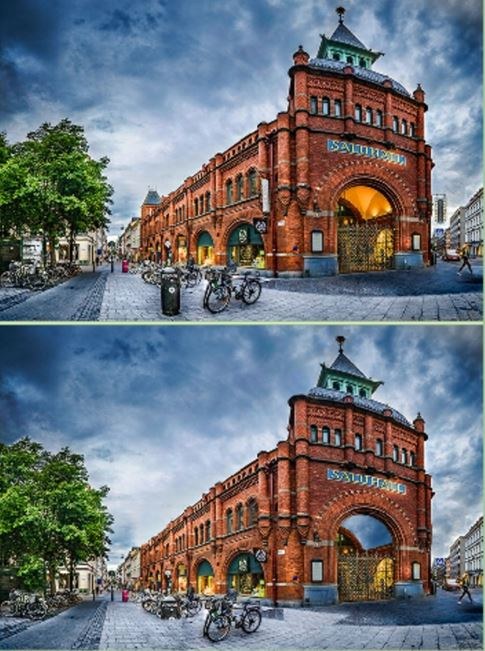
What the First Minute Actually Feels Like You load up Findthedifferencebest and the timer starts ticking immediately. It's jarring, honestly. I wasn't ready. The first screen is a cozy kitchen scene, bright colors, warm
What the First Minute Actually Feels Like
You load up Findthedifferencebest and the timer starts ticking immediately. It's jarring, honestly. I wasn't ready. The first screen is a cozy kitchen scene, bright colors, warm lighting. Two pictures sit side by side. They look exactly the same. I stared for a solid ten seconds before my eyes caught a missing spoon in the right image. Tap. A little green circle confirms it. The relief is real. But then the timer keeps going and you realize there are four more differences hiding somewhere in that kitchen. The pressure builds fast.
The music is the kind of generic upbeat loop you'd expect from a free browser game, but it's not annoying. It fades into the background as you squint. That's the thing about this game—it forces a specific kind of focus within seconds. You'll catch yourself leaning closer to the screen involuntarily. By the third difference, my eyes started playing tricks on me. A shadow under a teacup looked suspicious. It wasn't a difference. Just my brain getting paranoid.
There's no tutorial, no hand-holding. You're just dropped in. For a beginner, that's actually perfect. You learn by failing to spot things fast enough. The first minute tells you everything you need to know: this is a race against your own patience and perception.
How the Core Loop Actually Works
At its simplest, Findthedifferencebest gives you two nearly identical images and a list of differences to find. Usually five per scene. You tap or click on the spot in either image where something is missing, added, or changed. Color shifts, object size differences, a missing stripe on a shirt—the variations aren't wild, but they're deliberate. This isn't a game of huge, obvious changes. It thrives on subtlety.
What you're optimizing for is speed and accuracy. Each wrong tap costs you. The exact penalty depends on the mode you're in, but generally, a mistake adds a time penalty or deducts from your score. You'll see a little red X flash when you mis-tap. It stings more than it should. The game tracks how long you take per scene and gives you a star rating at the end. Three stars means you found everything without a single mistake and under some hidden time threshold. I never got three stars on my first few rounds. Two stars felt generous.
There's a hint button. It's limited. You get maybe two or three per level, and they recharge slowly or you earn more by watching a short ad. I used one on a beach scene where a seashell was ever so slightly rotated. I felt dumb for missing it. The hint highlights the area with a pulsing circle, but it doesn't pinpoint the exact pixel, so you still have to look. That's a nice touch. It keeps you engaged instead of just handing over the answer.
Progression is linear. You finish one scene, you unlock the next. There are themed packs—animals, travel, food—though I only played through the first dozen or so to get a feel for the difficulty curve. It ramps up. Early levels have differences like a missing window pane. Later ones mess with gradients and partial object erasure. You'll find yourself questioning whether that vase was always that shade of blue.
What You're Actually Trying to Get Better At
This isn't a game about memory. It's about systematic scanning and pattern interruption. The most successful approach I found was to divide each image into a mental grid. Top left, top right, bottom left, bottom right, center. Compare one zone at a time. Don't let your eyes wander randomly. That's how you waste ten seconds staring at a cloud that looks perfectly normal.
You're also training yourself to ignore red herrings. The artists do this clever thing where they place objects near the edge of frames or partially obscured. Your brain wants to assume something is off there because it's hard to see clearly. Most of the time, it's fine. The real difference is in plain sight but your attention was dragged to the periphery. Frustrating and effective.
Another skill: knowing when to use a hint versus when to sit in the discomfort. I burned a hint early on a level and then immediately spotted the last difference on my own. The hint was wasted. You start to develop a gut feeling for when you've been looking too long at one section. If you've scanned a zone three times and found nothing, move on completely. Circle back. Fresh eyes on a different area often make the missed detail pop when you return.
Mistakes That End Runs Early
The biggest killer is impatient tapping. You think you see a discrepancy, you jab at the screen, and it's a false alarm. The penalty triggers. Now you're flustered, the timer feels louder, and you start second-guessing everything. I did this three times in a row on a market scene with overlapping fruit baskets. The differences were subtle color swaps—a green apple turned red—and I kept tapping on shadows thinking they were missing objects. My score tanked.
Another common trap: fixating on one difference you can't find while the timer drains. You'll have four out of five spotted in thirty seconds, then spend a full minute hunting the last one. Meanwhile, if you'd just moved on mentally and scanned the whole image fresh, you'd probably spot it faster. But the brain latches onto the idea that it's "almost done" and refuses to reset. I lost a star on multiple levels because of that stubbornness.
Playing too zoomed out is also a problem, especially on phone screens. Some differences involve tiny details—a missing button on a coat, a slightly different pattern on a rug. If you're not occasionally leaning in or, on desktop, using the slight zoom your browser allows, you'll miss them entirely. The game doesn't have a built-in magnifying glass feature as far as I could tell, so you're reliant on your own screen size and willingness to squint.
Lastly, ignoring the background. Everyone focuses on foreground objects. The main character, the big furniture, the obvious animals. But I lost time repeatedly because a picture frame on the wall had a different mat color or a tree outside a window had an extra branch. Train your eyes to sweep the back layer first, then move forward. It feels counterintuitive but works.
Phone vs Desktop: What Actually Matters
I played on both. Phone is the more natural fit because tapping feels direct and the vertical orientation matches the image layouts. However, the smaller screen is a genuine handicap on detailed scenes. On a desktop monitor, the images are larger and differences like texture changes or thin line removals are easier to catch. But clicking with a mouse introduces a tiny bit of drag—you have to move the cursor, position it, click. On phone, your thumb is already hovering. That split-second advantage adds up over five differences.
One odd thing on mobile: occasional mis-taps from fat fingers. I'd try to tap a small detail and the game registered it a few pixels off, counting it as a wrong answer. Infuriating. I learned to use my pinky for precision taps on dense areas. Not elegant, but it worked. On desktop, that's not an issue, but I found myself sitting too close to the monitor and getting eye strain after twenty minutes. Pick your poison.
There's no cross-platform save as far as I could tell, so your progress stays on whichever device you start with. Keep that in mind if you're planning to switch between phone and computer during the day. Not a dealbreaker for a free game, but worth knowing.
A Short Practice Plan That Actually Helps
If you're genuinely trying to get better at Findthedifferencebest, not just kill time, here's what worked for me over about a week of casual play. This isn't a rigid training regimen. Just a pattern of attention you can build.
Start with a single scene from an early pack. Don't aim for speed. Just find all five differences without using a hint. Time yourself but don't look at the clock until you're done. Write down that baseline time. The next day, replay the same scene. Your brain will remember some of the differences, but not all. See if you can beat your time. This isn't about memorizing—it's about noticing how your eyes move more efficiently when you're not anxious about the unfamiliar.
After that, move to a new scene you've never played. Set a mental rule: scan background, midground, foreground in that order. Do not tap anything until you've visually swept each layer once. Then start tapping. This will feel slow. But you'll make fewer mistakes, and your accuracy will climb. Once you can reliably get three stars on a few early levels with this method, try speeding up.
Introduce a deliberate time pressure drill. Give yourself thirty seconds to find three differences in a new scene. If you don't, reset the scene if the game allows it, or just note where you stalled. The point isn't to punish yourself. It's to get comfortable with the timer being an active constraint rather than background noise. You want to feel the urgency without panicking. That's the sweet spot.
Finally, play one scene where you intentionally use no hints even if it means failing the star rating. Sit with the discomfort of not finding the last difference. Let the timer run out if you have to. This builds the mental muscle of staying systematic under pressure instead of devolving into random tapping. I did this on a particularly tricky library scene with books. Took me three full rounds before I spotted the last difference—a missing bookmark. But afterwards, I noticed I was faster on new scenes because I wasn't afraid of the clock anymore.
If you're playing purely for fun, ignore all of this. Just tap around and enjoy the little dopamine hit when a green circle appears. But if you're the type who gets annoyed at two-star results, the structure helps. This is a game that rewards patience more than raw visual acuity. The differences aren't hidden in some impossible pixel-hunt way. They're fair. You just have to slow down enough to see them, which is the hardest thing to do when a timer is counting down in the corner of your eye.



