
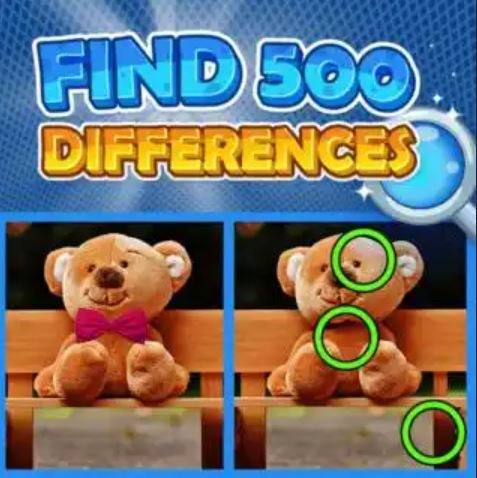
I opened Find 500 Differences expecting something sleepy, maybe a bit of a time-passer while I waited for coffee to kick in. The first minute hit different. The timer starts cold, no warm-up handshake. You get two nearly
I opened Find 500 Differences expecting something sleepy, maybe a bit of a time-passer while I waited for coffee to kick in. The first minute hit different. The timer starts cold, no warm-up handshake. You get two nearly identical scenes slapped side by side—busy marketplaces, cluttered fantasy taverns, overstuffed museum halls—and a counter that reads “0/500.” I spotted three differences fast (a missing lantern, a shifted barrel, a recolored scarf) and thought, okay, I'm cruising. Then I hit a wall at difference number seven and watched twenty seconds evaporate while I jabbed at shadows that weren't actually different. That first-minute tension is real. The game doesn't care if you're ready.
What the loop actually asks from you
The core loop is deceptively simple: find differences until you can't, then suffer the consequences. Each scene contains exactly five hundred differences, but you're not expected to find them all in one shot—this is a marathon dressed as a casual game. You play through layered passes. The first pass nets you the obvious stuff: missing objects, color swaps, size changes. The second pass reveals subtler changes like flipped orientation, slight position nudges, or transparency shifts. By the third pass you're squinting at pixel-level details, hunting for things like a single missing brick in a wall or a cloud that moved three pixels to the left.
You're optimizing for momentum. The game rewards consistent spotting speed with combo bonuses that keep your timer padded. Break your flow for more than eight or ten seconds and the timer starts feeling heavy. The real skill isn't just visual acuity—it's learning when to skip. If you've stared at a region for seven seconds with no hits, move your eyes somewhere else immediately. The game punishes fixation harder than missed differences.
There's also a subtle rhythm to how differences cluster. The developers clearly placed them in sweeps across the image. Once I started noticing the flow—upper left quadrant tends to exhaust first, then middle-right, then lower-center—my efficiency doubled. You can almost feel when a section is "dry." Trust that instinct.
Mistakes that torch your run early
I burned through my first five attempts making the same handful of errors. Here's what actually ended runs, sometimes within two minutes:
- Panic-tapping near the timer warning. When the timer drops below fifteen seconds, the screen gets a reddish pulse. My lizard brain interpreted this as "tap faster everywhere." That triggers the penalty for wrong taps—three incorrect taps in quick succession freezes your input for a punishing few seconds. I learned to lift my finger entirely when the pulse hits and breathe for two seconds before continuing.
- Ignoring the edges of the frame. Early differences live in the center because that's where your eyes naturally land. The cruel ones hide along borders, tucked behind UI elements, or blended into decorative frame edges. I lost a run where I had 487 differences found and the last thirteen were all in the bottom five-pixel strip of the image.
- Playing on autopilot after a good streak. Confidence is the real final boss. I'd nail forty differences in a row, feel invincible, then miss a subtle opacity change on a window reflection because I was scanning too fast. Speed is good; speed without verification is how you skip over the exact difference that would've kept your combo alive.
- Misunderstanding how the hint system actually works. Hints aren't freebies—they cost you a chunk of your remaining time. I burned a hint early in one run thinking it would point me to the next logical difference. Instead it highlighted a difference I'd already mentally catalogued but hadn't tapped yet. The hint system doesn't know what you've seen; it just picks the nearest untapped difference. Use hints only when you've genuinely grid-scanned the entire image twice.
Phone versus desktop: it matters more than you'd think
I tested this on both a mid-range phone and a 24-inch desktop monitor. The experience splits pretty dramatically. On desktop, you get the full image at a glance. Your peripheral vision does a lot of heavy lifting, catching color discrepancies and shape mismatches without direct focus. I could consistently hit 400+ differences on desktop before the timer became a real threat.
On a phone screen, you're scrolling. Constantly. The image doesn't fit, so you're panning around, which means you lose the global view. Differences that would be obvious side-by-side become memory tests: "Was that vase cracked on the left side? I can't see the left side right now." My phone runs topped out around 250-300 differences before the timer pressure got unmanageable. Pinch-zooming helps but introduces its own problem—when you're zoomed in, you lose context and start second-guessing whether a difference is real or just a compression artifact from the zoom.
Tablet sits in a sweet spot. Big enough to see most of the scene, small enough to stay portable. If you have access to one, it's genuinely the best way to play. On any touchscreen, though, fat-finger penalties are real. I triggered wrong-tap freezes several times simply because my thumb obscured the exact spot I was aiming for. A stylus helps enormously on touch devices, and I'm not being precious about it—I borrowed my kid's cheap capacitive stylus and my accuracy rate improved noticeably.
A practice plan that doesn't feel like homework
I'm not going to tell you to "train your eyes" with abstract exercises. Here's what actually moved my success rate from frustrating to fun over about a week of lunch-break sessions:
Day one and two: play without caring about score. Just watch how differences reveal themselves. Notice which types you spot instantly and which ones you consistently miss. For me, I'm fast on color changes but glacially slow on subtle rotation differences. Knowing your weakness means you can deliberately slow down and scan for that specific type when you hit a drought.
Day three: impose a scanning grid. Mentally divide each image into nine zones (3x3). Force yourself to clear zone one completely before moving to zone two. This feels unnatural at first because your eyes want to jump to movement or color pops. Stick with it for three full scenes. By the third scene, you'll start noticing patterns in how differences are distributed, and your zone-clearing speed will pick up.
Day four: practice the skip reflex. Play a scene where you allow yourself exactly five seconds per zone. If you don't find a difference in that window, move on. Circle back later. This trains the most important skill in the game: knowing when to abandon a dead patch. Most failed runs happen because players sink thirty seconds into a region that only had two differences left, both nearly invisible.
Day five onward: chase flow state. By now the mechanics should feel semi-automatic. Your goal shifts to maintaining combo streaks. The game's audio cues (if you're playing with sound) telegraph combo thresholds. Learn those rhythms. A high combo doesn't just feel good—it directly extends your timer through bonus seconds. Getting into flow where you're spotting a difference every two to three seconds is genuinely meditative. That's when the game sings.
One thing I noticed: fatigue is real and it hits suddenly. Around the fifteen-minute mark, my accuracy would cliff-dive. I'd start missing differences I'd spotted easily minutes earlier. Taking a two-minute break to look at something far away—actual advice from my optometrist that accidentally applies here—reset my eyes enough to finish strong. Don't push through the blur. You'll just rack up wrong-tap penalties.
Find 500 Differences isn't trying to be profound. It's a grind in the best sense, the kind where small improvements stack up and you can feel yourself getting sharper over time. The game lives in that narrow space between relaxing and stressful, and staying in the pocket is the whole point. You can play it free in your browser right now, no download nonsense, which makes it dangerously easy to open a tab and lose forty minutes. I've done it twice writing this.



