
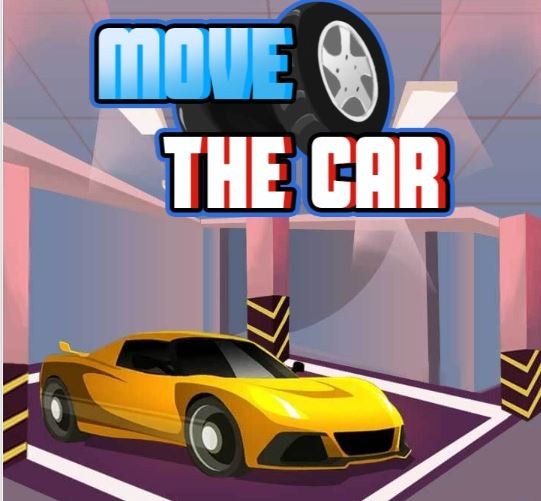
I fired up Move The Car thinking I'd breeze through it. The first level dropped me into what looked like a straightforward parallel parking spot with generous yellow lines and no timer ticking down. I nudged the sedan fo
I fired up Move The Car thinking I'd breeze through it. The first level dropped me into what looked like a straightforward parallel parking spot with generous yellow lines and no timer ticking down. I nudged the sedan forward, cut the wheel too early, and immediately wedged the rear bumper against a concrete planter. That's when I noticed the damage counter in the corner. Zero stars. Restart. The first minute feels less like a casual parking game and more like being handed the keys to someone else's pristine sedan while they watch from the curb, arms crossed.
The Loop Isn't Just Parking — It's Damage Mitigation
Most parking games reward you for speed or exact positioning. Move The Car punishes you for contact. Each scrape, bump, or love tap against a barrier subtracts from a hidden tolerance meter that the game never explains outright. You'll finish a level thinking you nailed it, only to see two stars pop up and wonder what you touched. The loop works like this: you steer a car from a starting position into a highlighted spot, usually navigating tight alleys, stacked obstacles, or oddly angled bays. The moment your tires cross the boundary of the designated space, the level ends and the game tallies damage. What I realized after about ten levels is that you're not optimizing for time at all. You're optimizing for smoothness. One clean arc into the spot beats three rushed corrections that leave paint on a bollard.
The car physics sit somewhere between floaty arcade and weighty simulation. There's body roll when you jerk the wheel, and the rear end swings wider than you expect on tighter turns. You have to account for that overhang, especially in the levels where they sandwich you between dumpsters and light poles. I lost a perfect run on a level called "Narrow Alley" because I forgot the back of the car keeps traveling after you straighten the wheels. It's not realistic enough to be a sim, but it's punishing enough that you can't just coast through with sloppy inputs.
The Mistakes That Will Tank Your Run Before You Realize It
Let's get specific, because I wasted a solid twenty minutes repeating the same three errors before I diagnosed what was happening.
First, overcorrecting at low speed. The natural instinct when you see yourself drifting toward a wall is to crank the wheel in the opposite direction and tap the gas. In Move The Car, that almost always causes the front corner to swing into whatever you were trying to avoid. The turning radius tightens under even light acceleration, so that little tap sends the nose diving inward. I started forcing myself to stop completely, straighten the wheels, and then reverse. It feels painfully slow, but the game doesn't care about your lap time.
Second, ignoring the camera angle limitations. You get one fixed overhead-ish view that looks slightly isometric. You cannot rotate it. On levels where the parking spot sits behind a building corner or underneath an awning, half the car disappears from view. I clipped a fire hydrant three times on "Downtown Drop" because I couldn't see the passenger side rear panel. The fix isn't skill — it's memorizing where the blind spots are on each layout and inching forward until you hear the scrape sound effect. By then it's usually too late for three stars, but you'll at least finish the level.
Third, and this one stung: forgetting that different cars have different lengths. Around level fifteen, the game swaps your compact sedan for a boxy delivery van. The turning behavior changes. The wheelbase is longer, so your usual reference points — like "start turning when the side mirror lines up with the bollard" — don't work anymore. I slammed the van's rear door into a wall on my first attempt because I turned at my sedan timing. You have to recalibrate every time the vehicle changes, and the game doesn't warn you before the switch.
How The Star System Actually Judges You
I spent a while reverse-engineering the rating logic because the game never explains it. One star means you parked the car, period. Two stars means you completed the level with minor contact — a light brush against a soft barrier like a traffic cone or a hedge. Three stars requires zero contact of any kind. I tested this by deliberately tapping a cone on an otherwise perfect run and got two stars. Then I replayed the same level, avoided the cone entirely, and got three. The tolerance seems to be binary: you either touched something or you didn't. There's no graduated scale for "barely grazed versus full collision." That makes the pursuit of three stars feel rigid, almost binary. You'll know the moment you hear that hollow thunk whether you're restarting or not.
The frustration here is real. On longer levels with multiple tight segments, you can drive flawlessly for ninety seconds and then brush a trash can two feet from the finish. The restart button becomes a reflex. I found myself restarting levels after the slightest sound cue, sometimes preemptively, which probably says something unflattering about my patience.
Device Differences That Actually Matter
I played on both desktop and a mid-range Android phone, and the experience splits pretty hard. On desktop, you steer with the arrow keys or WASD. The keyboard input is digital — full lock or nothing — which makes fine adjustments at low speed feel jerky. You'll find yourself tapping keys in short bursts, trying to simulate analog steering. It works, but it adds a layer of artificial difficulty that isn't the game's fault. The levels are clearly designed with touch controls in mind.
On mobile, you get an on-screen steering wheel that you drag with your thumb. The sensitivity felt a touch high to me at default, but there's a slider in the pause menu that lets you dial it down. I dropped mine to about sixty percent and immediately stopped over-rotating on shallow turns. The mobile version also gives you haptic feedback on collisions, which the desktop version lacks. That little vibration gives you an extra split second to lift off before the damage registers — not enough to save a hard hit, but enough to turn a scrape into nothing if you react fast.
One annoyance on phone: the steering wheel graphic sits in the lower left corner, and if you're right-handed like me, your thumb naturally drifts toward the center of the screen where there's no input. I caught myself steering with my left thumb while my right hand hovered uselessly. You adjust after a few levels, but it's worth mentioning because the first five minutes on mobile feel awkward.
The Levels That Taught Me The Most
Not all levels teach the same lesson. A few stood out as skill checks that forced me to unlearn bad habits.
"Parallel Precision" appears early, around level eight, and it's the first time the game asks you to slot a car between two others with maybe eighteen inches of clearance front and back. My instinct was to pull alongside the front car, cut hard, and reverse in one fluid motion. That works in other parking games. Here, the car's rear swings wide enough that I clipped the back vehicle's bumper every single time. The level taught me to stop parallel to the spot, straighten out, reverse until my rear wheel lined up with the other car's rear bumper, and only then begin turning. It's a slower, more methodical approach that the game rewards consistently.
"Loading Dock" around level twenty-two introduces a sloped ramp leading up to the parking spot. The incline affects your car's rollback when you switch from brake to gas. On a flat surface, the car stays put. On the ramp, it slides backward the moment you release the brake. I didn't notice at first and kept drifting into the railing behind me. The workaround is to hold the gas lightly while steering, rather than stopping completely. It's a small mechanical twist but it changes the rhythm of the level entirely.
"Roundabout Exit" is the level where I finally understood how the game handles momentum. You have to circle a small roundabout and exit into a narrow bay on the opposite side. If you carry too much speed through the curve, the car understeers and pushes wide into a barrier. Too little speed and you'll stop mid-turn, then overcorrect when you try to resume. The sweet spot is a steady, medium throttle with no steering adjustments mid-curve. Set your angle before entering and trust it. That level alone took me maybe twelve attempts.
A Practice Plan That Won't Waste Your Time
If you're aiming for three stars on every level — and the completionist pull is real once you see those empty stars on the level select screen — I'd suggest a short routine that helped me stop repeating the same mistakes.
First, play any new level once without caring about stars at all. Just drive through it normally, hit things, finish with one star. The point is to see the entire layout and identify where the blind spots are. You can't plan a clean run if you don't know the course. This takes maybe a minute per level and saves you five restarts later.
Second, on your real attempt, stop completely before every turn. I mean fully stop. The game doesn't penalize time, so there's no reason to carry momentum into a corner you can't see around. Stopping lets you assess the angle, check your mirrors in the top-down view, and then commit. I shaved my restart count by at least half once I started doing this.
Third, if you're on mobile, spend thirty seconds in the settings before each session. The sensitivity slider tends to reset or feel different depending on the vehicle. A setting that felt perfect for the compact car might be too twitchy for the van. Adjust it per vehicle type, not once and done.
Fourth, use the level select screen to replay earlier levels with the muscle memory you've built. Go back to level one after you've beaten twenty levels and see if you can three-star it in one try. You'll notice how much tighter your steering has become, and it's genuinely satisfying to breeze through a level that originally took you five attempts.
Is It Worth The Grind?
Move The Car doesn't pretend to be more than it is. There's no upgrade system, no car customization, no leaderboard. You park cars, you avoid damage, you chase stars. The satisfaction comes from executing a perfect sequence of small movements without that telltale crunch. It's the kind of free browser game that fits into a fifteen-minute gap — a lunch break, a waiting room, the stretch between meetings where you need something repetitive but demanding enough to hold your attention.
The difficulty curve spikes unevenly. Some levels in the mid-teens feel easier than earlier ones, then level twenty hits with a multi-point turn scenario that demands you reverse between staggered pillars with inches to spare. That inconsistency can feel sloppy, but it also means you're never quite sure what's coming, which keeps the game from becoming a rote exercise.
I'll admit I didn't three-star everything. A couple of the later van levels broke my patience, and I settled for two stars knowing I could come back later. The game saves your progress automatically, so you can chip away at it across multiple sessions. Nothing expires, nothing locks behind a paywall. For a free parking game that you can play right in a browser, Move The Car delivers exactly what it promises — and punishes you exactly as much as you let it.



