
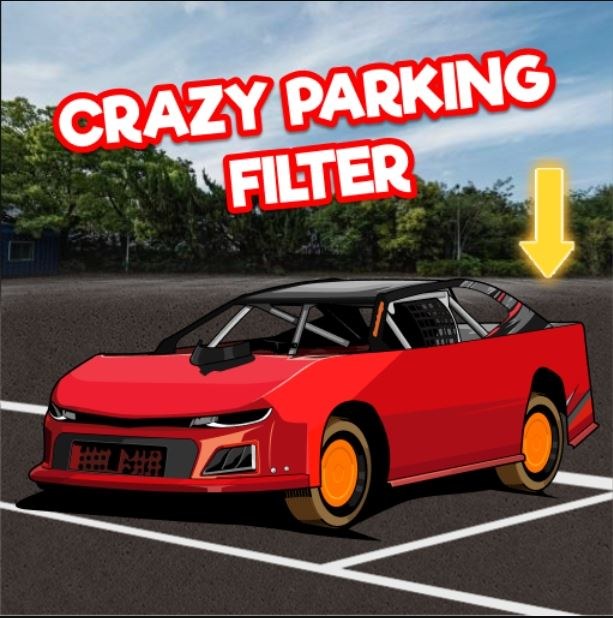
What Crazy Parking Feels Like Right Away I opened Crazy Parking expecting something simple, maybe a little clunky, and honestly the first thirty seconds had me grinning. The 2D art isn't flashy but it's clean enough that
What Crazy Parking Feels Like Right Away
I opened Crazy Parking expecting something simple, maybe a little clunky, and honestly the first thirty seconds had me grinning. The 2D art isn't flashy but it's clean enough that you immediately understand what's being asked of you. You get a top-down view of a lot, a little compact car, and a glowing rectangle somewhere across the screen that represents your parking spot. The car putters forward with a gentle engine hum, and the steering has this deliberate weight to it—turn too sharply at speed and you'll feel the back end drift just enough to make you correct.
What caught me off guard was how quickly I cared about getting it right. The game doesn't yell at you or flash timers in your face right away. It just places the car at an awkward angle relative to the spot and lets you figure out how many forward-and-reverse wiggles it'll take. My first level took maybe forty seconds. I scraped the curb once, the game politely noted it, and I still passed. By level three I was already backing into spots just because it felt more satisfying.
You'll notice the lack of a tutorial beyond the basic arrow-key prompts, and I actually think that works in its favor. The first minute teaches you everything: the car pivots around its center, momentum matters a little more than you'd expect for a top-down game, and lining up your approach angle early saves you three extra maneuvers later.
How the Parking Loop Gets Under Your Skin
The core loop is deceivingly simple. Each level drops you somewhere on the map with your car pointed in a direction that's almost never convenient. The parking space is marked, sometimes wedged between other cars, sometimes angled, occasionally tucked behind a planter or a lamppost that the level designer clearly put there to annoy you. Your job is to get every inch of your car inside that rectangle without hitting anything.
What you're optimizing for isn't just completion. The game tracks bumps against barriers, other vehicles, and those cursed little bollards that hide in your blind spot. Each contact adds a penalty to your score, and while you can technically finish a level with three or four nudges, the real satisfaction comes from nailing a perfect park in one fluid sequence. I found myself restarting levels not because I failed, but because I knew I could do it cleaner.
The progression keeps this loop fresh. Early levels are wide-open lots with generous spaces. By the mid-game, you're parallel parking between two luxury sedans with maybe eighteen inches of clearance total, and the camera angle stays fixed so you have to mentally rotate the car's dimensions in your head. The difficulty curve isn't a straight line—it spikes oddly around level seven, then eases off, then hits you again around level twelve with a narrow garage entrance that requires a three-point turn just to line up your approach.
There's no story, no upgrades, no currency system. Just you, a car that handles consistently, and increasingly sadistic parking scenarios. And weirdly, that's enough. I sat down to test this for fifteen minutes and ended up playing for almost forty.
What Ends Your Run Early
Crazy Parking doesn't have lives or a fail state in the traditional sense—you can retry endlessly—but certain mistakes will absolutely tank your run and force a restart if you care about scoring well.
The biggest culprit is speed impatience. The car accelerates faster than it brakes, and I cannot count how many times I tapped the up arrow one too many times and nudged the car in front of me. Even a light tap counts against you, and the sound effect that plays is just condescending enough to sting. On tighter levels, that extra momentum also means your turning radius widens, so what should have been a clean arc into the spot becomes a diagonal mess where your rear bumper is now kissing a concrete pillar.
Another common killer is forgetting where your car's pivot point is. Since the view is top-down and the car rotates around its center, backing into a spot requires you to think about how the front end swings out. I sideswiped a parked truck on level nine because I was so focused on my rear bumper clearing the line that I forgot my front corner was arcing outward like a scythe. That one hurt.
Parallel parking on the right side of the road also tripped me up more than I want to admit. Most levels train you to pull into spots forward or back in from the left. When the game suddenly asks you to parallel park curbside with traffic direction implied, your muscle memory from the previous ten levels betrays you. I had to pause and physically trace the steering inputs with my finger on the desk before attempting it.
Last thing: those decorative obstacles. Planters, trash bins, the occasional traffic cone placed slightly inside your turning path. They don't always register as threats because they're small, but the hitbox on them is unforgiving. If your mirror clips a cone, the game knows. The game always knows.
When Crazy Parking Runs Slow: Browser and Device Notes
I tested this on a mid-range laptop using Chrome and also on an older Android phone through the same browser. On desktop, the game ran smoothly at first, but I noticed something around level eight or nine where the frame rate would dip momentarily when I reversed close to another car. It wasn't game-breaking, just a slight stutter that made precision steering feel mushy for a split second. If you're experiencing something similar, there are a few things that helped.
First, close other tabs. Crazy Parking isn't a heavy game, but it's running in your browser alongside whatever else you have open, and memory contention can cause those micro-stutters. I had seven tabs open including a YouTube video paused in the background, and closing everything except the game smoothed things out noticeably. Second, if you're on a laptop that's not plugged in, your browser might be throttling performance to save battery. Plugging in can make a real difference for HTML5 games that rely on consistent frame timing for physics calculations—even simple ones like steering response.
On mobile, the touch controls replace the keyboard arrows with on-screen buttons, and I found the experience a little less precise. The buttons are positioned low on the screen, which makes sense ergonomically, but they're also a bit small. My thumb would drift off the reverse button mid-maneuver and I'd suddenly be lurching forward instead. You can play Crazy Parking for free in your browser on mobile and it's perfectly functional, but the later levels where millimeter adjustments matter become genuinely harder with touch input. If you're stuck, try switching to a device with physical keys—the arrow-key precision on desktop is the way this game was clearly meant to be played.
For the slow-running issue specifically, one more thing worth trying: if your browser has hardware acceleration enabled (most do by default), toggling it off and back on in settings can sometimes clear up rendering hiccups in 2D HTML5 games. I didn't need to do that myself, but I've used the trick before on other browser games and it's low-effort enough to mention.
A Practice Plan That Actually Builds the Skill
After my extended session, I figured out a rough approach that helped me stop making the same dumb mistakes repeatedly. It's not formal, but it worked for me.
First five minutes: ignore the score entirely. Just drive around the lot and get a feel for how the car accelerates, brakes, and turns at different speeds. Do a few wide loops, practice stopping exactly on a line, reverse in a straight line without veering. The game doesn't punish you for goofing off before you enter the parking zone, so use that space. I spent three minutes just backing into corners to understand where the rear bumper actually is relative to the sprite.
Next ten minutes: play levels one through five repeatedly, but with a rule—no more than one correction per park. If you have to pull forward and readjust more than once, restart the level. This forces you to plan your entry angle before you even touch the gas. On level three especially, where the spot is angled at roughly forty-five degrees behind a row of cars, I must have restarted eight times before I consistently nailed it on the first or second move.
After that: tackle the level you're stuck on, but approach it in slow motion. Literally tap the arrow keys instead of holding them. The game doesn't have a time limit on most levels, and moving at a crawl gives you way more room to correct mid-maneuver without overshooting. The parking spot on level twelve that gave me fits became manageable when I stopped trying to swing in confidently and instead inched backward like someone parallel parking in real life with an audience watching.
Last tip: if you're consistently clipping the same obstacle, change your reference point. I started using the car's side mirror graphic as a visual marker—when it lines up with the edge of the parking space, I know I'm at the right depth. Every car sprite has some visual detail you can use as a makeshift distance guide. Find yours and stick with it.
Crazy Parking doesn't demand a huge time commitment, and the fact that you can play it free in a browser tab means it's easy to dip back in for five minutes between other things. The skill builds quietly, and there's a genuine moment of pride when you slot a car into a tight garage on the first attempt without touching a single barrier. That's the loop, and it works.



