
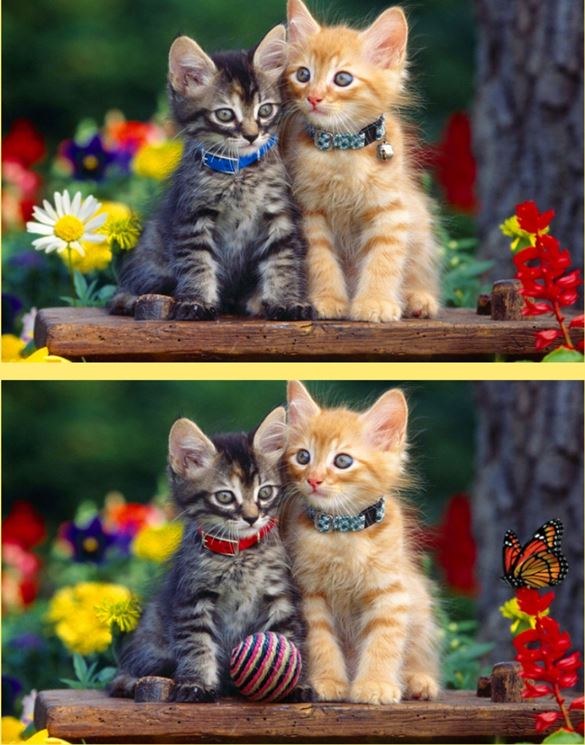
First Minute, Zero Hints You open Spot Differs on a coffee break and it drops you straight into a side-by-side pair of almost identical images. No tutorial pop-up, no hand-holding. I tapped around randomly at first, just
First Minute, Zero Hints
You open Spot Differs on a coffee break and it drops you straight into a side-by-side pair of almost identical images. No tutorial pop-up, no hand-holding. I tapped around randomly at first, just to see what would happen. The penalty buzzer caught me off guard — three wrong taps in quick succession and the screen flashed red, resetting my streak. That tiny sting taught me more than any instruction screen could. The art style is clean and the images are bright without being garish, which actually makes the differences harder to spot than you'd expect. Your eyes glide over details that should be obvious because the composition feels so natural.
What struck me right away is how much the game trusts you to figure it out. The timer ticks upward, not down, so there's no countdown anxiety. But the real pressure comes from knowing that every mis-tap chips away at your score multiplier. You'll notice your thumb hesitating over the screen within the first two minutes, and that hesitation is the whole game.
The Loop That Keeps You Locked In
Spot Differs follows the classic spot-the-difference formula but layers on a combo system that changes how you approach each level. You're given two images, and you need to find every discrepancy before moving on. Simple enough. But the scoring isn't just about completion — it's about accuracy. Each correct tap builds a streak multiplier. Miss, and that multiplier drops back to one. Miss too many times in a level, and you'll finish with a score that feels like a participation trophy.
The levels come in packs, and the difficulty curve is genuine. Early sets use broad color shifts and missing objects that jump out once you relax your focus. By the time you hit the mid-tier packs, the differences shrink: a slightly lighter shadow, a flipped pattern on a shirt, one window missing a reflection. I found myself zooming in instinctively even though the game doesn't officially support pinch-to-zoom. On desktop, leaning toward the monitor became a reflex I didn't realize I had.
What you're really optimizing for isn't speed — it's pattern recognition under mild self-imposed pressure. You start scanning images in a grid pattern without thinking about it. Top-left quadrant, sweep right, drop down, repeat. When that fails, you switch to comparing specific zones: backgrounds first, then foreground objects, then tiny text or patterns. The game rewards methodical players more than frantic tappers.
Mistakes That Tank Your Run Early
I burned through my first few level packs making the same errors repeatedly, so here's what I wish I'd known sooner.
Random tapping. This is the obvious one, but it's tempting because sometimes you genuinely can't find the last difference and your brain starts bargaining. You tell yourself you'll just tap around the edges, maybe get lucky. What actually happens: three wrong taps in a level and your streak is gone. Worse, on some level packs the penalty threshold feels tighter — I'm fairly sure I got locked out after two mistakes on a particularly detailed cityscape set, though I couldn't confirm if that was a bug or a hidden difficulty tweak. Either way, don't guess. If you're stuck, take your hands off the screen or mouse for ten seconds and reset your eyes.
Ignoring the edges. The differences love hiding in plain sight along the borders of images. A missing fence post, a slightly cropped tree branch, a color gradient that stops one shade early. I lost count of how many times I scoured the center of an image only to find the final difference was a missing chimney on the far-right roofline. Train yourself to trace the perimeter first before diving into the middle.
Rushing through early levels. The first few sets feel easy, so you fly through them, building a decent multiplier and feeling good. Then the difficulty spikes and you're suddenly making sloppy mistakes because your rhythm is too fast. I started treating the first two levels of any pack as a warm-up, deliberately slowing my taps even when the differences were obvious. That pace carries into the harder levels and keeps your accuracy steadier.
Not using the hint system wisely. Spot Differs gives you a limited number of hints, and they circle the general area of a difference without pinpointing it exactly. The mistake I made was using hints too early, when I still had patience left. Save them for the absolute last difference in a level, when you've been staring for over a minute and your eyes are starting to blur. At that point, the hint narrows your search zone enough to break the stalemate without fully giving away the answer.
Phone vs Desktop: What Actually Matters
I played Spot Differs on both my phone and my laptop, and the experience splits in ways that affect your accuracy more than you'd think.
On a phone, the images are smaller, obviously, which makes fine details harder to catch. But the trade-off is that your finger is more precise than a mouse cursor for quick taps once you've spotted something. The downside: your thumb physically blocks part of the screen. I developed a habit of holding my phone with one hand and tapping with the index finger of the other, which felt ridiculous in public but genuinely improved my accuracy. Battery drain is minimal, and the game loads fast even on spotty mobile data, so it's a solid bus-stop game.
On desktop, the larger screen is a genuine advantage for the later levels. Details like stitching on clothing or slight text changes become visible without straining. The mouse cursor is less forgiving though — I misclicked more often on desktop because the hitbox for small objects felt slightly off. There were moments where I was sure I tapped the right spot and the game registered a miss. I learned to aim for the center of the difference rather than its edge, and my accuracy improved. No keyboard shortcuts exist as far as I can tell, so it's all mouse work.
One weird quirk: the game doesn't seem to save progress across devices. I started on my phone, switched to desktop later, and had to begin from scratch. Not a dealbreaker for a free browser game, but worth knowing if you're halfway through a tough pack and considering switching screens.
How the Difficulty Actually Works
Spot Differs doesn't announce its difficulty structure, but after fifteen minutes you can feel the logic. Levels within a pack escalate gradually. The first image pair is the warm-up, with maybe five differences that are large and color-based. By the final image in the same pack, you're looking for seven or eight differences, and at least two will be subtle enough that you question your eyesight.
The real challenge isn't the number of differences — it's the type. The game cycles through a few categories of tricks:
- Color shifts: one object is a slightly different shade than its twin
- Missing elements: an object exists in one image but not the other
- Size changes: something is scaled marginally larger or smaller
- Pattern breaks: stripes, dots, or textures that flip direction
- Text differences: numbers or letters altered, often on signs or books within the scene
Once you recognize these categories, you start scanning with purpose. I'd mentally run through the list when stuck: "Checked colors? Yes. Missing objects? Yes. Text?" That last one saved me multiple times because text differences are easy to overlook when you're focused on visual objects.
There's also a hidden timer element that I only noticed after a few runs. The game doesn't show a countdown, but the longer you take on a level, the more your final score seems to dip, even with a perfect accuracy streak. I can't confirm the exact formula, but there's definitely a time component baked into the scoring. You don't need to speedrun, but you also shouldn't treat each level like a meditation exercise if you care about your numbers.
A Short Practice Plan That Actually Helps
If you want to improve at Spot Differs without burning through hints or rage-quitting on the later packs, here's a practice approach I settled into after about twenty minutes of messy trial and error.
First session (10 minutes): Play the first three level packs without worrying about score. Your only goal is to train your eyes to move in a consistent pattern. Pick a method — left-to-right sweep, quadrant-by-quadrant, or background-to-foreground — and stick with it for all three packs. Don't switch methods mid-level. By the end, you'll know which scanning style feels most natural. For me, quadrant scanning worked best because it prevented me from revisiting areas I'd already cleared.
Second session (15 minutes): Replay the same packs but focus exclusively on accuracy. Aim for zero wrong taps, even if it means taking twice as long per level. This is harder than it sounds because your brain will want to speed up on differences you remember from the first session. Resist that. The goal here is to build the muscle memory of confirming a difference before tapping. I found that hovering my finger or cursor over the spot for a half-second before committing reduced my error rate noticeably.
Third session (20 minutes): Move to a new pack you haven't seen before. Apply your scanning method and your accuracy discipline, but now add a time awareness. Don't rush, but if you've been stuck on one difference for more than 45 seconds, use a hint. The discipline here is knowing when to spend your limited resource rather than stubbornly staring and building frustration that leads to reckless tapping.
Between sessions, I noticed my eyes getting sharper in weird ways outside the game. I'd catch small inconsistencies in real-life patterns — a misaligned tile, a book out of place on a shelf. That's when I realized Spot Differs was training a specific kind of visual attention that sticks with you. For a free browser game that asks nothing of you upfront, that's a surprisingly solid return on your time.
One last thing: the game doesn't punish you for replaying completed levels, and the differences don't randomize, so you can use early packs as warm-ups before tackling harder ones. I started every play session with a quick replay of the first pack, just to dial in my eyes. It made the harder packs feel less jarring.



