
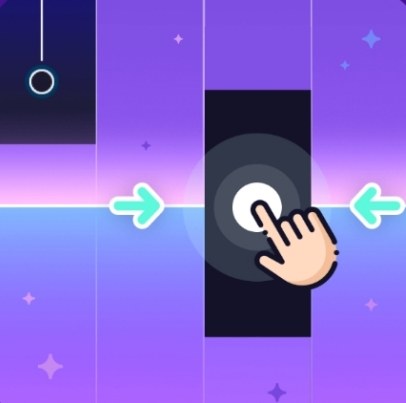
I opened Piano Title assuming it would be another rhythm game where you tap falling notes. It is exactly that, but the first minute feels different than I expected. The notes don't just scroll down a lane. They cascade t
I opened Piano Title assuming it would be another rhythm game where you tap falling notes. It is exactly that, but the first minute feels different than I expected. The notes don't just scroll down a lane. They cascade toward a piano keyboard at the bottom of the screen, and your job is to hit the corresponding key at the exact moment the note overlaps it. The piano sound is surprisingly decent for a browser game, not that compressed toy-piano garbage you get in a lot of free music titles. What caught me off guard was how much the game punishes you for playing it safe. I instinctively tried to wait for visual confirmation before pressing a key. That hesitation cost me three runs in a row.
What the core loop actually wants from you
Piano Title belongs to a family of music games where you chase accuracy and streak bonuses. The basic loop is simple. A song plays. Notes scroll down. You press keys. If your timing is good, you hear the correct note in the song's melody and your score climbs. If you miss, the note either plays incorrectly or not at all, and your combo resets. What you're optimizing for isn't just survival. It's maintaining a full combo multiplier while hitting as many "Perfect" judgements as possible. A "Good" timing window keeps your streak alive but adds fewer points. A "Perfect" fills your score bar faster and, in some songs, triggers little visual flourishes that make the run feel satisfying.
The game doesn't have a tutorial that explains this, but after a few songs you'll notice the score difference between a run where you scrape by with Goods and one where you nail the Perfect window. It's not subtle. A full Perfect chain on even the easiest track can double or triple your final score compared to a sloppy clear of the same song. So the real game is precision, not endurance. You're not trying to survive the song. You're trying to own it.
Why most of my early runs fell apart
I lost at least six runs before I figured out what was actually killing me. Here's what went wrong and what I changed.
Waiting for the note to land on the key. This is the big one. The visual overlap between the falling note and the piano key is slightly misleading. By the time the note graphic sits perfectly on top of the key, you're already late. The Perfect window opens just before that visual alignment. You need to press when the note is a hair above the key, not when it's flush. It took me a while to trust my ears over my eyes. When I started pressing in response to the rhythm instead of the visual, my accuracy jumped immediately.
Lifting my fingers too far off the keys. On mobile, I was tapping with my thumbs and lifting them way up between notes. That extra travel time adds milliseconds you can't afford in faster songs. Keeping my thumbs hovering just above the screen, barely a millimeter away, made dense note clusters manageable. On a desktop keyboard, the same principle applies. Keep your fingers resting lightly on the keys instead of bouncing.
Chasing a broken combo with panic taps. When I missed one note, I'd sometimes try to "catch up" by tapping faster on the next few. That never works. The song's tempo doesn't care that you're behind. Panic tapping just creates more misses and a worse score. The better move is to skip the missed note entirely, find the beat again, and resume cleanly. A one-note combo drop hurts. A cascade of five panic misses ends the run.
Playing songs above my comfort tempo too early. The song list usually includes a few slow ballads and some faster pop or classical pieces. I jumped straight into a quick track because I recognized the melody. Bad idea. The note density was too high for my fingers to process. I couldn't read the patterns fast enough, so I was reacting instead of anticipating. Starting with the slowest available song and getting a Perfect clear there first built the muscle memory I needed for the faster stuff.
Ignoring the off-beat notes. Many songs throw in syncopated notes that land between the main beats. My brain wanted to tap on the downbeat only, so I'd miss those off-beat taps entirely. Counting the rhythm out loud quietly or just nodding my head to the beat helped me feel where the syncopation sat. Once I internalized that, those notes stopped being surprises.
Phone versus desktop: they play like different games
I tested Piano Title on an iPhone and on a Windows laptop using Chrome. The difference is significant enough that your device choice will shape your whole approach.
On a phone, the touch controls feel immediate. There's no key travel, no mechanical delay. You tap the screen directly over the piano keys. The main advantage is that you can use both thumbs, which maps naturally to the left-hand and right-hand sections of the keyboard. The downside is screen size. On a smaller phone, the keys are cramped, and fat-fingering a wrong note becomes a real problem in songs with wide jumps. I also found that my thumbs would drift slightly over the course of a long song, so I'd start missing notes on the edges. Glancing down to reposition usually caused a miss. My workaround was to periodically reset my thumb position during held notes or short rests.
On a desktop with a physical keyboard, the default mapping uses a row of letter keys, often A through J or something similar, to represent the piano keys. The tactile feedback of physical keys helped my timing considerably. I could feel the press, which gave me a more precise sense of whether I was on beat. The trade-off is that keyboard input can have tiny latency, and some cheap keyboards don't handle multiple simultaneous key presses well. I had a moment where pressing three keys at once for a chord didn't register the middle note. If you're on desktop and notice dropped notes during chords, test your keyboard's rollover with an online tool. A basic office keyboard might struggle where a mechanical one won't. Also, on desktop you can go fullscreen, which reduces distractions and, on some setups, slightly reduces input lag. I played better in fullscreen mode every time.
If you're trying to decide which device to use, I'd say phone is better for quick casual sessions and feels more direct. Desktop is better for chasing high scores and accuracy because physical keys give you more consistent timing. Neither is strictly superior. They just favor different play styles.
A practice plan that isn't just "play more"
Telling someone to practice is useless without structure. Here's a short plan I followed over about a week that took me from barely clearing songs to getting Perfect streaks on intermediate tracks. It won't make you a rhythm game god overnight, but it builds the right habits.
Day one: calibrate your eyes and ears. Pick the easiest song in the list. Play it three times without caring about score. On the first run, focus entirely on the visual timing. Watch exactly where the note sits when you hear the correct piano sound. On the second run, close your eyes for a few seconds at a time and tap purely by ear. You'll miss notes, but you'll learn how the rhythm feels independent of the visuals. On the third run, combine both. This session alone fixed most of my early timing problems.
Day two: target the Perfect window deliberately. Play the same easy song but restart immediately if you get more than three Goods in a row. The goal isn't to finish. It's to train your fingers to find the Perfect timing consistently. You might restart ten times. That's fine. You're building precision, not endurance.
Day three: introduce a slightly harder song. Pick a track with a tempo that's maybe 10–15% faster. Play it once to see where the tricky sections are. Don't restart. Let yourself fail and observe. Identify the exact pattern that trips you up: a quick three-note run, a left-hand jump, a syncopated rhythm. Isolate that section in your mind. On the next play, anticipate it instead of reacting to it.
Day four: combo preservation drills. Go back to the easy song and play it with one rule: if you break your combo, you must finish the song without restarting but you also must not let the broken combo spiral. Count how many times you recover cleanly. The skill here is mental resetting. You're learning to let go of a mistake and re-enter the flow without panic.
Day five: device swap or setting tweak. If you've been playing on phone, try desktop for a day. Or vice versa. If you only have one device, try adjusting the note speed setting if the game offers one. Slightly faster note speed can actually make reading patterns easier because the notes are more spread out. Slightly slower gives you more reaction time but can clutter the screen. Find what feels right. Play for 20 minutes with the new setting and note any score differences.
Day six: full attempt on your goal song. Pick the song you actually want to master. Play it three times with full focus. Between runs, stand up, shake out your hands, and take a short break. Tension in your forearms will wreck your timing. Record your score after each run. You'll almost certainly see improvement from the first to the third attempt just from loosening up and getting into the song's specific rhythm.
Day seven: a relaxed victory lap. Go back to the easy song from day one and play it once. You'll probably Perfect it without much effort. That contrast shows you how far your baseline has moved. It's a small psychological win that makes the harder songs feel reachable.
Small things that made a noticeable difference
Some discoveries that don't fit neatly into a practice plan but helped me a lot. Turning off vibration on my phone removed a tiny physical distraction that was throwing off my timing by microseconds. Using earbuds instead of speaker audio eliminated environmental lag and helped me hear the beat more precisely. And on desktop, I closed every other browser tab and paused any background downloads because even a tiny CPU spike can cause a stutter that ruins a Perfect run in a free browser game like this one. These aren't game settings. They're environment tweaks. But in a game where a Perfect window might be a fraction of a second, they matter.
Piano Title doesn't pretend to be anything other than what it is: a straightforward piano rhythm game you can play for free in your browser. It doesn't have character unlocks or story modes. It has notes, keys, and a score counter. The satisfaction comes from hearing a melody come together under your fingers, note by note, and watching that combo number climb without a single break. That's enough.



