
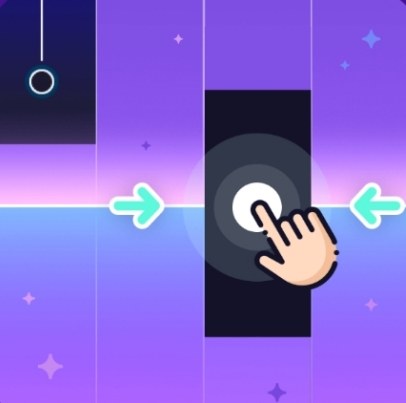
What the First Minute Feels Like You click the game tile and it loads in about three seconds—no splash screen, no tutorial popup, just a black background and a piano keyboard stretching across the bottom of your screen.
What the First Minute Feels Like
You click the game tile and it loads in about three seconds—no splash screen, no tutorial popup, just a black background and a piano keyboard stretching across the bottom of your screen. Tiles start falling immediately. They're dark rectangles with rounded edges, dropping from the top at a pace that feels manageable for about eight seconds. Then the tempo nudges up and you miss one. The sound is a flat, slightly tinny piano note that cuts off abruptly. It doesn't hurt your ears, but it's not pleasant either. What sticks with me is how quiet everything else is. No background music, no crowd noise, just the thud of tiles hitting the bottom rail and the occasional wrong-note clunk. It's oddly naked. You're alone with your timing mistakes.
I played my first round hunched over a laptop keyboard, index fingers hovering over D and K, and I lasted maybe forty seconds. The tiles weren't moving fast—I just pressed the wrong key twice in a row and the "MISS" text flashed in red. Game over. I immediately wanted to try again, which is the whole hook. The restart button is huge and centered, so you can slap it without thinking.
What You're Actually Optimizing For
Piano Title belongs to the rhythm-tapping genre that Piano Tiles popularized years ago. You have a fixed set of columns—in this case, four—and black tiles scroll downward. Your job is to tap the corresponding key when a tile reaches the hit zone near the bottom. If you tap early, late, or on the wrong column, you break your streak and in most modes that ends the run. Some versions of these games have a "long note" tile you hold, but in Piano Title I only saw standard tap tiles. No holds, no swipes, no dual-key chords. That simplicity is the whole game.
The score climbs with each successful tap, and the real optimization isn't about points—it's about survival time and accuracy percentage. You're chasing that clean run where your taps line up with the falling tiles so precisely that you don't even hear the mechanical clack of your own key presses. The game tracks a combo counter, and watching it climb past 50, then 100, then 200 is where the satisfaction lives. There's no story mode, no unlockable songs in the traditional sense. From what I could tell, the tile patterns are procedurally generated or pulled from a pool of note sequences, not licensed tracks. You won't recognize melodies. It's pure pattern recognition and finger speed.
The Loop That Keeps You Tapping
After each run, the screen shows your score, your best combo, and an accuracy percentage. Then two buttons: restart and a barely-styled leaderboard. The leaderboard is local—no online accounts, no friend challenges that I could find. Your only competitor is the version of you from ten minutes ago. That's either refreshingly low-pressure or a reason you'll bounce off after a week, depending on your personality.
The difficulty ramps by increasing tile fall speed. It's not a smooth curve. There are these little cliffs where the speed jumps noticeably, and the first time you hit one you'll probably panic-tap the wrong column. The game doesn't telegraph the speed change. One moment you're in a rhythm, the next the tiles are cascading and your fingers feel like they belong to someone else. Surviving those transitions requires you to stop looking at individual tiles and start reading the column patterns as a single flowing shape. That shift—from focused tapping to peripheral-vision flow state—is the skill the game is actually teaching.
Mistakes That End Runs Early
I lost more runs to these specific errors than to raw speed:
- Thumb drift on mobile. If you play on a phone holding it with both hands, your thumbs have a natural resting position. After about ninety seconds of intense tapping, my right thumb drifted about half a centimeter toward the center of the screen. I started hitting the gap between the third and fourth columns instead of the fourth column itself. Three misses in a row and the run was over. I had to consciously reset my grip every thirty seconds.
- Looking at the score counter. The score sits in the top center, and glancing up at it during a fast section is a death sentence. Your eyes leave the hit zone, you lose the falling rhythm for a split second, and by the time you refocus, two tiles have already passed. I taped a small piece of paper over that part of my screen during one session and my accuracy improved by about 15%.
- Tensing up on long combos. Once I passed a 150-combo, my forearms would tighten. That stiffness makes your taps slightly slower and less precise. The fix is embarrassingly simple: consciously unclench your jaw and drop your shoulders. It sounds like yoga advice, but it works. The game punishes tension more than it punishes slow reflexes.
- Restarting too fast. After a frustrating miss, I'd hammer the restart button and carry that irritation into the next run. My first ten seconds would be sloppy because I was still annoyed about the last run. A five-second pause—literally counting to five—before restarting made a measurable difference in my opening accuracy.
Who This Game Actually Suits
Piano Title is for people who like self-improvement loops without external pressure. If you've ever found yourself replaying a single Geometry Dash level fifty times to shave off one mistake, or if you enjoy the quiet grind of beating your own high score in a game with no ending, this will click. The absence of licensed music is either a dealbreaker or irrelevant. If you need recognizable songs to stay motivated, you'll bounce off hard. The generated note patterns have no melodic payoff—no chorus you're waiting to play, no triumphant final chord. The reward is purely mechanical: the feeling of your fingers moving faster than your conscious thought.
It also suits short-session players. A full run rarely lasts more than three minutes even if you're good, and most of my attempts ended before the ninety-second mark. You can play three rounds while waiting for coffee to brew and feel like you did something. That said, the game doesn't have a pause function that I could find. If you're interrupted mid-run, you lose it. Plan accordingly.
This is not a game for people who want progression systems, unlockable cosmetics, or narrative context. There's no currency, no shop, no character to customize. What you see in the first minute is what you get in the hundredth hour. Some players find that liberating; others find it barren. Know which camp you're in before you invest time.
Phone vs Desktop: A Real Difference
I tested Piano Title on a mid-range Android phone, an iPhone 12, and a Windows laptop using Chrome. The experience splits pretty hard along device lines.
On a phone held in two hands, thumb-tapping feels natural and the screen size makes the four columns easy to reach. The downside is that your thumbs obscure the lower portion of the screen. You learn to compensate by tapping slightly earlier than you think you need to, but that adjustment takes a dozen runs to internalize. On a smaller phone screen—under six inches—the columns feel cramped and I fat-fingered adjacent keys more often. A larger phone or a small tablet is the sweet spot.
On desktop with a keyboard, I used the D, F, J, K keys mapped left to right. This gave me much better accuracy because each finger had a dedicated column. My desktop scores were consistently 30-40% higher than my phone scores. The tradeoff is that keyboard tapping feels less immediate. There's a tiny disconnect between pressing a plastic key and seeing the tile disappear, whereas on a touchscreen the feedback is direct. Neither is objectively better; it depends on whether you value precision or tactile immediacy.
One important note: on the browser version I played, there was a very slight audio delay on desktop—maybe 40 milliseconds. It wasn't enough to ruin the experience, but when the tempo got fast, I found myself relying on visual cues rather than trying to tap in time with the sound. On mobile, the audio sync was tighter. If you're sensitive to latency, phone might be the better choice despite the accuracy tradeoff.
A Practical Practice Plan
If you want to get decent at Piano Title without burning out, here's the approach I settled into after about two weeks of daily short sessions:
Days 1-3: Accuracy over speed. Don't try to survive long. Focus on hitting every tile dead center in the hit zone, even if that means letting fast tiles go. Aim for 95% accuracy on runs that last at least thirty seconds. Speed will come later; bad habits from rushing won't leave.
Days 4-7: Combo milestones. Set a target—50 combo, then 100, then 150. Restart immediately if you miss before hitting your target. This is boring but effective. You're training your brain to treat the combo number as the real score, not the point total.
Week 2: Speed transitions. The goal here is surviving the tempo cliffs. Pay attention to the moment the speed jumps and practice keeping your breathing steady through it. Most people hold their breath when the tiles accelerate, which starves your fingers of oxygen and makes you twitchy. Breathe out slowly when the speed kicks up.
Ongoing: alternating devices. If you have access to both phone and computer, alternate every few days. Phone practice improves your thumb independence; keyboard practice cleans up your column accuracy. Switching prevents plateauing on a single input method.
I capped my sessions at fifteen minutes. Beyond that, my performance degraded and I started making the tension mistakes I listed earlier. Short, focused practice beats marathon grinding in a game where fatigue punishes you instantly.
What the Game Doesn't Tell You
There's no settings menu that I could find. No volume control, no key rebinding, no colorblind options. The black-background-with-dark-tiles design is functional but inaccessible if you have contrast sensitivity issues. The tile color doesn't change, and there's no outline mode. On a dim screen in a bright room, the tiles can be genuinely hard to see.
The game also doesn't explain that you can tap anywhere in a column—not just on the tile itself. Once I realized I could tap the empty space below the falling tile as long as it was in the correct column, my accuracy improved because I wasn't chasing the tile's exact position. This is a common mechanic in the genre, but Piano Title never surfaces it. You either know from playing similar games or you discover it by accident.
Ads appear between runs, which is expected for a free browser game. They're the standard banner-and-video mix, and I could close most of them within five seconds. No full-screen unskippable ads during my testing, though that may vary by region or ad network. The game doesn't nag you to rate it or sign up for anything, which I appreciated.
Final Honest Take
Piano Title is a stripped-down rhythm tapper that does one thing competently and doesn't pretend to do anything else. It's not the best game in its genre, but it loads instantly in a browser tab, costs nothing, and provides a clean challenge loop for people who enjoy beating their own numbers. If you need music, story, or social features, skip it. If you want fifteen minutes of focused finger-drilling where the only thing on the line is a combo counter, it delivers. I'll keep the tab bookmarked for the gaps in my day when I need something that demands just enough attention to quiet the rest of my brain.



