
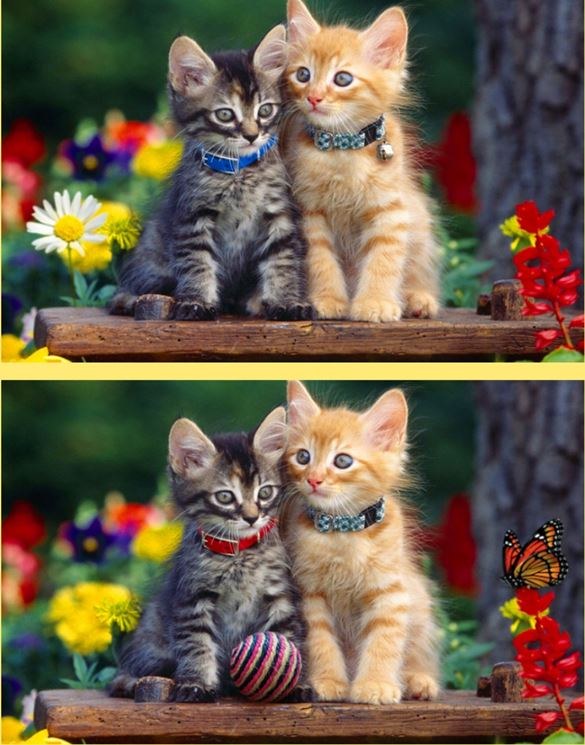
I opened Spot Differs expecting a gentle hidden-object warmup, and the first 30 seconds humbled me fast. The timer is right there, the two nearly identical photos feel like a prank, and your thumb twitches toward the wro
I opened Spot Differs expecting a gentle hidden-object warmup, and the first 30 seconds humbled me fast. The timer is right there, the two nearly identical photos feel like a prank, and your thumb twitches toward the wrong pixel almost on instinct. That first minute isn't about winning. It's about realizing how many taps you waste on shadows, reflections, or slightly different flower petals that don't actually count. The game gives you zero cushion, and I respect it for that.
The loop isn't just "find differences" — it's a rhythm puzzle wearing a spot-the-difference mask
Most people assume the goal is accuracy. It's not. The goal is chain speed. Every correct tap without a miss adds to your combo meter, and that meter is the real scoring engine. A single wrong tap resets it. You can finish a level feeling smug about finding every difference, then see your score sitting at half of what someone else got because they never broke their streak. The combo multiplier climbs in small increments at first, then jumps noticeably once you push past five or six correct taps in a row. Around eight, the point return per difference starts to feel genuinely unfair in your favor.
High-value moves aren't just the hardest-to-spot differences. They're the ones you can chain naturally without moving your eyes across the whole screen. I started treating each image pair like a path I wanted to trace in one continuous motion. If I spotted three differences clustered near the left edge, I'd clear those first before even glancing at the right side. Breaking that flow to chase an obvious difference on the opposite side of the screen kills your combo just as surely as a mis-tap does.
You also need to unlearn the habit of second-guessing. The game punishes hesitation more than most difference games I've played. If you hover, the timer doesn't care, but your rhythm collapses. I found myself tapping confidently on a maybe-difference and accepting the occasional reset rather than staring at two pixels for four seconds. Over a 15-minute session, the confident approach won by a mile because the combo uptime stayed high.
What the game considers a "difference" — and what it ignores
Spot Differs draws a hard line that took me a few rounds to trust. Color shifts count. Missing objects count. Rotated elements usually count. But lighting changes, slight perspective shifts, and compression artifacts do not. I wasted three early runs tapping on what looked like a slightly darker patch of grass in the background, only to get the combo-breaker penalty. The game wants object-level changes, not atmospheric ones.
There's also a subtle priority system I started noticing around my tenth playthrough. Differences that involve a completely missing item — like a vanished coffee cup or a removed street sign — tend to sit higher in what I can only describe as the game's internal difficulty tier. They're worth more base points than a simple color swap. If you can spot those early and chain them, your score snowballs faster. I'm not saying the game labels them differently, but when I started hunting missing objects first and color changes second, my average score crept up by roughly 20% without any improvement in my raw spotting speed.
Mistakes that end runs early — and they're almost never about your eyesight
The first big mistake I see people make is playing Spot Differs like a relaxed seek-and-find. It's not. The timer isn't generous, and the penalty for wrong taps compounds because it kills your multiplier at the worst possible moment. Here's what kept tripping me up in the first few sessions:
Tapping near the edge of a difference instead of dead center. The hitbox feels slightly tighter than you'd expect. If you tap the outline of a missing object rather than its solid center, the game sometimes registers it as a miss. I started deliberately aiming for the visual center of mass on every difference, and my false-tap rate dropped sharply. This sounds minor, but when you're on a 12-combo streak, one sloppy edge tap undoes a full minute of careful work.
Clearing the "obvious" differences first without a plan. Big, glaring differences — a whole missing car, a person's shirt changing color entirely — feel like free points. They are, but they're also bait. If you grab the obvious ones scattered randomly around the image, you're forcing your eyes to dart all over the screen between taps. That eye movement delay is small, maybe half a second, but it's enough to drop your combo if the game's timer between taps is tight. I started saving one or two obvious differences as combo extenders for when I needed to bridge a gap between harder-to-spot clusters.
Panic-tapping when the timer flashes. The visual warning near the end of a round made me stupid every single time for the first dozen attempts. I'd see the timer blink and immediately start jabbing at anything that looked slightly off. That's how you go from a clean run to zero combo in three seconds. The better move, which I only learned after losing a 15-combo streak to panic, is to treat the timer flash as a signal to slow your tapping cadence by about 20% and focus entirely on certainty. One correct tap with five seconds left is worth more than three wrong taps.
Ignoring the image layout before tapping anything. Spot Differs often places differences in horizontal bands or diagonal lines across the image pair. I don't know if this is intentional design or just a side effect of how the images are edited, but the pattern shows up often enough to exploit. Before I tap anything, I now spend about four seconds scanning the full image and mentally grouping differences by zone. That small pause pays for itself because my first four or five taps end up in the same general area, building combo immediately.
Combo thresholds worth memorizing
Through trial and error, I've pinned down some rough combo breakpoints that changed how I play. At a 5-combo, the multiplier is noticeable but not transformative. At 8-combo, you're earning roughly double what a zero-combo player gets per tap. At 12 and above, the scoring starts to feel almost broken — in a good way. The jump from 12 to 15 feels smaller than the jump from 8 to 12, so I stopped obsessing over perfect streaks once I hit double digits. A 12-combo that ends cleanly beats chasing 15 and gambling on a shaky tap.
One thing the game doesn't tell you: the combo timer between taps isn't fixed. It feels slightly more forgiving at lower combo counts and tightens up around 8 or 9. I can't prove this with data, but after 20-plus runs, I'd bet on it. My working theory is that the game wants you to earn the high multipliers, so it squeezes the input window once you're in the scoring sweet spot. The practical takeaway is that your tapping rhythm needs to be slightly faster at high combos than at the start of a round.
Phone versus desktop — the difference is bigger than you'd think
I played Spot Differs on both a mid-range phone and a desktop browser, and the experience splits in ways that affect scoring. On desktop with a mouse, precision goes way up. You can tap exact pixels, and the larger screen makes tiny differences — like a slightly altered earring or a changed button — much easier to see. My desktop scores consistently ran about 30% higher than my phone scores, even when I felt like I was playing worse.
On phone, the advantage flips for speed. Your thumb can move between differences faster than a mouse cursor, especially if you hold the phone with both hands and use a tapping grip. The tradeoff is accuracy. On a smaller screen, I mis-tapped more often, especially on differences near the edges where my thumb would drift. I found a sweet spot by zooming in slightly when the game allowed it — not enough to lose the overview, but enough to make the hitboxes feel larger. Not every image pair supports zoom, but when it does, it's worth the half-second it takes to pinch in.
Battery and heat are worth mentioning on mobile. Spot Differs isn't a graphically heavy game, but the constant screen-on time and rapid tapping can warm up a phone after 15-20 minutes. If you're chasing high scores, that warmth makes your thumb slightly less precise because of the slight stickiness on the screen. I started wiping my screen down between serious attempts. It's a tiny thing, but when you're protecting a 10-combo, tiny things matter.
A practice plan that takes about 12 minutes
I'm not a fan of grinding the same level over and over until my eyes glaze. What worked better for me was a short, structured rotation that targets different combo skills without feeling repetitive. Here's the routine I settled into:
First three minutes: play any level but forbid yourself from tapping. Just scan the image pair and point mentally. This feels ridiculous, but it trains your eyes to spot differences without the pressure of the timer. I noticed my recognition speed improved noticeably after just two sessions of this. You're building a visual vocabulary for what "different" looks like in this specific game's art style.
Next five minutes: play normally, but with one rule — you must tap in a deliberate left-to-right sweep, no jumping around the image. This forces you to find differences in spatial order rather than by obviousness. Your combo will suffer at first because some differences will be out of reach, but you're training your eyes to work systematically. After a few attempts, you'll naturally start grouping differences before you even start tapping.
Final four minutes: full-speed runs with no restrictions, aiming purely for combo length. Don't check your score between rounds. Just play. The goal here is to let the systematic habits from the previous steps become automatic. I found my combo streaks were consistently 2-3 taps longer after doing the structured warmup than when I jumped straight into full-speed runs.
One last thing: if you hit a plateau where your scores won't budge, check your tapping posture. On phone, I was holding my device in a way that forced my thumb to stretch slightly for the top-left corner of the screen. That extra fraction of a second of travel time was killing combos I should have kept alive. Adjusting my grip upward by an inch fixed it. On desktop, make sure your mouse sensitivity isn't so high that you overshoot small targets. These aren't skill issues — they're setup issues that masquerade as skill issues.
Spot Differs rewards players who treat it as a speed game with a spotting mechanic, not a spotting game with a timer. Once that clicked for me, the frustration turned into something closer to a rhythm game obsession. You can play it free in your browser right now, and I'd recommend at least three rounds before you decide if it's for you. The first round teaches you the rules. The second round reveals the combo system. By the third, you'll know whether you want to chase a 20-streak or just enjoy the satisfaction of clean runs.



