
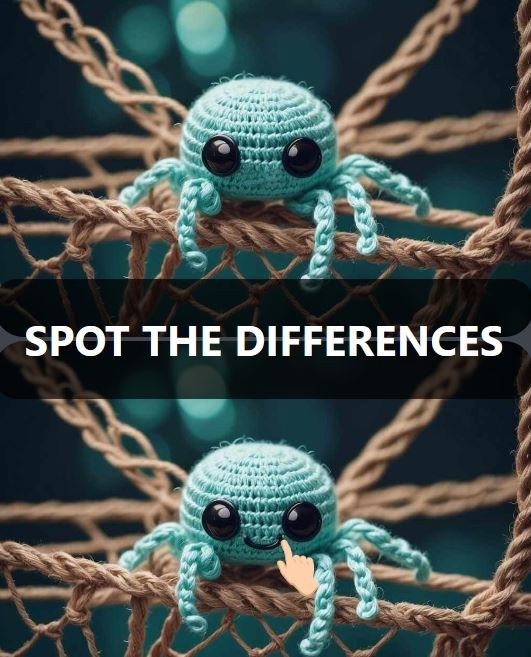
I fired up Spot The Differences expecting a cozy five-minute diversion and immediately felt my eyes narrow into detective mode. The first scene loaded a cluttered living room — books stacked crooked, a cat half-hidden be
I fired up Spot The Differences expecting a cozy five-minute diversion and immediately felt my eyes narrow into detective mode. The first scene loaded a cluttered living room — books stacked crooked, a cat half-hidden behind a curtain, a clock with hands pointing the wrong way — and the timer in the corner started ticking down from two minutes. My first click was a lucky guess on a missing lampshade, but the next three differences made me squint so hard I forgot to blink. That’s when I noticed the tiny stutter. Just a micro-pause as the second scene faded in, a fraction of a second where the image jumped instead of sliding smoothly. It didn’t ruin the game, but it yanked me out of the flow right when I was zeroing in on a suspiciously missing flower pot.
If you’re playing for free in your browser, that kind of hiccup is common. What surprised me was how much it affected my accuracy. When the transition between the two nearly identical panels isn’t fluid, your brain has to re-anchor. You lose the exact spot you were staring at. I started missing differences I normally would have caught simply because the visual context shifted awkwardly. After a few rounds, I got curious about what was causing the lag and whether I could tweak anything on my end to make the game feel snappier. Turns out, there’s a handful of small adjustments that make a genuine difference — not just for this game, but for any browser-based spot-the-difference title where split-second visual comparison matters.
What the first sixty seconds actually feel like
You open the game and get two side-by-side images, usually a brightly colored interior or a street scene packed with objects. The art in most free HTML5 versions leans toward a slightly flat, vector-illustration style with lots of props. That’s intentional. More objects mean more potential hiding spots for differences. In the first round, I scanned left-to-right like I was reading a book. Bad strategy. The timer pressure made me jumpy, and I clicked a cloud that looked slightly puffier in the right panel. Wrong. Lost five seconds as a penalty. The game doesn’t tell you how many differences remain, which means you’re playing a guessing game against both the clock and your own patience.
The audio, if there is any, is minimal — maybe a soft chime when you find a difference, maybe a low-key buzzer for wrong clicks. In the version I played, the sound effects had a slight delay of their own, lagging behind the click by maybe 150 milliseconds. That desync is subtle but annoying. It makes the feedback feel mushy, like stepping on a pedal that doesn’t engage right away. If you’re sensitive to input lag, you’ll feel it immediately. The good news is that most of this sluggishness isn’t the game’s fault. It’s your browser environment, and you have more control over it than you think.
How the loop works and what you’re really optimizing for
The core loop is dead simple: compare two images, spot the anomalies, click them before time runs out. Each round increases slightly in complexity — more clutter, subtler color variations, objects that differ only in scale or rotation. A chair might be missing a leg. A book’s cover might change from red to orange. A shadow might point the wrong direction. These are classic tricks, and they work because your brain fills in what it expects to see. The game exploits that tendency ruthlessly.
But here’s the thing: the loop isn’t just about visual acuity. You’re optimizing for scan efficiency and click confidence. Every wrong click costs you time, so hesitation is punished, but so is impulsiveness. The best players I’ve watched develop a personal scanning pattern — top-left to bottom-right in a zigzag, or quadrant by quadrant — and stick to it religiously. What kills runs isn’t usually a single missed difference. It’s the cascading effect of one wrong click making you second-guess your pattern, which leads to frantic random clicking, which burns the clock down to nothing.
When the browser is lagging, that delicate rhythm breaks. You click a spot, nothing happens for a beat, you click again, and suddenly you’ve registered two clicks — one correct, one penalty. I lost a round exactly this way on a street scene where a traffic light changed from green to red. The first click landed true, but the visual feedback didn’t update until after I’d already jabbed a second time at a nearby window, convinced I’d missed. That’s the kind of moment that makes you want to close the tab. It’s also the kind of moment you can prevent with a few browser tweaks.
The mistakes that end runs before they really start
I started keeping a mental list of the dumb ways I was losing rounds, and almost all of them fell into a few predictable buckets. The first is what I call “edge greed.” You spot a difference near the border of the image and click too hastily, accidentally hitting outside the active area. In some browser versions, clicking the margin counts as a wrong click and triggers the time penalty. I learned to aim for the center of the object, not its outline.
The second mistake is over-focusing on color. New players tend to scan for drastic hue shifts — a red balloon turned blue, a yellow dress gone green — but the trickiest differences are structural. A missing button. An extra window pane. A book spine tilted at a slightly different angle. Your brain is less trained to catch those, so you’ll breeze past them three or four times while hunting for a color change that isn’t there. I started deliberately muttering “shapes, not colors” under my breath after the third round, and my accuracy ticked up noticeably.
The third mistake, and the one most relevant to lag, is clicking before the scene fully renders. If you’re on a slower connection or an older device, the two panels might load progressively. You’ll see a blurry version first, then a sharper one a second later. If you start scanning during that blurry phase, you’re literally looking at incomplete information. I had to train myself to wait a full two-count after the round started before making my first click, just to make sure both images had settled. It feels counterintuitive when a timer is ticking, but losing five seconds to a penalty is worse than spending two seconds waiting for clarity.
Why your browser is probably the bottleneck
Free HTML5 games run inside your browser’s JavaScript engine, which means they’re competing for resources with every other tab you have open. If you’ve got a YouTube video paused in the background, a dozen news articles, and a Google Doc, your browser is juggling a lot. Spot The Differences isn’t graphically demanding — it’s essentially serving two static images and handling click events — but it’s sensitive to rendering pipeline delays. When the browser is busy, the game’s requestAnimationFrame calls get queued behind other tasks, and that’s where the micro-stutter comes from.
I tested this intentionally. I played a round with twelve tabs open, including a music stream and a heavy Gmail inbox. The game stuttered on every scene transition and twice registered phantom clicks I never made. Then I closed everything except the game tab, cleared my cache, and played again. The difference was immediate. Transitions smoothed out, click feedback felt instantaneous, and I finished a round with fifteen seconds to spare that I’d previously been losing to lag penalties. It’s not a magic fix, but it’s the single highest-impact change you can make.
Hardware acceleration is another factor. Most modern browsers have it enabled by default, but sometimes it gets toggled off by an extension or a power-saving setting. In Chrome, you can check by typing chrome://settings/system in the address bar and making sure “Use hardware acceleration when available” is switched on. In Firefox, it’s under Options > General > Performance. This offloads image rendering to your GPU, which is exactly what you want for a game that’s constantly redrawing two detailed panels. Without it, everything runs through the CPU, which is already handling input detection and timer logic. The result is the kind of input lag that makes the game feel drunk.
Extensions that secretly slow you down
Ad blockers are a blessing for the modern web, but they can interfere with free game sites in unpredictable ways. Some block the ad frames that load alongside the game, which is fine, but others inject CSS rules or script modifications that inadvertently delay the game’s own rendering. I use uBlock Origin, and in one test session I noticed the game’s right panel was loading a full second after the left panel. Disabling the extension for that specific site fixed the asymmetry immediately. I’m not saying you should browse without protection, but creating a site-specific exception for the game page is a sensible middle ground.
Dark mode extensions are another subtle culprit. If you’re forcing every website into a dark color scheme, the game’s carefully balanced images can get washed out or color-shifted. I played one round where a difference hinged on a shadow being slightly lighter in the right panel, but my dark mode extension had already inverted the shadow’s color, making the difference invisible. I spent forty seconds poking at nothing before the timer ran out. Turning off the extension for that session felt like cheating because suddenly the game was fair again.
Phone versus desktop: it’s not just about screen size
I played on both a laptop and a mid-range Android phone to compare. On desktop, the larger screen makes scanning easier, but the mouse introduces a tiny travel time between the two panels. You have to physically move the cursor from the left image to the right one, which adds up over dozens of comparisons. I started using the keyboard to scroll the page so both panels sat closer together, reducing mouse travel. A small thing, but in a two-minute round, it saves maybe five to eight seconds of cumulative movement.
On mobile, the panels stack vertically or shrink to fit the narrower screen, depending on how the game is coded. The version I played put them side-by-side in landscape mode, which made each panel about the size of a business card. That’s rough on the eyes. Pinch-zooming isn’t always supported, and even when it is, zooming resets your scan position. I missed differences on the phone that I caught easily on desktop simply because the details were too small to resolve. The touch input, however, felt faster than the mouse — no travel time, just a direct tap. If the game is well-optimized for mobile, that speed advantage can offset the visual disadvantage. But on a janky connection, mobile lag was worse for me, probably because the phone’s Wi-Fi radio was power-throttling in the background.
One specific tip for phone players: turn off Night Light or blue-light filters before playing. Those warm-tinted overlays reduce contrast, which is exactly what you don’t want when you’re trying to spot a slightly different shade of gray in a shadow. I played a round with Night Light on and mistook a color difference for a filter artifact. With it off, the difference popped out like a sore thumb.
A practical practice plan that doesn’t feel like homework
If you’re serious about getting better — or just tired of losing to lag and bad habits — here’s a short routine I settled into after a few days of messing around. It’s not a grind; it’s more like a warm-up you can do in ten minutes.
Start by closing every unnecessary tab and disabling extensions that touch page styling. Load the game and play two rounds without trying to win. Seriously. Just scan both images slowly and name the differences out loud, even if you don’t click them. This trains your eye to lock onto structural anomalies instead of reacting to the timer. I found myself catching things like “the teapot spout is shorter” and “the curtain fold count is different” — details I’d missed entirely when I was rushing.
Next, play three rounds with a strict scanning grid. Pick a starting corner and move your eyes in a disciplined line across both panels simultaneously. Don’t let your gaze jump. If you catch yourself flicking randomly, pause and reset to your corner. This is harder than it sounds, especially when the timer is loud in your head, but it builds the consistency that prevents cascading mistakes.
Finally, play one round where you deliberately delay your first click by five full seconds after the images load. Use that time to let the panels render completely and to mentally note the three most obvious objects in each quadrant. Then start clicking. This drill alone cut my wrong-click penalties by more than half, because I wasn’t stabbing at half-loaded images anymore.
After a week of this, the game felt different. Not easier, exactly — the later rounds are still fiendish — but more predictable. I wasn’t fighting the interface anymore. The lag that used to frustrate me was either gone or negligible, and when I did lose, it was because I genuinely missed a difference, not because the browser ate my input. For a free browser game that I initially dismissed as a time-waster, that’s a surprisingly satisfying place to land.



