
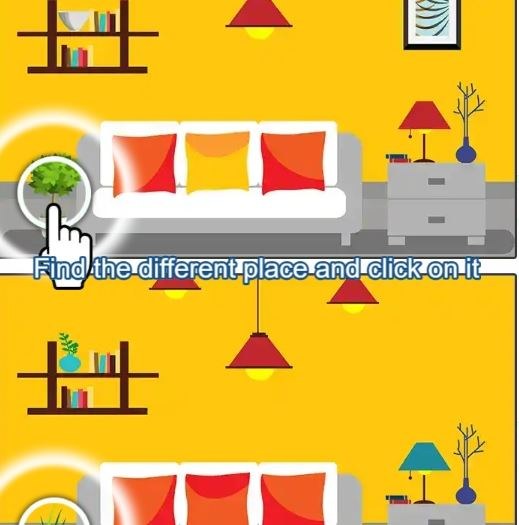
First Minute, First Impression I opened Find Difference 2024 expecting the same slightly blurry spot-the-difference template I've clicked through a hundred times. The first image loaded and I actually leaned forward a li
First Minute, First Impression
I opened Find Difference 2024 expecting the same slightly blurry spot-the-difference template I've clicked through a hundred times. The first image loaded and I actually leaned forward a little. The photo was crisp, a busy street market with hanging lanterns and stacked fruit crates, and the two panels sat side-by-side with that familiar "spot five differences" counter at the top. What hit me first wasn't the art, though. It was that the timer had already started ticking and I hadn't even found my cursor yet. Thirty seconds. I panicked, tapped a lantern that looked slightly off, and got a red X and a two-second penalty lockout. That lockout felt like an eternity. By the time the clock ran out I'd found three of five, and the game didn't coddle me. It just showed the remaining differences circled in red and nudged me toward a "Try Again" button. No gems, no energy system, no forced ad. Just a clean reset.
That first minute told me what kind of game this was. Not a relaxing hidden-object stroll. A brisk, slightly punishing observation drill that wants you to develop a system or keep losing. I liked that more than I expected to.
What You're Actually Optimizing For
The loop is dead simple. Each level presents two nearly identical images. You click on the differences in the right-side panel. Find all five before the timer drains and you advance. Miss-click and you eat a brief cooldown where the game ignores your frantic tapping. That's it. The difficulty doesn't come from obscure differences, at least not early on. It comes from managing your attention under a clock that feels about ten seconds shorter than comfortable.
So what are you optimizing? Not just speed. Speed without accuracy kills you because those penalty lockouts stack up fast. You're really optimizing scan pattern. In my first dozen levels I'd dart my eyes randomly between the two images, catch a difference in my peripheral vision, and then lose it when I looked directly at the spot. By level ten or so I started forcing myself to scan left-to-right in horizontal bands, comparing one strip at a time. That felt slower but my completion rate jumped. The game rewards methodical scanning more than twitch reflexes, which is counterintuitive for a timed puzzle.
There's also a quiet score-chasing layer. The game tracks how many seconds you have left when you clear a level and assigns a star rating. One star for barely scraping by, three stars for finishing with most of the clock intact. I'm not usually a star hunter but I caught myself replaying a level three times just to see if I could crack the three-star threshold on a rainy street scene where the differences were subtle reflections in puddles. The game never explains the star thresholds. You just finish and get what you get, which made me pay closer attention to my own time rather than staring at a progress bar.
Where Runs Fall Apart
I lost more runs to the same three mistakes than I care to admit. The first is panic-tapping when the timer drops under ten seconds. The screen doesn't flash or pulse dramatically, but there's a small ticking sound that ramps up and my accuracy went off a cliff. I'd click the same wrong spot twice, eat two penalties back-to-back, and watch the last five seconds evaporate. The game doesn't limit how many times you can guess, so there's no strategic reason to slow down, but your brain still screams at you to do something. Training myself to keep scanning calmly when the audio cue intensifies took longer than I thought it would.
The second mistake is fixating on a single quadrant. Some levels put two or even three differences clustered in one area, like a vendor's stall with miscolored fruit, a missing basket handle, and a shifted awning stripe all within a few inches of each other. I'd find one there and then waste fifteen seconds scrutinizing the same zone convinced there must be more, while two differences sat plainly in the opposite corner of the image I hadn't glanced at in half a minute. By the time I widened my search the clock was already in the danger zone.
The third is a weird one: squinting at tiny details when the difference is actually a large-ish object that's been recolored or slightly repositioned. I spent an embarrassing amount of time on a level with two bicycles leaning against a wall. I was comparing spoke patterns and pedal angles when the real difference was that the entire rear wheel on one bike was a shade of blue instead of black. It was obvious once I saw it, but my eye had already accepted "bike wheel" as a single object and glossed right over the color shift. The game seems to know that our brains group things by category and it exploits that. Expect to miss at least a few differences that feel forehead-slappingly obvious in hindsight.
How It Feels on Different Devices
I tested this on a desktop with a mouse first, then switched to my phone during a commute. The experiences are different enough that it's worth mentioning.
On desktop, you have precision. You can land clicks exactly where you intend, which makes the penalty system feel fair. If you miss-click, it's on you. The larger screen also means you can take in both images without squinting, and the horizontal scan pattern I mentioned earlier feels natural. I found myself leaning in close during the last few seconds of a level, which you can't really do on a phone without looking odd on public transit.
On a phone, the images shrink to fit the screen in portrait mode. You can pinch to zoom, but zooming eats time and disorients you because you lose the side-by-side context. My accuracy dropped noticeably on mobile, not because the differences were harder to see but because my thumb was less precise than a cursor. I'd tap what I thought was the edge of a missing button and hit the adjacent pixel instead, triggering a penalty. Landscape mode helped a bit but the game doesn't force one orientation over the other. I ended up preferring desktop for serious runs and using mobile for casual practice when I had five minutes to kill. The game loads instantly in a browser either way, no install nonsense, so jumping between devices is painless.
A Short Practice Plan That Actually Helped
After about twenty minutes of inconsistent results, I stopped trying to progress and spent a few rounds deliberately practicing one skill. This sounds ridiculous for a spot-the-difference game but it genuinely improved my three-star rate.
First, I ran five levels where I didn't click anything for the first ten seconds. I just scanned. No pressure to find differences, just tracing the images with my eyes in a grid pattern. This felt agonizingly slow but it forced me to notice how the images were structured: where the focal points were, which areas had dense visual noise, which sections were mostly flat color where differences would pop more. By the time I started clicking on the sixth level, my eyes had a mental map of where to look first.
Second, I practiced calling out differences in words before clicking. Not out loud, but in my head: "top right, flower pot is orange instead of red." This sounds trivial but it stopped me from the half-aware guessing that triggered most of my penalties. Verbalizing forced me to confirm I actually saw a difference, not just a shadow or a compression artifact.
Third, I learned to use the penalty lockout as a forced reset rather than a frustration. When I miss-clicked, instead of jabbing at the screen in annoyance, I used the two-second cooldown to pull my focus back to the full image and pick a new starting zone. That tiny mental reframe turned penalties from run-enders into brief tactical pauses.
None of this is revolutionary game strategy. But in a genre where most players just click around until they stumble on differences, having even a loose system makes the game feel more like a skill you're sharpening and less like a slot machine of visual perception.
What the Game Doesn't Tell You
A few things I noticed that aren't explained anywhere in the interface. The difference count per level is always five, at least through the first several dozen levels I played. I kept waiting for it to jump to seven or ten but it held steady. The difficulty scaling comes from subtler differences and tighter time limits, not from hunting more objects. That consistency is oddly comforting. You always know the shape of the challenge.
The images seem to pull from a library of stock-style photography rather than custom illustrations. Street scenes, nature shots, interior rooms, food spreads. They're well-chosen, not blurry or compressed to death like some free browser games in this genre. The differences are clearly manually placed, not procedurally generated. You can tell because they sometimes have a sense of humor: a chandelier missing one bulb in an otherwise opulent ballroom, a single pigeon facing the wrong direction in a flock. Small touches that made me think a human designed these levels.
There's no hint system that I found. No button to reveal a difference if you're stuck. That might frustrate some players, but I think it keeps the tension honest. You either spot it or you don't. The post-level reveal shows you what you missed, so you're always learning, but there's no crutch during the timer. I missed having hints exactly twice, both on levels with differences hidden in heavily patterned areas like brick walls or striped awnings.
Is There a Catch?
The game is free to play in a browser, and like most free HTML5 games, it runs ads. In my session I saw a short video ad after every three or four levels. They're skippable after a few seconds and didn't interrupt mid-level, which I appreciated. No banner ads cluttering the screen during gameplay. The ad frequency felt standard for the space, not aggressive enough to make me close the tab, which is honestly the bar for this kind of game.
One thing that might bug completionists: there's no level select screen that I could find. You progress linearly and can replay the current level if you fail, but you can't jump back to earlier levels to improve your star ratings without restarting the whole sequence. That felt like an oversight or maybe a deliberate choice to keep the experience streamlined. I wanted to revisit a specific night market level where I'd gotten two stars, but the only way back was clearing my browser cache. Not a dealbreaker, but worth knowing if you're the type who likes to perfect every stage.
Who Should Actually Play This
If you want a calm, meditative puzzle game where you leisurely spot differences with a cup of tea, this probably isn't your match. The timer injects a low-grade anxiety that some people will find energizing and others will find irritating. I'm in the first camp. The pressure turns a passive activity into something I had to actively engage with.
If you enjoy observation games like hidden object titles or visual puzzles that reward systematic scanning, Find Difference 2024 scratches that itch in short bursts. It's the kind of game you play for ten minutes while waiting for a download to finish or during a lunch break. The levels are self-contained enough that you can stop anytime without losing progress, and the difficulty curve is smooth enough that you'll see yourself getting faster over a single sitting.
I wouldn't call it a deep game. There's no story, no unlocks beyond star ratings, no progression system that changes how you play. What you see in the first five minutes is what you get. But what you get is a tightly designed, slightly stressful spot-the-difference exercise that respects your time and doesn't pad itself with fluff. For a free browser game, that's more than I expected when I clicked the link.



