
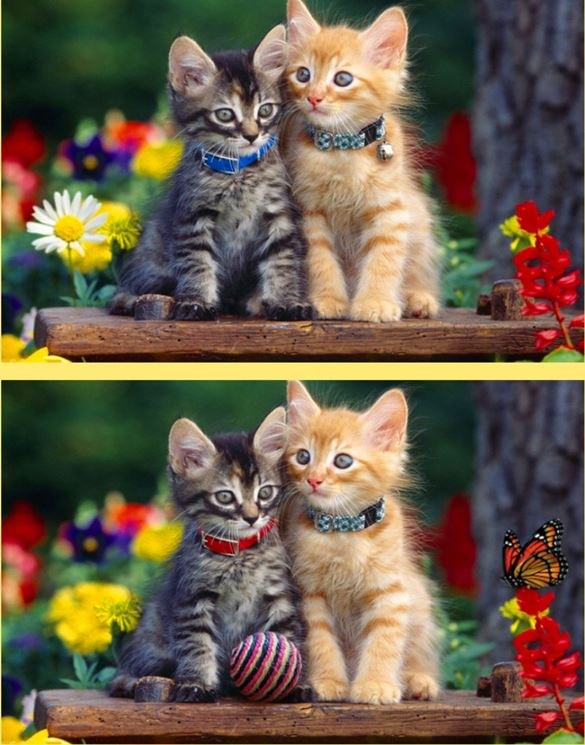
First Minute, First Impression I clicked into Spot Differs expecting the usual. Two nearly identical images side by side. A timer. Maybe a hint button that costs something I don't want to spend. What I got instead was a
First Minute, First Impression
I clicked into Spot Differs expecting the usual. Two nearly identical images side by side. A timer. Maybe a hint button that costs something I don't want to spend. What I got instead was a single screen with the two images stacked vertically, and a faint tick-tick-tick sound that immediately made my shoulders tense up. That sound matters. It's not a warm countdown; it's the game's way of saying "you're already losing time, stop reading the UI."
The first pair was a cartoon living room. Couch, lamp, rug, some books. I spotted the missing book in about four seconds and tapped it. The image flickered, a small "+10" floated up, and the next pair slid in without ceremony. No loading bar, no "Great job!" popup. Just the next challenge and the clock still running. That's the first thing you'll notice: Spot Differs isn't interested in making you feel good about yourself. It's interested in whether you can keep your eyes moving.
By the thirty-second mark I had cleared maybe six pairs and already mis-tapped twice. Mis-taps cost you. The game doesn't just ignore a wrong tap; it deducts time or points in a way that feels stingy in the moment but fair when you think back. I lost three seconds on one sloppy press where my thumb hit an area I knew was identical. The game knew I knew. That's the second thing you'll notice: the hitboxes are exact, and the game punishes guessing.
How the Loop Actually Works
Spot Differs belongs to the "find the difference" genre, but it strips out nearly every comfort those games typically offer. You get a continuous stream of image pairs. Each pair has a set number of differences—usually between three and five, though I had one pair with seven that completely wrecked my rhythm. You tap the differences on either the top or bottom image, and the game registers the find on both. That's a small but smart design choice: you don't have to tap the same spot twice, which means you can keep your eyes on one image and just react.
What you're optimizing for isn't accuracy alone. It's speed-per-find. The scoring weights time heavily. A fast clear with one mistake will often outscore a perfect clear that took twice as long. This creates a natural tension: do you scan methodically left-to-right, or do you flick your gaze around the image looking for anything that breaks the pattern? I found myself switching between the two approaches depending on the image complexity. For busy scenes—a market, a cluttered desk—I scanned. For sparse scenes—a single object on a plain background—I flicked.
The game also introduces a combo system that I didn't fully understand until my third or fourth session. When you find differences in quick succession, a small multiplier appears near the top of the screen. It's easy to miss because you're looking at the images, not the UI. But once I noticed it, I started trying to chain finds together. The problem is that the differences aren't always arranged in a way that lets you chain them naturally. Sometimes they're on opposite sides of the image, and trying to move too fast just leads to mis-taps. The combo mechanic rewards a kind of planned scanning where you identify two or three differences in your peripheral vision before you start tapping. That's a skill that takes practice, and the game doesn't teach it to you. You either figure it out or you plateau.
Mistakes That End Runs Early
After about twenty minutes of play spread across multiple sessions, I started cataloguing the specific ways I was losing good runs. These aren't random errors. They're patterns, and knowing them might save you some frustration.
First, the edge trap. Some differences are placed very close to the border of the image. On a phone screen, your thumb naturally obscures the area you're about to tap. I lost count of how many times I thought I saw a color variation near the edge, moved my thumb in, and tapped just outside the hitbox. That's a mis-tap penalty plus the time lost repositioning. The fix is to use the tip of your thumb deliberately, or on desktop, to slow your clicks near the edges even though slowing down feels wrong.
Second, the shadow assumption. In several image pairs, one version has a slightly different shadow cast by an object. The difference is real, but it's subtle—a softer edge, a slightly lighter gray. My brain kept interpreting these as lighting artifacts rather than intentional differences. I'd scan right past them, clear the other four differences, and then sit there stumped because the last one was a shadow I'd dismissed twice already. The game trains you to look for missing objects or color swaps. Shadows are neither, and they're disproportionately responsible for time-out losses.
Third, the zoom-lock habit. On mobile, you can pinch to zoom. I started using this on detailed images, and it helped with accuracy, but it created a new problem. When you zoom in, you lose context. You find one difference, then you have to zoom back out to find the next one, and the zoom animation itself eats time. Worse, I'd sometimes forget I was zoomed in and try to tap a difference that was off-screen. The game registers the tap on whatever is under your finger, which is often nothing useful, and you get penalized. Zoom is a tool, but it's also a trap. Use it only when you're absolutely stuck, and zoom back out immediately after the find.
Fourth, the rhythm break. Spot Differs has a particular cadence when you're playing well. Find, tap, slight pause, find, tap. When you hit a pair that's harder than the ones before it, that cadence shatters. Your brain stays in fast mode, you start tapping speculatively, and the penalties pile up. I learned to recognize the moment when a pair was going to be trouble—usually within the first five seconds—and consciously slow my breathing. That sounds pretentious, but it works. The game punishes panic more than it punishes slowness.
Phone vs Desktop: A Real Difference
I played Spot Differs on both my phone and my laptop, and the experiences are different enough that it's worth spelling out. On a phone, the vertical image stack makes sense. Your thumb is already near the screen, and you can tap quickly without moving your whole hand. The downside is that your thumb also covers part of the image. On larger phones, this is less of an issue, but on anything under six inches, you're constantly working around your own hand. I found myself tilting the phone slightly to see under my thumb, which is not a sustainable posture.
On desktop, you have a mouse, which means precise clicks and no obscuring of the image. The trade-off is speed. Moving a mouse cursor between two widely separated differences takes longer than tapping with a thumb. The game doesn't adjust its timing for input method, so desktop play feels slightly harder in terms of raw score potential. I consistently scored about fifteen percent lower on desktop, even though my accuracy was higher. If you're playing to climb a leaderboard, phone is probably the way to go. If you're playing to relax and actually enjoy the images, desktop is more comfortable.
One more device note: the game doesn't seem to have a fullscreen mode on desktop, or if it does, I couldn't find it. You're playing in a browser window, and the image size depends on that window. I stretched mine to about eighty percent of my screen, which felt right. Too large and you're scanning too much area. Too small and the subtle differences become nearly invisible. There's a sweet spot, and it's worth fiddling with your window size for a minute before you commit to a session.
A Short Practice Plan (If You Actually Want to Improve)
Most people will play Spot Differs casually, and that's fine. But if you're the type who gets annoyed at plateauing, here's what I'd suggest based on my own trial and error. This isn't a "pro guide." It's just what moved my scores from mediocre to slightly less mediocre over the course of an afternoon.
First, spend five minutes playing without caring about score. Mute the sound if the ticking stresses you out. Just look at the images. Notice what kinds of differences the game favors. In my experience, they break down roughly like this: missing or added objects (about forty percent), color changes (thirty percent), size or orientation changes (twenty percent), and the shadow or reflection stuff I mentioned earlier (ten percent). Knowing the distribution helps you prioritize what to scan for.
Second, practice a two-pass scan method. On the first pass, let your eyes drift across the image without stopping. Your peripheral vision is better at detecting anomalies than you think. If something "feels" off, make a mental note but don't tap yet. On the second pass, go to those spots and verify. This prevents the mis-tap spiral that kills runs. It feels slower at first, but after ten or fifteen pairs, your first pass gets faster and your accuracy climbs.
Third, play three sessions with the sound off and three with the sound on, and compare. I found that the ticking sound made me faster but also more error-prone. Without it, I was calmer and more accurate, but my per-find speed dropped enough that my scores didn't actually improve. Your mileage may vary. The point is to learn how the audio affects your particular play style. Some people lock in under pressure; others choke. The game lets you choose by muting the tab.
Fourth, if you're stuck on a pair with one difference remaining and you've been staring for more than fifteen seconds, look at the edges first, then the shadows, then any area with repeating patterns (brick walls, bookshelves, foliage). The last difference is almost never in the focal point of the image. The game designers know you've been staring at the center. They hide the final one where your eyes are tired.
What the Game Doesn't Tell You
Spot Differs is free to play in your browser, which is how I approached it. There's no download, no sign-up wall. You open the page, you play. That simplicity is part of why I kept coming back. But there are a few things the interface doesn't explain that I had to learn through failure.
The game saves your high score locally, but if you clear your browser data, it's gone. There's no account system, which is either a feature or a limitation depending on how attached you get to your stats. I lost a perfectly good score to a cookie-clearing session and had to start fresh. Now I know.
Also, the image pool seems to rotate. I played long enough to see repeats, but not so often that it felt stale. I'd estimate there are maybe fifty to seventy unique image pairs in the current rotation, and the order is randomized. You can't memorize your way to a high score, which is a relief. The game tests your visual processing, not your recall.
One last thing: there's no pause button that I could find. If you're in the middle of a run and life interrupts you, you're eating the time loss. On a phone, an incoming call or notification doesn't pause the game either. I learned to put my phone in Do Not Disturb before starting a serious attempt. It's a small thing, but losing a good run to a spam call is exactly as annoying as it sounds.
Should You Actually Play This?
If you like observation puzzles and don't mind a game that doesn't coddle you, yeah. Spot Differs is a solid, honest entry in the difference-finding genre. It doesn't pretend to be more than it is. The images are clean, the differences are fair (mostly), and the scoring system gives you a reason to replay beyond just "seeing new pictures."
It's not a game I'd play for hours straight. The mental fatigue is real, and after about fifteen minutes my accuracy drops off a cliff. But as a five-to-ten-minute warm-up for your brain, or a quick break between tasks, it works. It's the kind of free browser game that does one thing and does it without asking for your email address or trying to sell you gems. That's rarer than it should be.
My advice: try it for ten minutes. If the ticking sound annoys you, mute it. If you're on a phone, use your fingertip, not your thumb pad. And if you find yourself getting genuinely angry at a shadow that doesn't look different but apparently is, take a breath. The game is testing your patience as much as your eyes.



