
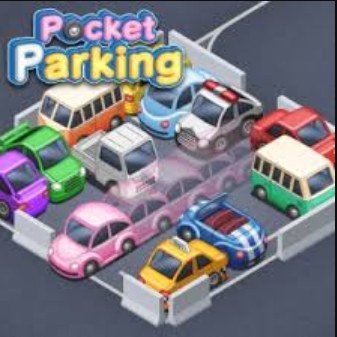
I spent my first run of Pocket Parking staring at a compact hatchback wedged between two hulking SUVs, thumb hovering over the screen, genuinely unsure if the game had just soft-locked. The car was at a diagonal that def
I spent my first run of Pocket Parking staring at a compact hatchback wedged between two hulking SUVs, thumb hovering over the screen, genuinely unsure if the game had just soft-locked. The car was at a diagonal that defied physics, the sort of angle you see when someone abandons a shopping cart halfway onto a curb. Then I nudged the steering wheel a pixel to the left, tapped the gas, and the car slid perfectly into the painted lines. That moment—the sudden click of a messy situation resolving into a tidy parking job—is the entire appeal of this game, wrapped up in a neat little browser tab.
Pocket Parking doesn't bother with a tutorial. You open the page, you see a top-down parking lot, and a car is already waiting for you. There's a steering wheel at the bottom of the screen, forward and reverse pedals, and a goal marker floating somewhere on the asphalt. Your job is to get the car into that spot without crumpling a fender, scraping a pillar, or rear-ending the sedan that some virtual jerk parked three inches over the line. The first level takes about twelve seconds. The tenth level made me mutter something under my breath that I won't repeat here.
The quiet rhythm of the parking loop
What you're actually optimizing for isn't speed—it's smoothness. The game tracks whether you bump obstacles, how many times you shift between forward and reverse, and how far off-center your final parking job lands. A perfect run feels like a little ballet. You pull past the spot, cut the wheel hard, back in at a shallow angle, straighten out, and creep forward until the car settles exactly between the lines. The game awards a star rating, and the three-star runs are the ones where you never touch the brakes in a panic.
The loop tightens as the parking lots get more cramped. Early levels give you wide-open lots with one or two parked cars and generous goal zones. By level twenty, you're threading a delivery van through a parking garage where the pillars feel personally hostile. The steering is deliberately loose—there's a slight floatiness to how the car rotates, which I think is intentional. Tight, twitchy controls would make the game too easy. This float means you have to anticipate turns half a second early, especially when you're backing up and the direction flips in your brain.
I noticed the game subtly nudging me toward a specific style of play. Aggressive moves get punished quickly. You can't just floor it in reverse and hope the physics sort things out. The car rebounds off walls and other vehicles with a dull thud, and the game counts that contact against your rating. So the optimization layer becomes about restraint—braking early, squaring up your approach, resisting the urge to make one more tiny adjustment that inevitably sends your rear bumper into a light pole.
Common ways a good run goes wrong
There are a handful of mistake patterns that I kept falling into, and once I recognized them, my runs started lasting longer. The first is overcorrecting on the final approach. You're ninety percent parked, the car is almost straight, but the angle is just slightly off. The natural instinct is to turn the wheel a little more and tap the gas. What actually happens is the car swings wide, and now you're crooked in the opposite direction. Two or three overcorrections later, the parking spot looks like a crime scene.
Another run-ender is misjudging the pivot point. The car rotates around its rear axle when you reverse and around the front when you go forward. This seems obvious, but in a top-down view with no depth perception, I kept clipping the front corner on obstacles I thought I'd cleared. The fix is to give yourself an extra car-length of space whenever you're swinging the nose around. The game doesn't reward tight tolerances during the maneuvering phase—only the final parked position matters.
The third mistake is rushing the pull-in. After successfully backing into a spot, you still need to pull forward slightly to center the car. That forward movement is where I scrubbed a bumper against the car in front of me more times than I care to admit. You get tunnel vision on the parking lines and forget the vehicle has a front end that extends past the windshield. Take the forward adjustment in two small taps instead of one sustained press, and you'll avoid most of these.
Also worth mentioning: the game occasionally spawns cars in genuinely unfair configurations. A pickup truck parked diagonally across two spaces, leaving you a gap that's technically big enough if you're perfect. You won't be perfect. On those levels, I learned to accept a two-star finish and move on rather than restart fifteen times chasing perfection.
Playing on a phone versus a desktop
I tested Pocket Parking on both an iPhone and a desktop browser, and the experience splits in ways worth knowing. On mobile, the touch controls are laid out intuitively—steering wheel on the left, pedals on the right, mimicking a real car's layout flipped for thumbs. The steering wheel is a virtual dial you can spin by dragging your thumb in a circle, which gives you fine-grained control. It took me about five minutes to stop over-rotating, but once the muscle memory kicked in, I preferred the tactile feedback of the touch wheel over any other input method.
The downside on mobile is screen size. The top-down view means the parking lot can get small on a phone screen, especially on levels with larger lots where the camera pulls back to show more of the map. I caught myself squinting at the goal marker and misreading the angle of a parked car's bumper. If you have a larger phone or a tablet, you'll have an easier time. On a standard-sized phone, you might want to play in landscape mode if the game supports rotation—mine auto-rotated, and landscape gave me probably twenty percent more visible area around the car.
Desktop is a different animal entirely. You control the steering with the A and D keys or the left and right arrow keys, and the pedals with W and S or up and down arrows. The keyboard input is digital—you're either turning full-lock or not turning at all, there's no partial steering input like the touch wheel provides. This makes smooth, sweeping turns harder to pull off. You end up tapping the steering keys rhythmically to simulate a gradual turn, which works but never feels as natural as the mobile dial. The trade-off is visibility. On a monitor, you can see the entire parking lot without scrolling or zooming, which helps enormously with planning your approach from three car-lengths out.
If I had to pick one platform for serious play, I'd say mobile for the steering precision, but only if you're on a device with a screen size you're comfortable with. For casual sessions where you just want to knock out a few levels without frustration, desktop's bigger viewport wins.
A short, honest practice plan
If you want to get genuinely competent at Pocket Parking without grinding through the same early levels in a haze, here's what worked for me after a couple of weeks of lunch-break sessions.
Spend your first session ignoring the star ratings completely. Just finish levels. Get a feel for how the car rotates, how much space you need for a three-point turn, and what the collision detection considers a "bump." The game's physics are consistent enough that you'll start building an internal model of the car's footprint within fifteen or twenty minutes. Don't fight the floatiness—lean into it by initiating turns slightly earlier than your brain tells you to.
Once you can finish levels reliably, pick three early levels—somewhere in the five to fifteen range—and aim for three-star clears on all of them. These mid-early levels usually have one tricky element (a pillar, an angled spot, a tight row) but still give you enough room to experiment. Repeating the same level three or four times in a row is more valuable than pushing forward to harder content, because you'll start seeing the approach patterns that generalize. You'll learn that pulling slightly past the spot and cutting the wheel at a forty-five degree angle sets up most parking jobs, and you'll recognize when a spot calls for a straight-in approach instead of backing in.
After that, push into the later levels but give yourself permission to walk away from a level that feels unfair. Some of the parking garage layouts with concrete pillars placed seemingly at random are more about patience than skill. The game doesn't punish you for quitting a level and coming back later, and the free browser format means there's no energy timer or limited lives nagging at you. That's honestly one of the best things about Pocket Parking—you can close the tab and open it again tomorrow without losing anything.
One last piece of advice that sounds silly but genuinely helped: narrate your parking job out loud the first few times. "Pulling forward, cutting the wheel right, now reversing while straightening out." The verbalization forces you to plan one move ahead instead of reacting, and planning ahead is the whole skill ceiling of this game.
Pocket Parking isn't trying to be a racing game or a car simulator. It's a small, focused puzzle about spatial reasoning and impulse control, and it lands that narrow goal squarely. The controls work best when you treat them gently, the difficulty curve has a few spikes that'll test your patience, and the satisfaction of a clean three-star park never really got old for me. It's the sort of browser game that's perfect for a ten-minute gap in your day, no download or account required.



