
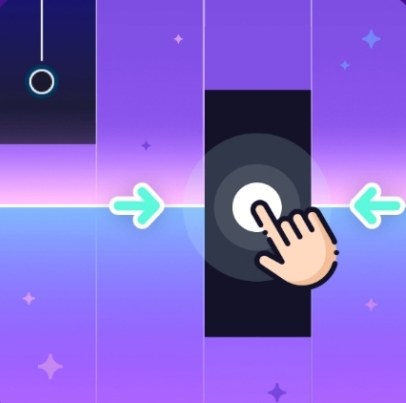
First Minute at the Keyboard You load up Piano Title and the thing just stares at you—black keys scrolling from right to left, a silent expectation hanging in the air. I tapped my first note and immediately felt slightly
First Minute at the Keyboard
You load up Piano Title and the thing just stares at you—black keys scrolling from right to left, a silent expectation hanging in the air. I tapped my first note and immediately felt slightly off. The response wasn't bad, exactly, but there was this faint lag I couldn't un-notice. Like pressing a piano key through a thin layer of syrup. On my first run I fumbled through a simplified version of "Für Elise" (or what the game charmingly approximates as classical pieces) and scored maybe 40% accuracy. Not my proudest moment. The tiles moved smoothly for about twelve seconds, then hiccuped. And then hiccuped again. By the thirty-second mark I was missing notes I swore I'd pressed.
What's odd is how quickly you forget you're playing a rhythm game in a browser tab. The interface is stripped back enough that your brain starts treating it like a real instrument drill. You lean in. Your shoulders tense. Then the audio stutter hits and the spell breaks. I spent my first minute more aware of my browser's performance than the music. That's the core tension with Piano Title: it's genuinely engaging when it runs clean, but the default experience often isn't clean.
What You're Actually Optimizing For
The loop is deceptively simple. Black note tiles stream toward a highlighted bar on the left side of the screen. Press the corresponding key when a tile overlaps the bar. Early presses register as misses. Late presses register as misses. The timing window feels generous—maybe a touch more forgiving than some mobile rhythm games I've played—but not loose enough to mash through. You earn points per accurate hit, and a combo multiplier builds with consecutive correct notes. Miss too many and the song ends early. That's it. No story, no unlockable characters, no currency system. Just you, the scrolling tiles, and a percentage score at the end.
But here's what you're really optimizing for, whether you realize it or not: frame consistency. The game logic appears tied to your browser's rendering cycle. When frames drop, the tile scroll stutters, and suddenly the visual feedback you're relying on desyncs from the audio. You'll press a key exactly when your eyes say "now" and the game will register it late because the frame where the tile touched the bar never rendered. I tested this by intentionally running a YouTube video in another tab. My accuracy dropped from around 85% to under 50% on the same song. The game didn't crash—it just became quietly unplayable.
The scoring system rewards streaks more than raw volume. One long unbroken chain of 30 notes will outscore fifty notes with scattered misses. So you're not optimizing for speed; you're optimizing for steady, uninterrupted attention and a stable technical environment. This changes the whole vibe. It's less a frantic arcade experience and more a meditative accuracy drill—provided your browser cooperates.
Mistakes That End Runs Early
I killed at least a dozen runs before I figured out the patterns. Here's what kept tripping me up:
- Watching the wrong part of the screen. My eyes naturally drifted toward the incoming tiles in the middle of the screen, trying to read ahead. That's backwards. The only moment that matters is the left-side trigger bar. I had to train myself to stare at the bar and use peripheral vision for the approaching notes. Once I did that, my late-press errors dropped significantly.
- Lifting fingers too high between notes. On a physical keyboard, especially a membrane laptop keyboard, bouncing your fingers loses milliseconds. I started keeping my fingertips in light contact with the assigned keys and just applying pressure for each press. It felt weird initially but improved my rapid-note sections noticeably.
- Ignoring audio drift. Piano Title uses synthesized piano tones for each note. If your browser's audio output has latency—common with Bluetooth headphones—you'll hear the note slightly after you see the tile hit the bar. Your brain will try to compensate by pressing earlier, and you'll start racking up early-press misses. I played one session on Bluetooth earbuds and genuinely thought the game was broken. Switched to wired headphones and suddenly it worked.
- Playing while other tabs do heavy lifting. I had Gmail open in a background tab, and the auto-refresh cycle caused micro-stutters roughly every two minutes. It took me an embarrassingly long time to connect those dots. Close Slack, close Discord, close anything that polls for updates.
- Starting on the hardest available song. The classical selections vary in tempo and note density. I jumped straight into a fast Mozart piece and lasted eight seconds. The game doesn't have labelled difficulty tiers, but you can roughly gauge by song length and tile speed in the first few seconds. Slower, shorter pieces are your friend while you calibrate.
One more subtle mistake: trusting the first few notes. Piano Title often starts a song with a clean, stutter-free intro, luring you into confidence. The frame drops tend to hit ten to twenty seconds in, right when note density climbs. I learned to use the opening bars as a system check. If I saw even one micro-stutter, I refreshed the page before committing to a serious run.
Device Notes: Phone Versus Desktop
I tested Piano Title on a mid-range Windows laptop (Chrome), a MacBook Air (Safari and Chrome), and an Android phone. The experiences diverged more than I expected.
On desktop with a mechanical keyboard, the game shines. Key presses register instantly, and the tactile feedback of physical switches makes rhythm easier to internalize. I found myself assigning keys logically—A, S, D, F for four-lane songs—and my fingers learned the mapping within two or three runs. The bigger screen also helps because the scrolling distance feels shorter proportionally. You can take in the whole lane without moving your eyes much.
On a laptop with chiclet keys, it's still playable but mushier. I missed more rapid-fire sequences because the shallow key travel made it harder to feel whether I'd actually depressed the key fully. Not a dealbreaker, just a minor handicap.
On mobile, the game adapts to touch input. Tiles become larger tap targets, and you use thumbs or index fingers directly on the screen. The touch response felt surprisingly good—maybe even better than keyboard in terms of raw latency, since there's no physical key travel. But I ran into two phone-specific issues. First, screen size. On a phone under six inches, the tiles feel cramped in four-lane mode, and my thumbs occluded the approaching notes. I had to hold the phone awkwardly to see around my own hands. Second, notification pop-ups. An incoming message banner would freeze the game for a split second and ruin the run. I ended up enabling Do Not Disturb mode as a rule.
Tablet users probably get the best of both worlds—touch responsiveness plus screen real estate—but I didn't have one handy to confirm. If you're playing on desktop and experiencing persistent lag, try reducing your browser window size. Piano Title runs inside a canvas element, and a smaller rendering area sometimes stabilizes frame rates on weaker integrated graphics. I dropped from fullscreen 1920x1080 to a roughly 1200x800 window and saw fewer stutters on the Windows laptop.
This is a game you can play for free in your browser, no download or account required, which makes it an easy pick for short practice sessions. But that convenience comes with the browser-performance asterisk I've been harping on. It's worth the few minutes of setup to get things running smoothly.
A Short Practice Plan That Actually Worked
After the first frustrating session, I stopped trying to score well and started treating Piano Title like a daily ten-minute drill. Here's the routine that moved me from 40% to consistent 85-90% accuracy on moderate pieces.
Day 1-2: Calibration only. Pick the slowest song you can find. Play it three times without caring about score. Focus entirely on whether the visual timing bar matches the audio. Adjust your setup—close background tabs, switch from Bluetooth to wired audio, resize the window—until the sync feels natural. If you're still getting unexplained misses on notes you clearly pressed, the problem is technical, not skill-based. Don't practice through lag; you'll just internalize bad timing.
Day 3-4: Single-lane focus. Most songs use multiple lanes, but you can practice lane independence by mentally isolating one lane at a time. Play a song and track only the leftmost lane with your eyes, letting peripheral vision handle the others. Sounds weird, but it trains your brain not to panic when multiple tiles appear simultaneously. I noticed my multi-lane accuracy improved even though I wasn't consciously trying to hit the other notes more accurately.
Day 5-6: Combo over completion. Stop caring whether you finish the song. Your goal is a single combo of 50 consecutive notes. If you break the combo before 50, restart the song immediately. This builds the sustained attention that the scoring system rewards. It also forces you to play within your actual consistency level rather than flailing through hard sections and hoping. I found this frustrating in the best way—it exposed exactly which note patterns broke my concentration.
Day 7: Full run with a single restart rule. Give yourself one restart per song. Play seriously. After the one restart, you have to accept whatever score you get. This cap prevents the obsessive restart cycle that rhythm games can trigger, where you spend forty minutes on the same thirty-second intro chasing perfection. The game doesn't have leaderboards or social features, so the score is purely personal. Keeping it casual actually improved my performance because I stopped tensing up.
At the two-week mark, I was sight-reading new songs at around 80% accuracy on first attempt. Not world-class, but satisfying for a browser game I was playing during coffee breaks. The progress felt real because the feedback is immediate and honest. There's no randomness, no variable difficulty—just whether you pressed the key at the right time.
One final thing I noticed: Piano Title works best when you don't overthink it. The moments where I zoned out and let my fingers react without conscious direction were consistently my highest-scoring stretches. The game rewards a relaxed, almost passive focus that's different from the hyper-alert concentration twitch shooters demand. It's closer to the flow state of actually playing a simple melody on a real keyboard, which is maybe the highest compliment I can give a free rhythm game running in a Chrome tab.



