
I spent my first minute with Parking ACE 3D mostly laughing at myself. You pick a car, the camera drops you behind the wheel in a 3D lot, and the game says "go." No big tutorial pop-ups, no hand-holding. I immediately cl
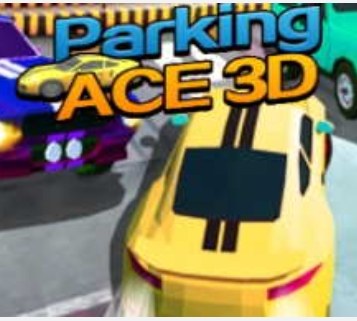
I spent my first minute with Parking ACE 3D mostly laughing at myself. You pick a car, the camera drops you behind the wheel in a 3D lot, and the game says "go." No big tutorial pop-ups, no hand-holding. I immediately clipped a concrete barrier trying to reverse into a spot that looked roomy from the overhead minimap but turned out to be bordered by aggressive yellow pylons. The physics felt floaty but deliberate, like the car had a little more weight in the rear than I expected. That first minute isn't about precision; it's about realizing you can't just whip the wheel and hope.
What the Driving Loop Actually Feels Like
The core rhythm in Parking ACE 3D is deceptively simple. You start stationary, scan the parking lot layout, and then creep toward a glowing outline that marks your target spot. Most levels give you a generous timer, so the pressure isn't the clock. The pressure is your own patience. I found myself doing this little mental checklist every single attempt: check the left mirror, check the right mirror, tap the brake, turn the wheel about halfway, then commit. You're optimizing for clean lines and minimal corrections, because every little back-and-forth wiggling eats seconds and makes you feel clumsy.
What surprised me was how quickly the game shifts from "just park the car" to "park the car without looking like a fool." The scoring isn't screamed at you, but you'll notice a star rating at the end. Three stars mean you threaded the needle with almost no adjustments. Two stars mean you bumped a cone or took a wider arc than necessary. One star means you got there, eventually, but the game is politely wincing. I started chasing three-star runs not because the game demanded it, but because the smooth, single-motion parking moves felt genuinely satisfying in my hands.
The Tiny Mistakes That Tank a Perfect Run
I wrecked more runs than I'd like to admit by doing the same handful of things. The biggest culprit was overcorrecting. You'll be angled slightly wrong, and the instinct is to crank the wheel all the way in the opposite direction. In Parking ACE 3D, that sends the nose swinging wildly, and suddenly you're perpendicular to the space with a rear tire kissing a lamppost. Light taps are your friend. The steering sensitivity on a phone screen took me a few levels to dial in mentally. It's not twitchy, but it's not sluggish either. It sits in that middle zone where panic moves get punished.
Another run-ender: ignoring the camera. You can swipe to orbit around the car, and early on I treated that as optional. It's not. There are pillars, dumpsters, and other parked cars that vanish from view if you stay locked in the default chase cam. I started checking a side angle before every reverse segment, and my collisions dropped way off. Lastly, speed. The game doesn't have a speedometer, but you can feel when you're coasting too fast. Going above a crawl near obstacles is basically asking the physics engine to gift you a respawn.
Phone vs Desktop: Where It Feels at Home
I tested Parking ACE 3D on a mid-range Android phone, an iPad, and a desktop browser with a mouse. The experience shifts more than I expected. On a phone, the on-screen wheel and pedals are responsive but they eat up a fair chunk of the lower screen. My thumbs occasionally drifted off the brake button, which led to some unplanned rolling. The gyroscope tilt option is available, and I tried it for three levels before switching back. Tilting feels immersive for about two minutes, then my wrists got tired and my steering angles became vague.
On a tablet, the larger screen real estate is a genuine advantage. You can see more of the lot without needing to swipe the camera constantly, which makes planning your approach less frantic. The controls still overlay the display, but they don't crowd the view as much. Desktop with a keyboard was, honestly, the smoothest for me. Arrow keys for gas, brake, and steering felt more granular. I could hold a partial turn without my finger slipping. But the game's clearly built with touch in mind first. The menus, the button sizes, the default camera angles all feel native to a phone held horizontal. If you're on desktop, expect to fiddle with the settings for a minute to get comfortable.
Practice Mode Isn't Just a Tutorial Island
The catalogue description mentions a practice mode, and I almost skipped it out of pride. Don't. Practice mode in Parking ACE 3D strips away the timer and the traffic, leaving you alone with a car and an empty lot full of marked spaces. I spent a solid ten minutes in there just doing repetitive drills: parallel parking between two containers, reverse parking into a corner spot, and three-point turns in tight alleys. What looked easy from the overhead view became humbling when I had to simultaneously manage the camera angle and the steering input.
What I appreciated is that practice mode doesn't talk down to you. There aren't giant arrows or a narrator. You just drive and park, over and over, until the motions start to feel baked into your fingers. I came out of it noticeably better at judging the car's turning radius. In the main levels, that translated to fewer panic brakes and a lot more one-shot parks. If you're new to parking sims, or just rusty, I'd call practice mode a mandatory pit stop.
A Quick Practice Plan to Build Muscle Memory
Based on my time fumbling through the early levels, here's a short routine that helped me stop scraping virtual paint:
- Forward bay parking (10 reps): Pull straight into a wide space, then a narrow one. Focus on centering the car without looking at the lines; use the side mirrors.
- Reverse parallel parking (15 reps): Line up next to a car or barrier, cut the wheel at the halfway point of your rear window, and creep back. Resist the urge to look forward.
- Camera drill (5 minutes): Drive a loop around the lot while constantly adjusting the camera angle. Get used to swiping without taking your thumb off the gas.
- Threshold braking (10 reps): Approach a line at medium speed and try to stop with the front bumper exactly on it. No skidding, no last-second jabs.
I did this routine twice across two sessions, and when I returned to the timed levels, the difference was night and day. My star ratings crept up, and I stopped dreading the tighter parking garages.
What the Game Doesn't Tell You But You'll Notice
There are a few unspoken quirks that emerged during my sessions. The collision detection on pylons is slightly larger than the visual model suggests. I had several moments where I swore I cleared a cone, only to hear the scrape sound and see the level flash a warning. Give those orange devils a wider berth than your eyes tell you. Also, the car's turning circle tightens if you're barely moving. It's not a documented feature, but creeping at the slowest possible speed lets you pivot more sharply, which is a lifesaver in the multi-level parking garages that show up later.
The game also rewards momentum conservation. Coming to a full stop mid-maneuver forces you to reorient, and that pause often leads to overthinking. I started keeping a tiny bit of roll going during direction changes, and my parking flow felt more natural. Think of it like real driving: complete stops mid-turn feel jerky and unnatural, and the game's physics seem to agree.
One last thing: the environments change more than I expected. Early lots are sunny and open. Later, you get dimly lit underground garages with concrete pillars that cast harsh shadows. Those shadows can hide the painted lines, so bumping up your device brightness a notch helps. I played on a phone with auto-brightness enabled, and the screen dimmed right as I entered a shadowy garage. I promptly misjudged a pillar and had to restart. Learn from my mistake and lock the brightness manually if you're on mobile.
Why It Kept Me Coming Back
Parking ACE 3D doesn't have a flashy progression system or a story. What it has is a clean, repeatable challenge that feels fair once you learn its rhythms. I found myself returning not because I needed to unlock the next car, but because I wanted to nail a particular level that had humiliated me earlier. That stubborn "one more try" loop is what makes a browser game stick. The fact that it runs without any downloads or sign-ups, just a tap in your phone's browser, makes it dangerously easy to squeeze in a few attempts between other tasks.
The catalogue calls it a kids game, and I can see why. The controls are simple enough that a younger player could grasp them, and the absence of aggressive timers or fail states keeps frustration low. But don't mistake that for a lack of depth. Getting three stars on the later levels demands real spatial awareness and a calm hand. I'm not a kid, and I still found myself leaning into the turns like I was behind an actual wheel. If you can resist the urge to floor it and instead treat each parking spot like a little puzzle, Parking ACE 3D offers a surprisingly meditative kind of fun. Just maybe stretch your thumbs first.



