
First Contact: What Happens in the Opening Minute I opened Piano Title on a whim and immediately got hit with a black screen and a single piano key. No tutorial pop-ups, no story text, nothing. Just a note tile sliding d
First Contact: What Happens in the Opening Minute
I opened Piano Title on a whim and immediately got hit with a black screen and a single piano key. No tutorial pop-ups, no story text, nothing. Just a note tile sliding down from the top of the screen toward a glowing strike zone at the bottom. I tapped it. The key rang out, a little too bright through my laptop speakers, and another tile dropped. Within thirty seconds I'd missed three notes and the screen flashed red. Game over. It felt almost rude in its simplicity. You're not eased in. You're just… there, expected to know what to do.
The game borrows heavily from the piano-tile rhythm genre that's been floating around mobile app stores for years, but this particular HTML5 version strips everything back. No song select screen on first load. No difficulty toggle that I could spot. You get a random classical-sounding loop and the tiles start falling faster than feels fair for a cold open. My first thought was that I'd misclicked into a hard mode by accident.
What surprised me most was how quickly my brain locked in anyway. By the third restart I was anticipating the tile speed changes, leaning forward in my chair, tapping my desk with my index finger between runs. The game doesn't ask for your attention. It grabs it and dares you to keep up.
The Loop You're Actually Stuck In
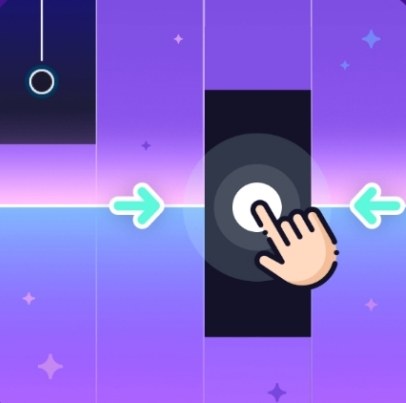
Every run follows the same rhythm, literally and structurally. You tap falling black tiles as they cross a horizontal line near the bottom of the screen. Miss one and the run ends instantly. No health bar, no second chances, no revive mechanic. The tiles come faster as the song progresses, and the patterns shift from simple alternating notes to quick clusters that require two-hand tapping if you're on a tablet or some aggressive finger drumming on a phone screen.
What you're optimizing for isn't really score, even though a number ticks up in the corner. There are no leaderboards I could find, no achievement badges, no unlockable song packs. The only thing that improves is your own consistency. You start recognizing the melodic fragments that repeat. A particular run of four descending notes might show up three times in the same song. Once your fingers know that pattern, you stop thinking about it, and that's when the game shifts from frustrating to meditative.
The score counter does climb faster when you hit tiles dead center, which the game calls "Perfect" taps. A small yellow glow blooms around the strike zone on those hits. It's easy to miss because you're busy tracking the next tile, but I started chasing that little flash harder than the number itself. The difference between a Good tap and a Perfect one is maybe a few pixels of timing tolerance, but it feels significant when you string five or six together.
There's no win condition. The song loops. The tiles keep coming. Your run ends when you break the streak. That's it. For some people that'll feel pointless. For me, after fifteen minutes, it felt like a dare I couldn't walk away from.
The Small Things That Kill a Run Before It Starts
My most common cause of death wasn't slow reflexes. It was eye drift. The tiles fall from two lanes, left and right, and they're color-coded black and white. The white tiles are traps. If you tap one, the run ends just like a missed note. My brain kept treating them as bonus notes, especially when a dense cluster appeared and I panicked. I'd tap everything in sight and instantly regret it.
Another run-ender: hesitation on the first tile of a fast section. The game loves to lull you with a few slow, spaced-out notes and then dump six rapid tiles in a row. If you wait even a fraction of a second to confirm the pattern, you're already behind. By the third tile, the timing window has narrowed enough that a slightly late tap reads as a miss. I learned to trust my peripheral vision more than my conscious counting.
Device-specific gremlins showed up too. On my phone, the touch area for each lane felt slightly narrower than my thumb. I'd tap what looked like dead center and get a miss because my finger had drifted a few millimeters into the gap between lanes. On desktop, using a mouse click introduced a tiny input delay that wasn't there with the keyboard. I switched to tapping the D and K keys for left and right lanes and my accuracy immediately improved. The game doesn't tell you keyboard controls exist. I found them by accident when I rested my fingers on the home row during a loading screen and a tile responded.
Audio desync was rare but run-ending when it happened. Once, the backing track stuttered on a browser refresh and the tiles kept falling at normal speed while the music lagged half a beat behind. My muscle memory was tied to the visual cues by then, so I didn't notice until I'd already missed. A quick page reload fixed it, but if you're chasing a high score, that kind of blip stings.
Phone vs Desktop: Two Different Games
I tested this on a mid-range Android phone, an iPhone 12, and a desktop browser with a mechanical keyboard. The experience split pretty dramatically.
On phone screens, the lanes are cramped. My thumbs covered most of the strike zone, which meant I was guessing on tile position more than aiming. The upside is that tapping feels natural. Your thumbs already know how to drum on a screen. The downside is that white trap tiles become genuinely hard to distinguish from black tiles when they're packed tightly. I lost more runs to misread colors on mobile than I ever did on desktop.
Desktop with keyboard controls felt like the intended way to play, even though the game never mentions it. Two keys, left and right, no mouse movement needed. My accuracy jumped from roughly 60% on mobile to closer to 85% on keyboard within a few runs. The visual field is also wider on a monitor, so I could spot incoming patterns earlier. If you're trying to push past a few hundred points, desktop is the easier route by a noticeable margin.
Tablet was the sweet spot. Big enough screen that the lanes felt spacious, touch input without the cramped thumb problem, and I could use multiple fingers for fast clusters. Not everyone has a tablet lying around, but if you do, that's where Piano Title feels closest to a real rhythm game instead of a browser curiosity.
One note about audio latency: Bluetooth headphones introduced a delay that made the game nearly unplayable on my Android phone. Wired earbuds or built-in speakers worked fine. On iPhone, the delay was less noticeable but still present with older Bluetooth buds. Desktop with wired headphones gave the tightest sync, which matters more than you'd think when tiles are flying at top speed.
A Practice Plan That Actually Helped
After bashing my head against the same classical loop for ten minutes, I realized I was practicing poorly. I'd restart immediately after every death, still tense from the mistake, and then make the same error ten seconds later because my fingers were stiff. So I forced myself into a small routine that helped more than I expected.
First, I played three runs where I didn't care about score at all. My only goal was to watch the white tiles and consciously avoid tapping them, even if it meant missing black tiles. This sounds obvious, but training the "don't tap" reflex separately from the "tap now" reflex made a difference. White tiles had been triggering an automatic motor response. I needed to break that link.
Second, I spent five minutes on keyboard only, drilling the transition between slow single notes and fast alternating clusters. The game doesn't have a practice mode, so I just let runs end and restarted. I focused on keeping my wrists relaxed during the fast sections. Tensing up made my timing jerkier. When I caught myself gripping the desk, I'd deliberately shake out my hands between runs.
Third, I set a small concrete goal: reach 100 points without a miss. Not a high score. Just a milestone I could hit within a few attempts. The first time I crossed it, I immediately choked on the next tile because I glanced at the number. Classic. But hitting it once proved it was possible, and after that, 100 felt like a baseline instead of a ceiling.
I also learned to stop playing the moment frustration set in. Piano Title doesn't reward grinding through tilt. My best runs always came in the first five minutes of a session, when I was loose and reacting on instinct. Once I started overthinking tile patterns, my accuracy dropped and the deaths felt worse. I treated it like a quick palate cleanser between tasks rather than a game to marathon.
What the Game Doesn't Tell You (And Probably Should)
There's no instructions screen anywhere. I clicked around the edges of the window looking for a gear icon, a menu button, anything. Nothing. The game assumes you've played a piano-tile clone before, which is a fair bet given how ubiquitous the genre is, but still feels like an oversight. A single line saying "tap black tiles, avoid white ones" would save new players three or four confused deaths.
The keyboard controls are undocumented. I discovered them by accident and then tested to confirm: D key for left lane, K key for right lane. Other keys didn't work. No arrow key support, no spacebar, no remapping. If you're on a non-QWERTY keyboard layout, I have no idea what happens because I couldn't test that. The game probably just doesn't register the input.
There's no pause button. If you need to stop mid-run, you either let a tile pass and eat the death, or you minimize the browser tab and hope the game doesn't keep running in the background. It does, by the way. I tabbed away for ten seconds and came back to a game over screen.
The song selection is minimal. I heard what sounded like a simplified Mozart piece and something that might have been a folk tune, but there's no way to choose which one plays. The game picks for you, and the loop is short enough that it cycles before you've settled in. After twenty minutes, I'd heard the same melodic phrase enough times to hum it. That's either charming or annoying depending on your tolerance for repetition.
Is It Worth Your Break Time?
Piano Title isn't deep. It's not going to replace a proper rhythm game with track lists and progression systems. But for a free browser game that loads in seconds and demands nothing from you except focus, it's surprisingly sticky. I kept the tab open longer than I planned. I came back to it between writing emails. I chased that Perfect flash more times than I want to admit.
The game works best as a five-minute reset. Play until you hit a score that satisfies you, close the tab, move on. Trying to extract more than that from it leads to diminishing returns because there's simply not enough content to justify an extended session. The loop is the loop. You either enjoy drilling the same patterns until they're muscle memory, or you don't.
If you've got a keyboard handy, give it a shot with the D and K keys. If you're on mobile, temper your expectations about accuracy and treat it as a thumb-drumming distraction. Either way, you'll know within three runs whether the game has its hooks in you. For me, it did. Your mileage may vary, but the price of entry is literally a browser tab, so it's hard to argue against trying it.
One last thing: close other tabs before you play. The audio stutter I mentioned earlier seemed tied to browser resource load. With a clean session, the timing stayed tight and the game felt responsive. With a dozen tabs open, it chugged. Small thing, but it matters when a single missed frame can end your run.



