
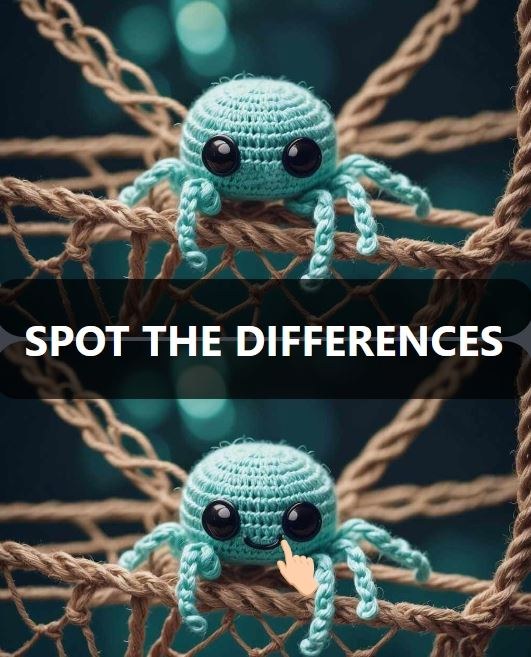
What the First Minute Actually Feels Like You open Spot The Differences and two nearly identical images slam into view. A kitchen scene. A beach. A cluttered desk. I spent my first thirty seconds just letting my eyes bou
What the First Minute Actually Feels Like
You open Spot The Differences and two nearly identical images slam into view. A kitchen scene. A beach. A cluttered desk. I spent my first thirty seconds just letting my eyes bounce back and forth without any real plan, and I missed three obvious changes immediately. That's normal. The timer in the corner — usually counting down from somewhere between 90 seconds and two minutes depending on the difficulty — starts ticking the moment the images load, and there's this tiny jolt of pressure that makes you skip over things you'd normally catch. The first thing you'll notice is how your eyes don't know where to land. You're scanning the big stuff: the color of a shirt, a missing lamp, a cloud that's suddenly a different shape. But the game designer has tucked at least two changes into areas where your vision naturally drifts last, like the pattern on a rug or the label on a bottle.
By the end of my first round, I had four out of five differences found but the fifth one ate the rest of my time. I was staring right at it — a spoon that had flipped direction in a bowl — and my brain just glossed over it because it looked "close enough." That's the core sensation of the first minute: you're fighting your own visual assumptions. The audio feedback is minimal. A little chime when you click correctly, a soft buzz or nothing at all when you miss, which is merciful because you're going to miss a lot early on. No tutorial pops up to explain the rules because the premise barely needs one, but there are a few interface details that aren't obvious until you've played three or four rounds.
How the Loop Works and What You're Actually Optimizing For
The basic loop is dead simple. Two images sit side by side — or stacked vertically on a phone — and you tap or click on the difference you spot in either image. Find all five (sometimes seven, depending on the level set) before the timer hits zero, and you move on. Run out of time and you replay the same set. There's no penalty for wrong clicks in most versions of Spot The Differences aimed at beginners, which is huge. I started out tapping cautiously, then realized I could rapid-fire click anywhere I suspected a shift without losing points. That changes how you approach the whole thing. You stop being precious and start being systematic.
What you're optimizing for isn't just speed. It's pattern recognition across scenes, and more importantly, it's learning where the artist hides things. After about ten rounds, I noticed a few recurring trick categories. Color swaps — a red apple turns green, a blue towel becomes yellow. Object removal or addition — a framed photo vanishes, an extra coffee cup appears on a shelf. Size changes — a window shrinks slightly, a tree gets taller. And then the sneaky category: orientation flips, where an item rotates 90 degrees or a shadow stretches in the wrong direction. That last one killed my runs more than anything else because the object is still there, still roughly the same color, just pointed the wrong way. Your peripheral vision doesn't flag it as suspicious.
A secondary thing you're optimizing for is mouse travel distance on desktop, or thumb reach on mobile. I'll get into device differences later, but the short version is that dragging your cursor across a wide monitor wastes fractions of a second per scan, and those add up when you're down to twelve seconds and still missing one change. The players who get consistent five-difference clears aren't necessarily faster thinkers; they've just built a scan path that covers the image in a repeatable sequence without doubling back.
What the Beginner Levels Hide From You
The first batch of levels in Spot The Differences feels generous. Large, distinct objects. High-contrast backgrounds. Changes are placed near the center of the frame where your eyes naturally start. But around level six or seven, the difficulty curve nudges upward in ways that aren't announced. The number of differences stays the same, but the image gets busier. A quiet living room becomes a market stall with dozens of overlapping items. The changes migrate toward the edges and corners. The color shifts get subtler — a beige wall becomes slightly lighter beige, and you're squinting at your screen wondering if your brightness settings are the problem.
One level had two identical potted plants on opposite sides of a room, and the only difference was one leaf had a tiny brown spot that wasn't there in the other image. I burned forty seconds on that alone. That's when I understood the game isn't testing your eyesight; it's testing your ability to ignore what your brain tells you is "probably the same" and verify everything manually. For beginners, the hardest adjustment is accepting that you can't trust your first impression of any object smaller than your thumbnail.
Mistakes That End Runs Early
I watched myself and a few friends play this, and the same failure patterns showed up every time. The biggest one is fixation. You find three differences quickly, feel good, then lock onto a specific area and refuse to move on. You just keep staring at the same bookshelf thinking "it has to be here" while the timer bleeds out. The difference is almost never in the spot you're fixating on. If you've scanned a zone twice and found nothing, physically look at the other image's corresponding zone. Sometimes the change is only visible in one frame because of how the artist layered the alterations.
The second mistake is ignoring the border areas. The top inch and bottom inch of the image, plus the far left and right edges. I lost a round because a curtain rod extended two pixels further to the right in one image. Two pixels. That's not a fair challenge, honestly, but it's in the game and it'll get you if you're not checking the perimeter on every single level.
Third mistake: playing tired. This sounds obvious but Spot The Differences is more cognitively draining than it looks. After fifteen minutes, my accuracy dropped noticeably. I started clicking random spots hoping for a lucky hit, which works maybe once in twenty attempts, but the wasted clicks add up mentally. You get frustrated, you click faster, you miss more. The game doesn't have a lives system so you can brute-force levels, but brute-forcing teaches you nothing and the later levels will punish you for not building good habits early.
Fourth, and this one's specific to free browser versions: if you accidentally click outside the game canvas, you might lose focus on the game and have to click back in. On some sites, that click registers as a tap on the image itself, which can trigger a wrong-click penalty if the game has one. Not all versions do, but enough of them that I started keeping my cursor deliberately inside the play area.
Phone Versus Desktop: The Trade-offs Nobody Mentions
I played on both and each has a real but fixable downside. On desktop with a mouse, your precision is excellent. You can click exactly on the rim of a glass or the corner of a picture frame without fat-fingering the area around it. But the larger screen means your eyes have to travel further, and the scan path I mentioned earlier becomes critical. I found myself unconsciously tilting my head to take in both images at once, which works for about four minutes before your neck complains. A trackpad is worse than a mouse because you'll overshoot small targets.
On a phone, the images stack vertically, which changes everything. You scroll slightly, compare, scroll back, compare again. The smaller screen forces you to focus on sections rather than the whole picture, which is actually an advantage for catching detail changes. But your thumb covers part of the image, and I missed a difference twice because my own finger was hiding it. Pinch-to-zoom is available in most mobile versions and you should use it constantly. Zoom in on one quadrant at a time, scan methodically, zoom back out, move to the next quadrant. It's slower than the desktop scan method but more thorough. On a phone under five inches, some differences are genuinely hard to see without zooming, so don't feel like you're cheating by magnifying. The game expects it.
One weird note: on desktop, I found it easier to compare the two images by looking slightly above the screen center and using peripheral vision to detect anomalies. Your mileage will vary, but peripheral vision is better at catching motion and contrast shifts than central vision, which is why you sometimes spot a difference "by accident" when you're not looking directly at it. On mobile, that trick doesn't work because the screen is too small for effective peripheral comparison.
A Short Practice Plan That Actually Builds Skill
If you want to get genuinely better at Spot The Differences without burning out, do this for about twenty minutes across a few days and you'll see consistent five-difference clears on beginner and intermediate levels.
Day one, play the first three levels three times each. Don't move on until you can clear each one with at least forty seconds left on the timer. The repetition isn't about memorizing the differences — it's about training your scan order. On your second and third attempts, you'll notice you naturally check the places where changes were hidden before, and that builds a mental checklist for future levels with similar layouts.
Day two, bump up to levels four through six, same approach. But add a new rule: before you click anything, spend ten full seconds just letting your eyes do a slow perimeter sweep. Top edge left to right, right edge top to bottom, bottom edge right to left, left edge bottom to top. I know it eats ten seconds, but you'll often spot one difference just from the border sweep, and the confidence boost helps you stay calm for the remaining hunt.
Day three, play a level you haven't seen before and try the quadrant method. Mentally divide each image into four squares. Scan the top-left quadrant of both images, then top-right, then bottom-left, then bottom-right. Don't cross into the next quadrant until you're certain the current one is clear. This stops the frantic eye-darting that makes you miss the subtle changes. Time yourself but don't obsess over the clock. The goal is completing each quadrant sweep in under twenty seconds.
After day three, start mixing in levels with busier backgrounds. The quadrant method holds up even in cluttered scenes, but you'll need to zoom more aggressively on mobile. The perimeter sweep becomes less reliable because busy scenes push changes toward the center, so adapt by doing a quick center-cross scan instead: vertical line down the middle, horizontal line across the middle. Most changes in complex scenes sit along those axes.
The skill ceiling in Spot The Differences isn't sky-high, but the gap between a first-time player and someone with an hour of deliberate practice is surprisingly wide. You stop panicking. You stop clicking the same wrong spot three times. You start noticing the shadow changes and the flipped objects before they become time sinks. And the game shifts from a stressful race into a calm, almost meditative pattern-matching exercise where you're fully in control of the clock instead of the other way around. That's the real reward, far more than any score screen at the end of a run.



