
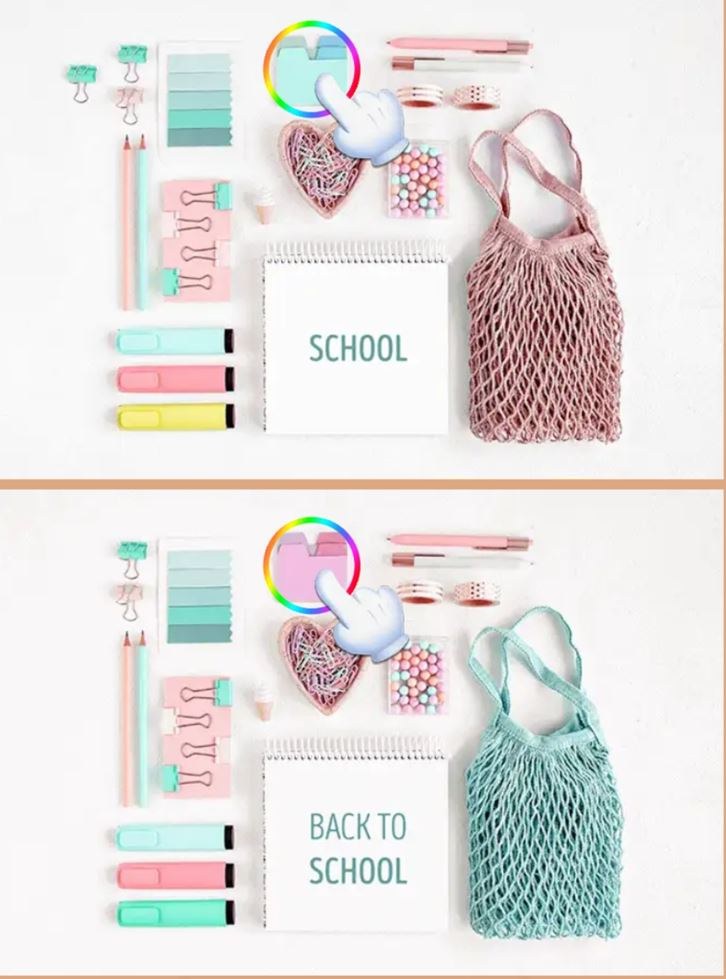
What the First 60 Seconds Actually Feel Like You click "Play" and two nearly identical photographs pop up side by side. A living room, maybe, or a crowded café scene. For about ten seconds you just stare, your eyes darti
What the First 60 Seconds Actually Feel Like
You click "Play" and two nearly identical photographs pop up side by side. A living room, maybe, or a crowded café scene. For about ten seconds you just stare, your eyes darting back and forth without landing on anything concrete. Then you spot it — the lamp in the left image has a slightly different shade. You tap it, hear a satisfying little ping, and a counter ticks down from 5 to 4. That's when the game has you. The next difference takes longer to find, maybe twenty seconds of increasingly annoyed scanning, and you feel a tiny spike of panic because you remember there's a timer somewhere. You're already playing for score without anyone telling you to.
The first minute of Differences Find is deceptively gentle. It looks like something your aunt would play on her iPad, all soft colors and innocent stock photography. But underneath that calm surface is a game that's quietly judging your attention span. The ticking clock isn't aggressive — usually set to two or three minutes — but it's always there, a thin bar shrinking at the top of the screen. By the end of that first round you've either found all five differences with thirty seconds to spare and feel unreasonably proud, or you've gotten stuck on the last one, tapped wildly in frustration, and lost a life. Both outcomes are surprisingly compelling.
Who This Game Is Actually For
Let's be direct here because the genre attracts some mismatched expectations. Differences Find is not a deep puzzle experience. It's not going to satisfy someone looking for narrative or clever mechanical twists. What it does well — and I mean really well within its lane — is serve three distinct audiences that overlap more than you'd think.
Kids, especially the 6-to-10 range. This is the most obvious group. The images are clean, the objects are recognizable, and the differences aren't devilishly subtle. A missing button on a coat, a cloud that's drifted slightly, a book that changed color on a shelf. My seven-year-old niece sat with this for twenty minutes and only got genuinely stuck once, on a level where the difference was a slight shadow variation under a chair. The game gives kids a steady stream of small victories, and the timer is generous enough that it rarely feels punishing. If you've got a child who gets frustrated easily with games, this is a safe bet — there's no death, no enemies, just "try again" with a new layout.
Casual players looking for a mental palate cleanser. I'm putting myself in this category. You know those moments where you want to do something with your hands and eyes that isn't scrolling social media, but you also don't have the energy for anything demanding? Differences Find slots into that gap perfectly. A single round takes two to three minutes. You can play three rounds while your coffee cools and feel like you did something mildly stimulating. The game doesn't punish you for quitting mid-session, and there's no elaborate progression system to keep track of. It's the definition of pick-up-and-put-down.
Fans of the hidden-object/difference-spotting genre specifically. If you've already burned through a dozen "find the difference" apps on your phone, you know exactly what you're getting here. The appeal for this group is less about novelty and more about consistency. Differences Find executes the formula cleanly: clear images, responsive touch controls, and a difficulty curve that escalates by making differences smaller or placing them in busier scenes rather than by introducing cheap tricks. The game respects the genre. You won't find differences that rely on pixel-hunting or ambiguous edge cases where you can't tell if something counts. That matters a lot to people who take these games semi-seriously.
How the Loop Actually Works
Each level gives you two images and a target — usually five differences to find before time runs out. You tap on either the left or right image to mark a spot, and the game confirms instantly with a circle and a point. If you tap wrong, there's a short penalty. In most versions I've played of this style, a wrong tap either freezes your input for a second or two, or it shaves a chunk off your remaining time. That penalty is the game's quiet way of telling you to stop flailing and actually look.
What you're optimizing for, whether you realize it consciously or not, is scan efficiency. The best players develop a system — they scan left to right, top to bottom, comparing one quadrant at a time. New players tend to stare at the overall image and wait for something to "pop out," which works for obvious differences but falls apart around level four or five when the changes get subtler. The game gently nudges you toward methodical observation, and that's where the satisfaction lives. It's not about being fast; it's about being thorough under a soft time pressure.
After clearing a set of images, you're typically moved to a new themed batch — different rooms, outdoor scenes, collections of objects — and the difficulty ticks up. The timer might shrink slightly, or the number of differences might increase to seven. The core loop doesn't change, though. The game knows what it is and doesn't try to surprise you with gimmicks.
Mistakes That End Your Run Early
I lost more runs than I'd like to admit before I figured out what was actually going wrong. The game's failure states aren't dramatic, but they're consistent. Here's what kills a session:
Panic-tapping when the timer hits 30 seconds. This is the big one. You've found three of five differences, the bar is turning red, and suddenly your brain decides that tapping rapidly in random spots is a viable strategy. It isn't. The time penalty for wrong taps means you're actually making things worse — each miss costs you precious seconds, and now you're down to 15 seconds with two differences still hidden. I've watched myself do this three times in a row before I learned to just take a breath and keep scanning methodically even when the clock is low.
Getting stuck on a single stubborn difference. Sometimes you'll find four differences in the first minute and then spend a full ninety seconds staring at the last one. Your eyes glaze over. You start seeing differences that aren't there — is that vase slightly tilted? No, it's identical. The better move is to deliberately look away from the screen for five seconds, then come back with fresh eyes. The difference almost always reveals itself within ten seconds of returning. I don't know the neuroscience behind this, but it works consistently enough that I now use it as a deliberate tactic.
Ignoring the edges of the image. The game likes to hide differences in the periphery — a missing tree branch in the top corner, a slightly different pattern on a rug at the bottom edge. If you're only scanning the central focal point of the scene, you'll miss these every time. Train yourself to check the borders of each image first, then work inward. It feels counterintuitive because your eye naturally goes to the center, but the border differences are often the ones that save you time.
Playing when tired or distracted. This sounds obvious, but the game's gentle aesthetic masks how much it demands visual attention. If you're playing while half-watching a show or during a meeting, you'll hit a wall around the third level and start losing lives to simple misses. The game doesn't punish you harshly for losing — you usually just replay the level — but it can feel frustrating if you don't realize your own attention is the bottleneck.
Phone Versus Desktop: What Changes
I played Differences Find on both a phone browser and a desktop browser, and the experience shifts more than you'd expect for such a simple game.
On phone, the smaller screen is actually an advantage for once. The images are compressed into a size where your eyes can take in both sides at once without much head movement. Tapping feels natural and responsive, and the penalty for a wrong tap — that brief freeze — is less frustrating because your thumb is already hovering. The downside is that very small differences can be genuinely hard to see on a phone screen, especially if you're outdoors or in bright light. I missed a difference that was a slight color change on a small flower because my screen brightness was too low. Crank the brightness up if you're playing seriously on mobile.
On desktop, the larger screen makes details much easier to spot. You can see subtle shadow differences and small object variations without squinting. But the mouse introduces a tiny bit of friction — clicking feels slightly slower than tapping, and if your cursor isn't perfectly positioned, you might click just outside the intended spot and eat a penalty. I also found myself sitting closer to the screen and scanning more aggressively, which led to eye strain faster than on mobile. For short sessions, desktop works great. For longer play, phone feels more comfortable.
One weird quirk: on some browser configurations, the images don't scale perfectly and you get a slight letterboxing effect that can clip the very edges of the scene. I only saw this once, but if a difference seems impossible to find, scroll slightly to make sure you're seeing the full image. It's rare, but worth checking.
A Practice Plan That Takes About a Week
If you want to get genuinely better at this game — and there is a skill curve, even if it looks flat — here's a short plan that worked for me. It's not intensive, maybe ten to fifteen minutes a day, but it noticeably improved my clear times.
Days 1–2: Just play normally and note your scan pattern. Don't try to optimize anything yet. Play five or six levels and pay attention to where your eyes go first. Do you start in the center? Top left? Do you jump around randomly? Write down or mentally note which differences you found quickly and which ones took forever. You're building self-awareness, not speed.
Days 3–4: Force a systematic scan. Pick a pattern — I went with top-left to bottom-right, comparing small chunks at a time — and stick to it rigidly even if it feels slow. You'll be slower at first, and that's fine. The goal is to train your brain to trust the system so that under time pressure you don't revert to random staring. By the end of day four, you should notice that you're finding differences more consistently, even if your time hasn't improved much.
Days 5–6: Add the look-away trick. When you get stuck on a difference for more than thirty seconds, deliberately look at something else in the room for five full seconds, then return to the screen and scan the area you haven't checked yet. This feels ridiculous but it breaks the visual fixation that causes you to miss obvious things. I started clearing levels I'd previously failed just by using this technique twice per round.
Day 7: Play for speed. Now that you've got a system and a recovery technique, push the pace. Try to beat your previous clear times without sacrificing accuracy. You'll probably find that you're shaving ten to fifteen seconds off each round compared to day one, not because you're faster at tapping, but because you're wasting less time on aimless scanning.
This isn't a game that demands practice, obviously. You can play it casually forever and have a fine time. But if you're the type of person who enjoys seeing measurable improvement — and I am — the week-long plan turns a passive time-killer into something that feels like a minor skill acquisition.
What the Game Doesn't Tell You
A few things I picked up that aren't in any tutorial or instruction screen:
The differences are never in the exact same spot across levels, but the game does have patterns. Once you've seen twenty or thirty scenes, you start to anticipate where differences are likely to be — objects near the edges of tables, items on shelves, things in the background rather than the foreground. The game isn't trying to be random; it's trying to be fair. If you can't find a difference after thirty seconds of systematic scanning, check the background layers first, then check for color variations on small objects.
There's also a subtle rhythm to the difficulty. After a particularly hard level, the game often gives you an easier one — a palate cleanser with two or three very obvious differences. I suspect this is intentional pacing, and it works. It keeps frustration from accumulating across a session.
Finally, the game plays completely fine for free in a browser. No installs, no account creation, no paywalls that I encountered. The experience is simple enough that it doesn't need anything more. You open a tab, you play a few rounds, you close the tab. That's the whole deal, and honestly, more browser games should aim for exactly that level of frictionless accessibility.



