
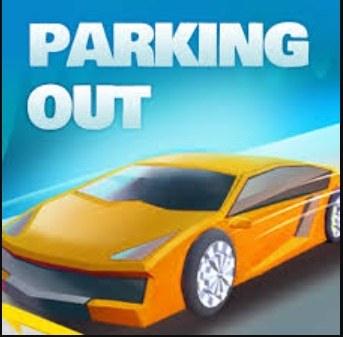
First Impressions: That Heavy, Sluggish First Turn I fired up Parkingout expecting a light parking puzzle, maybe something I could breeze through while half-listening to a podcast. The first minute immediately humbled me
First Impressions: That Heavy, Sluggish First Turn
I fired up Parkingout expecting a light parking puzzle, maybe something I could breeze through while half-listening to a podcast. The first minute immediately humbled me. The car felt dense, almost like the tires were made of lead, and just pivoting into the first tight spot made the frame stutter. It wasn't unplayable, but it was the kind of micro-lag that gets into your head. You know that split-second delay between pressing the arrow and watching the hood swing? That was there, and it got worse the moment I overcorrected. I completely misjudged a cone barrier and had to reverse, and the stutter during the reverse-and-correct motion triggered a full bumper tap. Instant restart. I sat back and realized that in Parkingout, smoothness isn't just a quality-of-life thing. It’s the whole game.
The Loop Nobody Talks About: Chasing Fluid Motion, Not Just the Spot
On the surface, you're nudging a sedan or a small SUV into a painted rectangle. The timer ticks down. The obstacles are standard fare: shopping cart returns, concrete planters, traffic bollards, and those maddeningly placed lamp posts that hide in your blind spot. But the real objective, the thing I started optimizing for around my eighth attempt, wasn't the three-star time. It was eliminating every instance of input lag that made my steering corrections sloppy. Once you strip away the parking theme, you’re playing a physics friction simulator that rewards tiny, deliberate taps. Turning the wheel at full lock while stationary creates a rubbery resistance in the animation. Accelerate too abruptly from a dead stop and the car lurches forward an extra few pixels, enough to clip a bollard's invisible edge. I found myself easing onto the gas like I was driving on an icy road in real life. That’s the core loop: find the pace that keeps the frame rate steady and the car responsive, then protect that rhythm at all costs.
What’s interesting is that the game doesn’t punish you with a loud buzzer or a dramatic crash cam. You just hear a flat, metallic scrape and the level resets silently. That quiet failure makes the lag more noticeable. There’s no chaos masking the technical hiccup. It's just you, a stalled frame, and a bumper now intersecting with a concrete pillar. The scoring system nudges you toward speed, but the real high-level play is about achieving a kind of glassy, uninterrupted flow where the car never hitches.
Common Mistakes That Kill a Run Early
After playing for about twenty minutes, I started recognizing the same death patterns over and over. These aren't always about spatial reasoning. A lot of them are about how you manage the game's performance quirks.
The first big one is what I call the "panic straighten." You enter a spot at a slight angle, realize you're off, and frantically tap the opposite direction while still rolling. On a desktop browser, this rapid input stacking seems to queue up, so the game tries to process all four directional nudges in a burst. The screen hitches, the car stutter-steps, and you end up in a worse position, often with a tire on the curb. The fix isn't better parking skill. It's forcing yourself to stop fully, center the virtual wheel, then make a single small correction. In Parkingout, a complete dead stop is your best tool for resetting the input buffer.
Another run-ender is ignoring the camera pivot delay. The camera isn't a smooth drone; it snaps in increments. If you reverse toward a blind spot, the camera takes a beat to swing around, and during that beat, you’re driving blind. I clipped a low bollard three times in a row on one level because I was reversing faster than the camera could show me the obstacle. You have to move at the camera's speed, not your own reflex speed.
The third big trap is treating the timer like a countdown to panic. The three-star thresholds seem generous at first, but they push you to accelerate through turns. The moment you combine turning with acceleration, the physics engine seems to work harder. The tires scrub, the car shudders, and the frame rate dips just enough to make a tight squeeze impossible. I started ignoring the timer completely for the first few attempts on a new level. I'd just map out the camera blind spots, find where the lag spikes happened, and only then try for a fast time.
Lastly, a small but consistent mistake: grazing the scenery on purpose to save time. In some parking games, you can rub a tire against a curb and keep going. In Parkingout, even a light scrape against a shopping cart seems to trigger an immediate fail state. The collision detection feels unforgiving, and during a lag spike, the game might register a single frame of contact as a full collision. You can't cut corners, literally or figuratively.
What's Actually Going On Under the Hood
Since I can't peek at the game's code or find developer notes, I'm working off what I can observe and what makes sense for a browser-based 3D parking game. Parkingout runs in WebGL, and it's rendering real-time shadows, reflective car paint, and multiple light sources. The environments aren't massive, but they're dense with objects that have collision meshes. Every bollard, cone, and barrier is a separate physics calculation happening alongside the rendering. When you turn the wheel, the game isn't just rotating a model. It's simulating tire friction, suspension compression, and body roll, all in a browser tab sharing resources with whatever else you have open.
The lag I felt during sharp turns likely comes from the physics solver stepping up its calculations. When the tires scrub against the ground at a high angle, the simulation has to resolve a more complex set of forces. That resolution takes CPU time, and if your browser's JavaScript engine is already juggling rendering calls, you get a micro-stutter. The same thing happens when you clip a small object. The collision detection spikes momentarily, and if that spike aligns with a camera transition, the whole image freezes for a frame or two.
There's also a memory consideration. Each level loads a new set of assets, and if the previous level's textures aren't fully purged, you might feel the game getting heavier over a long session. I noticed that after about fifteen minutes, the stuttering became slightly more frequent, and a quick browser refresh smoothed things out again. That points to a slow memory creep rather than a catastrophic leak, but it's worth knowing if you're chasing perfect runs.
Phone Glides, Desktop Chugs: A Device Divide
I played Parkingout on both a mid-range Android phone and a decent desktop with a dedicated graphics card, and the experience split in a way I didn't expect. On the phone, the touch controls felt surprisingly direct. Dragging a virtual steering wheel or tilting the device gave me a smoother sense of connection, and the smaller screen seemed to mask the micro-stutters. The game felt designed for mobile first, with the UI elements sized for thumbs and the camera distance set for a smaller viewport. Frame drops still happened, but they felt less jarring on a five-inch screen.
On desktop, using the keyboard arrows, the lag was more apparent and more frustrating. The arrow keys introduce a binary input: you're either turning at full lock or not turning at all. That binary signal seems to exaggerate the physics stutter because the game has to snap the wheels from zero to max angle instantly. On mobile, the analog nature of a virtual joystick or tilt control lets you ease into a turn, which gives the physics engine more time to catch up. If you're on a laptop with integrated graphics, you'll feel this even more. The integrated chip struggles with the real-time shadows, and dropping the browser's zoom level or closing other tabs can genuinely improve steering response. It's a rare case where the free browser version might actually run better on a phone held in landscape mode than on an older desktop.
A Practical Practice Plan That Actually Builds the Right Habits
Instead of grinding levels randomly, I put together a short routine that targets the specific feel of Parkingout. It takes about fifteen minutes and it's meant to train your hands to work with the game's physics timing, not against it.
- Minute 1-5: The Dead-Stop Drill. Pick any early level with a wide open parking space and ignore the timer. Drive forward slowly, then practice coming to a full, complete stop before making any turn. Count one beat after the car stops moving before you touch the left or right key. Do this ten times. The goal is to burn the "stop first, then steer" sequence into your fingers so you don't stack inputs during a real run.
- Minute 5-10: Reverse Camera Crawl. Find a level with a tight reverse section or a pillar near the rear bumper. Shift into reverse and move at the absolute slowest speed the game allows. Watch how the camera swings. Notice the exact point where the pillar disappears from view and count how long it takes the camera to catch up. Practice pausing just before that blind spot, waiting for the camera to settle, then continuing. This builds a mental timer for the camera delay.
- Minute 10-13: The Two-Minute No-Reset Run. Give yourself a strict two-minute window on a mid-difficulty level. You're not allowed to hit restart no matter how badly you mess up. If you clip a cone, you fail naturally and start over. This teaches you to stop panic-restarting, which often interrupts the game's asset loading and can cause a fresh lag spike right at the start of a level. Let the game handle the resets. You'll also learn which scrapes are survivable (very few) and which aren't.
- Minute 13-15: Three-Star Hunt with Fresh Eyes. Close the browser entirely. Reopen it, load Parkingout fresh, and immediately attempt a three-star run on a level you've already practiced. The clean session gives you the best possible performance, and the previous drills should have your timing locked in. Don't restart if you miss the three-star mark by a second. Note where you lost time and try a different line next attempt instead of just moving faster.
This plan isn't about memorizing level layouts. It's about feeling out the game's technical rhythm until smooth, lag-free steering becomes automatic. After a few sessions, I stopped noticing the stutter entirely, not because it disappeared, but because I was driving in the gaps between the frame drops without thinking about it.
Parkingout rewards a light touch and a willingness to drive slower than the timer suggests. Get the browser conditions right, learn the camera's lazy eye, and stop fighting the physics ticks. The parking spots aren't going anywhere. Your frame rate, on the other hand, needs constant babysitting. Treat that as the real challenge and the three-star times become a natural side effect.



