
First Minute: You're Already Squinting (But in a Good Way) I opened Find 500 Differences expecting the usual side-by-side photo hunt, but what hit me first was how quickly my brain switched into a very specific scanning
First Minute: You're Already Squinting (But in a Good Way)
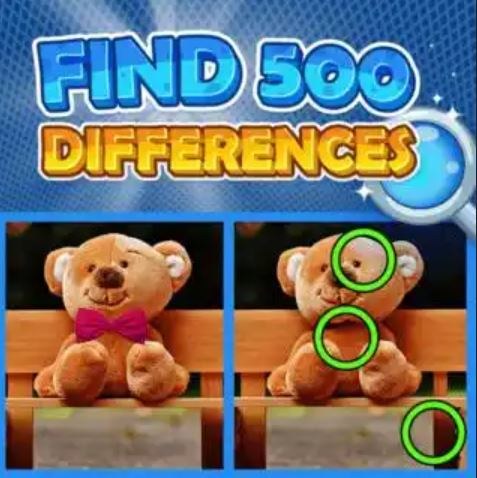
I opened Find 500 Differences expecting the usual side-by-side photo hunt, but what hit me first was how quickly my brain switched into a very specific scanning rhythm. Within 30 seconds I'd tapped three differences—a missing chimney, a recolored scarf, a cloud that had shifted slightly—and I realized I was holding my phone about four inches from my face. You'll do that too. The art style isn't trying to be gorgeous; it's functional, slightly generic, the kind of illustrated scenes you've seen in a dozen other games. A park bench, a kitchen counter, a busy street market. But the images are busy enough that your eyes have to work, and that friction is the whole point. There's no timer ticking down in my face, no penalty for tapping wrong spots, just a clean counter at the top that says "2 of 5" and a quiet invitation to keep hunting. My shoulders dropped about a minute in. That's rare.
What You're Actually Doing Here
The loop is dead simple: two nearly identical images sit side by side on your screen. You tap the difference. If you're right, a subtle circle marks the spot and the counter ticks up. Find all five differences in a scene, you move to the next pair. That's it. No story, no characters unlocking, no currency. What surprised me is what I started optimizing for without realizing it—speed mixed with a weird kind of thoroughness. The game doesn't reward speed. There's no star rating or gold medal. But I found myself trying to clear a scene without randomly tapping, which meant developing a personal system. I'd scan top-left quadrant, then top-right, then bottom left, then the middle where most designers hide things. You'll probably develop your own pattern within five scenes. It feels good when that pattern works. It feels slightly annoying when it doesn't and you're stuck on four of five, circling the same damn teapot for forty seconds.
The game feeds you scenes in sets, and based on the naming conventions I saw—things like "Park_01" through "Park_06"—there are themed batches. You'll get five or six variations on a single location before it moves to a new environment. This helps because your eye learns the baseline. By the third park scene, I knew where the bench usually sat and could spot when a slat was missing. Then the kitchen set threw me off completely. New objects, new hiding logic. That reset kept me from going on autopilot.
Where Runs Fall Apart (And It's Usually Your Own Fault)
I lost momentum in predictable ways, and you will too if you're not careful. Here's what killed my streaks:
Drift-tapping when frustrated. Around scene 14, I hit a pair where I genuinely could not find the fifth difference. I started tapping randomly along the edges, hoping to trigger a hit. The game doesn't punish wrong taps—no lives lost, no timer penalty—but the mental cost is real. Random tapping breaks your scanning rhythm. When I finally found the difference (a slightly different shade of green on a leaf, barely visible), I'd already spent two minutes in a fog of impatience and my eyes were tired. Next scene, I missed an obvious one immediately because I hadn't reset my focus. If you feel yourself start to drift-tap, put the phone down for thirty seconds. Seriously.
Color-change blindness. The most frequent difference type is a color swap—a red apple becomes green, a blue dress becomes yellow. Early scenes train you to look for these. But around scene 20, the palette shifts get subtler. A beige wall becomes slightly more beige. You'll stare right through it. I learned to intentionally check large color fields—walls, skies, tabletops—even when they looked identical at first glance. Squinting helps, which feels dumb to type but it's true.
Assuming symmetry means no difference. Several scenes use symmetrical layouts—two lamps flanking a doorway, identical flower pots on steps. My brain kept skipping these because "they're the same." They're not. One lamp will have a slightly different base, or one flower pot will be missing a crack. The designers know you'll assume symmetry equals safety. Don't.
Edge-of-screen neglect. I missed a difference for three straight minutes because it was a tiny weather vane in the far background, partially cropped by the frame edge. Your eye naturally gravitates toward the center third of an image. Make a conscious pass along all four borders before you declare yourself stuck.
Phone vs Desktop: This One Actually Matters
I played on both. On a phone, the images sit stacked vertically in portrait mode, which means you're scrolling slightly between the two. That tiny motion breaks direct side-by-side comparison. You end up relying more on memory—glance at top image, scroll, glance at bottom, try to hold the detail. It's doable but adds friction. On a landscape-oriented phone or tablet, the images appear side by side, and the game becomes noticeably easier. Your eyes can flick back and forth without any finger movement. On desktop with a larger monitor, the images are bigger and the differences pop more, but the tradeoff is you're more likely to notice compression artifacts or slight resolution fuzziness that the art wasn't built for. Phone felt like the intended experience, specifically phone in landscape if you can manage it. Portrait mode is fine but expect to take longer per scene.
One thing I noticed across all devices: there's no zoom function. You can't pinch to enlarge a suspicious area. For a game about spotting tiny discrepancies, that feels like an oversight. On a small phone screen, some differences are genuinely hard to see not because they're cleverly hidden but because they're physically small. I caught myself tilting the screen and bringing it closer, which isn't great for your neck after twenty minutes. If you play on a smaller device, accept that some scenes will require uncomfortable squinting and maybe position yourself near good light.
A Practice Plan That Won't Make You Hate It
I'm not going to tell you to "train your observation skills" because that's corny and this is a browser game about finding missing chimney smoke. But if you want to actually enjoy Find 500 Differences instead of burning out after fifteen scenes, here's what worked for me across several sessions:
Session one (10 minutes): Just play. Don't try to be efficient. Let yourself tap wrong answers, get stuck, scroll around. Your goal here is to internalize the types of differences the game favors. You'll notice patterns: color changes, missing objects, size variations, flipped elements. Make a mental list. My list after session one was "chimneys, clouds, fruit colors, window panes, shadows." Shadows became a big one later.
Session two (15 minutes): Now apply a scanning grid. I used four quadrants plus a border pass. Top-left, top-right, bottom-left, bottom-right, then trace the outer edge clockwise. Say the objects in your head as you scan—"tree, bench, bird, lamp, cloud"—because verbalizing forces you to actually register each element instead of glazing over. You'll feel slow. That's fine. Speed comes from pattern recognition, not rushing.
Session three (10 minutes): Deliberately play on a different device or orientation than you're used to. If you've been on portrait phone, switch to landscape or desktop. Notice which differences you missed on the smaller screen that seem obvious now. This isn't about cheating; it's about teaching your brain what "subtle" looks like at different scales. Next time you're on the small screen, you'll know to look harder at certain areas.
Ongoing: Set a natural stopping point. The game doesn't give you one—scenes just keep coming. I started using a rule of "three sets" (roughly 15-18 scenes) or until I spent more than two minutes on a single image, whichever came first. When I pushed past frustration, the game stopped being relaxing and became a chore. You'll know you've hit your limit when you start drift-tapping. Close the tab. Come back tomorrow. The game will still be there, free in your browser, no login required, which is honestly part of the appeal. There's no pressure to maintain a streak or earn daily rewards, so the only person rushing you is you.
Who This Is Actually For
Find 500 Differences isn't going to blow your mind. It's not innovative, it's not polished, and after about scene 30 you'll start seeing repeated object types if not outright repeated scene layouts. But it lands in a very specific sweet spot: the five-minute break game. I played it between work tasks, while waiting for water to boil, during a phone call where I was on hold. Each scene takes between 30 seconds and two minutes depending on your eye and the difficulty spike. That's a satisfying chunk. You can stop anytime without losing progress because there's no progress to lose—just a counter of how many differences you've found total, which is more of a personal high score than a game mechanic.
If you like hidden object games but find them too cluttered, this strips the formula down. No lists of items, no narrative framing, just two pictures and five things wrong. It's closer to those "spot the difference" puzzles in the back of a magazine than a video game, and that's fine. Sometimes you don't want a game to demand your attention. You want it to occupy your hands and the front part of your brain while the back part decompresses. This does that. Play it free in your browser, keep sessions short, don't overthink the scanning strategy, and accept that you will miss a shadow difference for an embarrassing amount of time. It happens to everyone.



