
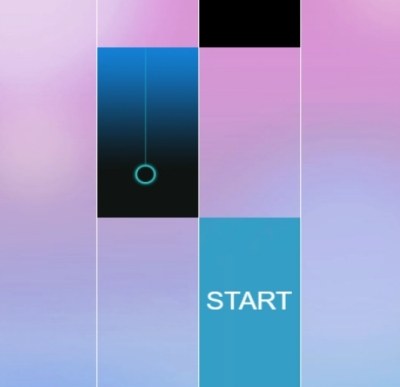
Magic Tiles3 Online Z is a rhythm-tap game where you hit black tiles in time with the music, with no story or characters—just precision and timing. It suits players who enjoy fast, skill-based challenges and improving their accuracy through practice.
What Magic Tiles3 Online Z Actually Asks of You
Magic Tiles3 Online Z is a rhythm-tap game where your job is to hit the black tiles in time with the music. The catalogue notes don’t give us a story, a campaign, or a roster of characters, and that’s fine. The game doesn’t need them. What it needs is your attention, your timing, and a willingness to watch the same 30 seconds of a song over and over until your fingers know the pattern better than your brain does.
If you’ve played any tile-tapping game before, you already know the core loop: tiles scroll down the screen, you tap them before they reach the bottom line, and each correct tap produces a note. Miss a tile and your combo breaks. Break enough combos, and you’re out. Magic Tiles3 Online Z follows that structure, and the “Online Z” part of the name suggests you’re competing against other players’ scores on the same charts. You’re not playing against them directly, but you are measuring yourself against their best runs.
The real challenge isn’t tapping fast. It’s tapping precisely. Speed comes later. Precision is the thing you have to build from the first song.
What You’re Actually Optimizing For
Most players think the goal is to hit every tile. That’s true, but it’s incomplete. The goal is to hit every tile with as little wasted motion as possible. Your fingers have a limited travel distance. If you’re moving your whole hand across the screen for every tap, you’re exhausting yourself and adding milliseconds of travel time that you don’t have.
Optimize for two things: combo preservation and finger economy. Combo preservation means you treat every miss as a small disaster, because it resets your score multiplier and puts you behind the pace you need for a high placement. Finger economy means you assign each finger a zone of the screen and you don’t cross those zones unless you absolutely have to.
On a typical chart, tiles will fall in a pattern that favors alternating hands. Left side tiles, right side tiles, then a quick middle sequence. If you’re using one finger for everything, you’ll run out of time on the fast sections. If you’re using two thumbs or two index fingers and letting each one handle its side of the screen, you halve the distance your fingers need to travel. That’s the whole game, really. It’s a distance problem dressed up as a rhythm problem.
Mistakes That End Runs Early
Let’s be specific about the things that kill runs, because most players don’t lose to impossible charts. They lose to fixable errors.
Mistake one: tapping too early. When a tile appears at the top of the screen, there’s a natural urge to hit it immediately. But the game registers your tap based on when the tile reaches the bottom line, not when you touch it. Tapping early means you’re hitting empty space, the tile continues downward, and you’ve already committed your finger to a location where no tile exists anymore. You’ll either tap twice in the same spot or scramble to re-hit the tile as it reaches the line. Both outcomes break your rhythm.
Mistake two: watching your fingers instead of the tile line. Your eyes should be locked on the horizontal line near the bottom of the screen where tiles are judged. That’s where the action is. If you’re watching your fingers, you’re looking at a moving target that’s always in a different place. If you’re watching the middle of the screen, you’re seeing tiles too early and your brain has to hold that information for too long. Fix your gaze on the judgment line and let your peripheral vision catch the tiles as they fall into range.
Mistake three: death-gripping the screen. You don’t need to press hard. The game registers light touches just fine. A tight grip slows your finger’s lift-off time, and that extra fraction of a second adds up over a long song. Relax your hands. Your taps should be quick taps, not pushes.
Mistake four: restarting instead of finishing. When you miss a tile early in a song, the instinct is to restart immediately. You want a clean run. But restarting every time you miss means you’re only practicing the first 15 seconds of the song. You never learn the back half, which is usually harder. Play through your mistakes. Finish the song. Learn the full chart, then restart for score runs.
Mistake five: ignoring the hold notes. If the game includes hold-and-drag sections, and most tile games do, treat them as separate skills. A hold note requires you to keep your finger down and follow the tile’s path. That’s not a tap. That’s a continuous input. Players who tap and lift immediately on a hold note miss the drag portion and lose the combo. Practice holding until you feel the note complete, not until you feel the tap register.
Phone vs. Desktop: It Changes Your Setup
Magic Tiles3 Online Z is built for touch screens, and that’s where it feels most natural. On a phone, you hold the device with two hands and use your thumbs. This setup gives you a stable grip and puts both thumbs in easy reach of the entire screen. The downside is that thumb travel is limited by how far your thumbs can stretch from the edges. On a large phone, the middle of the screen can be a challenge because neither thumb has a comfortable home position there.
If you’re on a smaller phone, this is less of an issue. If you’re on a larger device, consider adjusting your grip so your thumbs sit closer to the center. It feels awkward at first, but it reduces the distance your thumbs have to travel to hit middle tiles.
On a desktop or laptop, you’re likely using a mouse or a trackpad. This is a different game entirely. You have one pointer instead of two, and your travel distance is now tied to how far you can move your mouse or swipe your trackpad. This is tougher for fast charts because you have to move a single input device across the full width of the screen, then get it back to the other side. There’s no hand alternation. There’s only one hand doing everything.
If you’re on desktop, the best approach is to play slower charts and focus on mouse positioning. Keep your pointer near the center of the screen and move it in small, deliberate arcs rather than big sweeps. Big sweeps overshoot. Small arcs stay controlled. If you have a trackpad, be careful with accidental palm touches, and consider using a mouse if you have one available. The precision is worth it.
A Short Practice Plan That Actually Works
You can’t get better at Magic Tiles3 Online Z by playing the same song on the same difficulty over and over. You have to be deliberate about what you’re practicing. Here’s a simple plan you can run in a single session.
Step one: warm up on an easy song. Pick a chart you can clear without trying hard. Play it once, not for score, but just to get your hands moving and your eyes locked on the judgment line. This is your loosening-up lap. Don’t restart if you miss. Just play through.
Step two: identify your weak hand or weak side. During the warm-up, notice which side of the screen you’re less accurate on. For most people, it’s the non-dominant hand. Now play the same song again, but focus all your attention on that side. Deliberately place that hand’s taps early, late, and then on time. Feel the difference. You’re not trying to get a high score. You’re trying to build muscle memory for that hand.
Step three: play a song one difficulty above your comfort zone. Don’t expect to clear it. Expect to fail. Your job is to see the fast sections and figure out where your current skill breaks down. Is it the speed? Is it the pattern? Is it the transition from alternating taps to a single-hand run? Note the exact moment you lose control. That’s your target for the next step.
Step four: drill the failure point. Go back to a slower song that has a similar pattern to the one that killed you. Play it and force yourself to use the same technique you’d need for the fast version. If the fast chart had a long run of alternating left-right taps, practice that on the slow chart until it feels boring. Boring is good. Boring means your hands know the pattern and your brain isn’t needed for the physical part anymore.
Step five: take a break. Seriously. Ten minutes away from the game helps your hands reset and your brain consolidate what you practiced. Then come back and try the difficult song once more. You won’t clear it necessarily, but you’ll get further than before. That’s progress.
Repeat this plan across a few sessions. The key is that you’re not grinding the same chart into the ground. You’re building specific skills that transfer to harder charts. Speed comes from accuracy, and accuracy comes from deliberate practice, not from mindless repetition.
When You’re Stuck on a Sticky Level
Every player hits a wall where one chart just refuses to give in. You’ve tried ten times, you know the pattern, but your fingers won’t cooperate. Here’s a different approach: play the chart at half speed. If the game doesn’t offer a speed setting, recreate the rhythm by tapping on a table or a desk. Tap the pattern without the screen, slowly, and speak the rhythm out loud. “Left, right, left, right, hold, left.” Saying it out loud forces your brain to process the sequence as a pattern rather than a stream of individual events.
Then, when you go back to the game, you won’t be reading the tiles. You’ll be playing the rhythm you already know. The tiles become a confirmation of what your body is already doing, not a source of new information. That’s the shift that breaks most walls.
And if a chart still refuses to fall after that, leave it. Play other songs for a day. Come back fresh. The pattern will feel slower because your overall skill has risen. It’s a strange trick, but it works. Your brain keeps solving problems in the background while you’re not looking.
Keep It Simple, Keep It Sharp
Magic Tiles3 Online Z rewards players who respect the fundamentals. Watch the judgment line, not your fingers. Alternate hands. Don’t death-grip. Play through mistakes instead of restarting. Practice weak spots deliberately. That’s the path. It doesn’t require fast reflexes you’re born with. It requires attention and a willingness to repeat the boring parts until they become automatic.
You can play this one free in your browser, so there’s no barrier to getting a few practice runs in. Just remember: the score you’re chasing is a byproduct of consistent, clean input. Chase the clean input, and the score will follow.



