
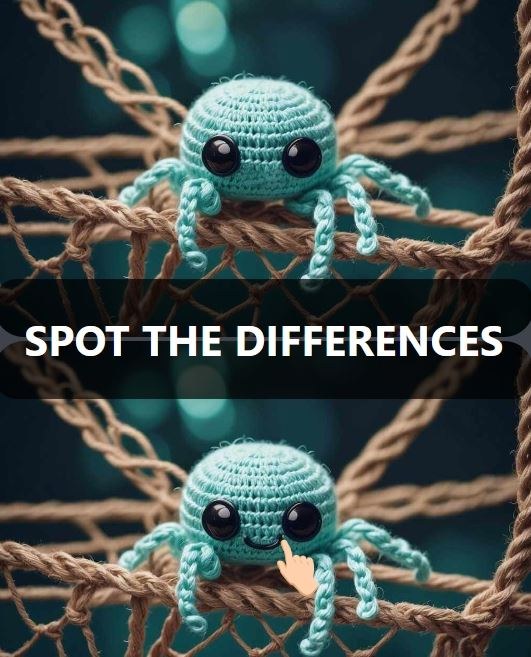
What That First Minute Actually Feels Like I loaded up Spot The Differences and the timer started ticking before I'd even found my cursor. That's not a complaint — it's the whole vibe. You're staring at two nearly identi
What That First Minute Actually Feels Like
I loaded up Spot The Differences and the timer started ticking before I'd even found my cursor. That's not a complaint — it's the whole vibe. You're staring at two nearly identical scenes, and the first thing I noticed was my own breath holding. The art is clean enough that you don't squint at compression artifacts, but the designer clearly enjoys putting the obvious thing right next to something that's *almost* the same. Within forty seconds I'd clicked a cloud that wasn't in the left panel and a lamp that had mysteriously changed color. Then I hit my first wall: a living room scene where I swear the difference was a missing shadow, and I just couldn't see it for a solid minute. You'll feel that little jolt of panic when the timer bar hits the last quarter and you've still got two spots unfound.
How the Loop Actually Works
This isn't a game about artistic appreciation. It's a pattern-interruption engine. Every stage gives you two images and a set number of differences to find, usually five or six. You click the spots on either image, and a correct hit circles the area and ticks your counter up. Miss-click too many times and you'll eat a time penalty or lose a life, depending on the mode. What you're really optimizing for is scan speed without sacrificing accuracy, because the penalty for random clicking gets steep fast once you're past the tutorial-soft early levels.
The loop tightens around level eight or nine. Scenes stop being cozy kitchens and start being cluttered market stalls, festival crowds, or underwater reefs where everything is already visually busy. The differences also shift in type. Early on it's missing objects. Later you get color swaps, size changes, flipped orientations, and the dreaded "something moved slightly to the left." Your brain has to toggle between global scanning and detail focus, and that's where most people burn time.
Mistakes That End Runs Early
I lost three runs in a row around level twelve before I admitted what I was doing wrong. Here's what actually tripped me up, and what I see friends do when I hand them the phone.
Clicking before confirming. This sounds stupidly obvious, but the penalty system punishes impatience hard. I'd spot a color discrepancy in my peripheral vision, jab the screen, and realize it was just a lighting gradient shared by both images. Two wrong clicks and the timer penalty essentially ended the stage. I started forcing myself to trace the suspicious area with my eyes in both panels before tapping. That half-second pause saved more time than it cost.
Ignoring the edges of the frame. For whatever reason, my eyes want to scan the center third of an image. The designers know this. Differences hide along the bottom edge, in the top corners, tucked behind a window frame you mentally cropped out. Now I deliberately scan the border like I'm reading a picture frame, then spiral inward.
Getting stuck on one quadrant. If I couldn't find the last difference, I'd obsessively re-scan the same busy section I'd already checked four times while the untouched left side of the image sat there laughing at me. Now when I'm down to one remaining spot, I physically cover sections of the screen with my hand to force my eyes somewhere fresh. Low-tech, works every time.
Chasing the "one weird trick." You'll see tips online about crossing your eyes to overlay the images like a Magic Eye puzzle. I tried it. It works on maybe two stages where the images are perfectly aligned and the difference is a stark missing element. On most stages, the parallax gives me a headache and I miss subtle color shifts entirely. It's a parlor trick, not a strategy.
What Changes After the First Dozen Levels
The difficulty curve isn't a smooth ramp; it's a staircase where someone keeps adding extra steps. Around level fifteen, differences stop being single objects and start being parts of patterns. A stripe missing from an awning. A button on a coat that's a slightly different shade of brown. A reflection that's present in a puddle on one side but absent on the other. The game also starts playing with depth: foreground objects might obscure a difference in the background, and you have to mentally reconstruct what's behind them.
Time pressure morphs too. Early stages give you a generous countdown that feels like a formality. By the mid-teens, you're working with maybe ninety seconds, and finding four of six differences in forty seconds feels like a loss because the last two will eat the remaining time. I started using the first ten seconds purely for a wide pass — no clicking, just identifying candidates — and then executing clicks in a quick sequence. That rhythm shift helped more than any individual trick.
Phone vs Desktop: It Actually Matters Here
I played sessions on both a laptop with a trackpad and a mid-size phone screen. The experience splits in ways worth knowing.
On desktop, you get the full image at a glance. Your peripheral vision can do its job, and you can flick your eyes between matching zones quickly. The trackpad lets you be precise, but clicking and dragging is a non-issue since you're just tapping points. If you're stuck on a tough stage, the bigger screen is straight-up easier.
On mobile, everything shrinks. Differences that are obvious on a monitor become genuinely subtle on a six-inch screen. The upside is that touch controls feel more direct — you tap what you see, no cursor intermediary. But you'll also trigger accidental clicks more often, especially if you're holding the phone one-handed and your thumb grazes the edge. I turned my phone to landscape and zoomed in whenever the browser let me, which helped with detail-heavy stages like the library or the spice market. If a stage feels impossible on your phone, it's not you; swap to a bigger screen before you burn all your lives.
Spotting the Pattern Behind the Differences
After enough stages, you start noticing the designer's bag of tricks. Certain types of differences repeat, and recognizing the categories speeds up your search.
- Missing or added objects. A book on a shelf vanishes. A bird appears in the sky. These are the easiest to spot once you realize you're looking for silhouette changes against a background.
- Color alterations. A character's scarf switches from red to blue. A flower pot changes from terracotta to gray. These jump out if the color is saturated, but pastels and earth tones are sneaky.
- Size or proportion shifts. A clock face gets slightly larger. A tree is taller. Your brain registers something "off" before you consciously identify it, so trust that gut twinge.
- Orientation flips. A pattern on a rug mirrors horizontally. A weather vane points the opposite direction. Scan for symmetrical objects that shouldn't be symmetrical.
- Position nudges. A candle shifts a few pixels to the right. A cloud drifts. These are the worst because they look identical in isolation. You have to compare the object's relationship to its neighbors.
I started keeping a mental checklist of these categories when I was stuck. If I'd found two color swaps and a missing object, I'd specifically hunt for a size change or a position nudge for the remaining differences. It's not foolproof, but it stops the blind panic-scan.
A Practice Plan That Takes Twenty Minutes
If you're hitting a wall on a specific stage or just want to stop hemorrhaging lives, here's a focused way to sharpen up without grinding mindlessly. I did this over a couple lunch breaks and it changed how I approached the game.
First five minutes: Replay an early stage you've already cleared — something in the first five levels. Don't click anything for the first fifteen seconds. Just scan with your eyes and try to identify all differences before you tap. The goal isn't speed; it's training your eye to confirm before acting. You already know where the differences are, so you're just rebuilding the scan pattern.
Next five minutes: Take a mid-level stage you struggled with and play it three times. First run, focus exclusively on the left half of the image. Second run, right half. Third run, perimeter only. This feels artificial but it breaks the habit of fixating on one zone. You'll be surprised how often the difference you missed was in a region you barely glanced at.
Next five minutes: Play a stage you haven't seen before, but impose a rule: no clicking until you've visually identified at least three differences. Even if you see one immediately, hold off. This forces the wide-first pass to become instinct. The timer will pressure you, and that's the point; you're learning to manage the panic.
Final five minutes: Free play on a new stage with no restrictions. Notice if your scan feels more systematic. You're not aiming for a perfect run, just checking whether the earlier drills changed how you approach an unseen image. If you find yourself naturally scanning edges first or pausing before clicking, it's working.
This isn't a magic bullet. Some stages are just hard, and the free-to-play model means you'll occasionally hit a difficulty spike that's designed to nudge you toward hints or ad watches. That's the reality of browser games, and this one's no different. But the practice plan will make you faster at the stuff that's within your control.
When to Use Hints and When to Just Restart
Most Spot The Differences games give you a limited hint system — often a button that briefly highlights the area of one remaining difference, or a cooldown-based magnifying glass. I'm frugal with these. If I'm down to one difference and I've been staring for forty seconds, I'll use a hint rather than eat the full timer penalty. But if I've found only three of six and I'm already hunting blindly, a hint won't save me; I'm better off letting the timer run out or deliberately restarting to preserve hints for later stages where one elusive spot is the only barrier.
Restarting a stage also resets the image pair, and occasionally the specific differences shift slightly between attempts. Not the scene itself, but which elements are altered. If you're memorizing positions from a failed run, don't assume the next attempt will have the same changes in the same spots. I learned that the hard way on a harbor scene where the lighthouse beam was different on one run and completely unchanged on the next.
The game is free in your browser, so the friction to restart is basically zero. That's an advantage over chunkier downloads. If a stage feels unfair, bounce out and come back. Sometimes a fresh set of eyes after five minutes away is all you need to spot the thing that was hiding in plain sight.



