
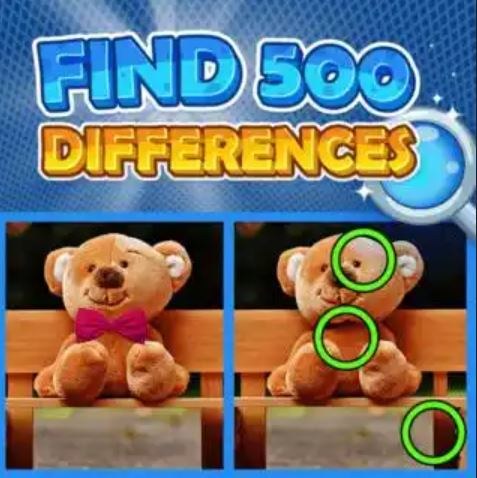
What the First Minute Actually Feels Like I opened Find 500 Differences expecting the usual side-by-side photo hunt, the kind where you poke at a pixel until something flashes. Ten seconds in, I was wrong. The timer star
What the First Minute Actually Feels Like
I opened Find 500 Differences expecting the usual side-by-side photo hunt, the kind where you poke at a pixel until something flashes. Ten seconds in, I was wrong. The timer starts immediately — no soft intro, no "tap to begin" safety net. You're just dropped into a pair of images that look identical at a glance, and the countdown is already bleeding numbers. My first click was a miss, and the screen shuddered. That little shake animation is more effective than it has any right to be. It's not punishing, exactly, but it's not polite either. You feel it.
The images aren't the hyper-saturated cartoon scenes you might remember from older difference games. These lean more photographic, sometimes almost mundane — a cluttered desk, a street market, a shelf of ceramics — which makes the differences harder to spot because they hide in real-world texture. A missing shadow under a coffee cup. A slight color shift on a scarf. The first minute feels less like a casual puzzle and more like a visual stress test where your brain is still calibrating what counts as a difference and what's just your eyes playing tricks.
What You're Actually Optimizing For
The name says 500 differences, but that's the mountain, not the moment-to-moment loop. Each level gives you a single pair of images with a set number of differences to find — usually between five and ten, though later stages get stingier. You're not just hunting; you're managing a time bank that carries over between levels. Find all differences quickly, and you net a time bonus that pads your total clock. Waste seconds on frantic tapping, and you're burning through a resource that doesn't replenish easily.
So the real optimization isn't about your eyes. It's about decision discipline. Every tap is a bet. The game penalizes wrong clicks with a brief freeze or that screen shake I mentioned, but the deeper cost is the time you lose recovering your focus. You'll catch yourself hovering, finger twitching over a spot you're only 60% sure about, and that hesitation is the game's actual currency. Learn to trust your peripheral vision more than your stare. The differences that pop out fastest are often the ones you notice when you're not looking directly at them.
There's also a subtle rhythm to how the game spaces its differences. They rarely cluster. If you've found two in the top-left quadrant, the next one is probably bottom-right. The designers seem to understand how human attention saturates, so they pull your gaze across the frame. Once I started treating each image like a clock face and scanning in deliberate sweeps, my accuracy jumped noticeably. Not dramatically — maybe from 70% to 85% — but enough to stop hemorrhaging time on wild guesses.
The Mistakes That End Runs Early
I killed at least four promising runs before I diagnosed what was actually going wrong. The obvious culprit is the rapid-tap spiral: you miss once, get flustered, miss again in the same general area, and suddenly you've burned eight seconds with nothing to show for it. The screen shake compounds this because it momentarily obscures the very details you're trying to examine. My rule now is that after two consecutive misses, I physically lift my finger off the screen and take a deliberate breath. Sounds absurd for a browser game, but it works.
A less obvious mistake is fixating on one "type" of difference. Early on, I got tuned to color changes — a red flower becoming orange, a blue book turning green — and started scanning exclusively for hue shifts. Then a level threw in a missing object entirely, a teacup that was simply gone from one image, and I stared at that spot for a full four seconds without registering it because my brain was pattern-matching for color. You have to actively remind yourself to cycle through difference categories: color, presence/absence, size, rotation, and the sneaky ones where an object moves slightly but stays the same size and color. The game doesn't announce which category dominates a given level, so you build that flexibility or you stall out.
Another run-ender: playing tired. This sounds like obvious life advice, but Find 500 Differences is uniquely punishing when your visual processing is even slightly dulled. The differences are designed to exist at the threshold of noticeability. At 10 PM with mild eye fatigue, my miss rate roughly doubled. I started keeping the game to short sessions — no more than fifteen minutes — and my time bank stopped evaporating. Treat it like a precision task, not a zone-out activity.
Phone vs Desktop: The Controls Change the Game
I tested this on both a laptop with a trackpad and a mid-size phone screen, and the experience diverges more than I expected. On desktop, the larger display is a genuine advantage. You can see both images without scrolling, and the cursor gives you pinpoint accuracy. Hovering over a suspicious area without clicking feels like a legitimate tactic, almost like holding your breath before a shot. Miss-click penalties still apply, but the precision means you're less likely to trigger them accidentally.
On a phone, the game transforms. Your finger is a blunt instrument covering a surprising amount of the image, and the act of tapping obscures the very spot you're trying to examine. I found myself using a stylus-like hold with my pinky hovering, which is ridiculous but effective. The smaller screen also compresses details in a way that can either help or hurt. Some differences become more obvious because the image is shrunk and your eye catches anomalies faster. Others — especially subtle color gradients — practically vanish on a sub-6-inch display. If you're playing on mobile and struggling, try zooming in if the game allows it, or at least hold the phone a bit farther from your face. Counterintuitive, but it forces your eyes to take in the whole composition rather than pixel-peeping.
One mobile-specific annoyance: the occasional ad placement that overlaps the bottom of the image. It's a free browser game, so I expected ads, but when one sits right where a difference is hidden, you're essentially gambling on a blind tap. It didn't happen often in my sessions, maybe twice across a dozen levels, but it's worth knowing. Desktop didn't have this issue in my testing.
How the Difficulty Actually Ramps
The game doesn't announce difficulty tiers, but you feel the curve. The first twenty or thirty differences are almost generous — big color swaps, objects that vanish instead of just shifting, contrasts that practically wave at you. This is the game teaching you its visual language. By the time you hit the hundred-difference mark, the training wheels are off. Differences start nesting inside patterns: a stripe on a shirt that changes width, a reflection that's slightly misaligned, text on a sign where one character is different. These demand a different kind of attention, less sweeping and more analytical.
Around the 300-difference mark, the game introduces what I started calling "compound differences" — where two small changes happen in close proximity, and your brain registers them as one anomaly. You find the first, feel satisfied, and move on, leaving the second one undiscovered. The timer keeps ticking while you scan the rest of the image, and you only realize your mistake when the level doesn't end. This is where the time bank from earlier levels really matters. If you've been sloppy, you enter these later stages with a thin cushion and every missed compound difference becomes a crisis.
The images themselves also grow more complex. Early levels might show a simple still life with five objects. Later levels are crowded scenes — a flea market, a packed bookshelf, a mosaic wall — where the sheer density of visual information works against you. Your eye has too many places to land, and decision fatigue sets in faster. I learned to squint slightly at these busy scenes, literally reducing the resolution my eyes were taking in, which made anomalies jump out against the blurred background. Not a technique the game teaches you, but it's the kind of adaptation the difficulty curve forces.
A Short Practice Plan That Actually Helped
After my first few frustrating sessions, I cobbled together a practice routine that's more about habit-building than grinding. It's simple enough to do in a browser tab during a break, and it shifted my consistency more than any single tip.
First, spend five minutes purely on speed levels you've already completed. The goal isn't to find differences you've memorized — it's to train your tap confidence. On familiar images, you already know where the differences are, so you can practice the physical rhythm of scanning and tapping without the cognitive load of searching. This sounds trivial, but it builds a muscle memory for how your eyes should move across the frame. I did this for three days in a row and noticed my scan paths on new levels became more systematic.
Second, pick one category per session and hunt exclusively for it. Do a session where you only look for missing objects. Then one for color shifts. Then one for size changes. This feels artificial, and you'll miss other differences on purpose, but it trains your visual vocabulary. After a week of rotating through categories, I started spotting compound differences faster because my brain had separate, well-practiced channels for each type of change instead of one blurry "something's off" detector.
Third, impose a two-miss reset rule in practice mode if the game allows restarting levels. If you miss twice on the same image, restart it immediately. Don't try to salvage the run. This builds an aversion to the rapid-tap spiral I mentioned earlier. Over time, your brain starts treating misses as genuinely costly, and you develop the pause reflex naturally. I hated doing this at first — it felt like admitting defeat — but my time bank in serious runs improved by roughly 20% after a week of this discipline.
Finally, play one "long run" every few days where you don't restart for any reason. Let the mistakes happen. This counterbalances the strict practice and teaches you recovery. Because in a real run toward 500, you will miss. You'll hit a screen shake at a bad moment. The skill isn't avoiding all errors; it's not letting one error cascade into three. The long runs are where you practice the mental reset after a mistake without the safety net of a restart button.
Is It Worth the Grind to 500?
Honestly, that depends on what you want from a browser game. If you're looking for a relaxing wind-down activity, Find 500 Differences is not that game. It's tense in a way that surprised me, and the timer creates a low-grade pressure that doesn't let up. But if you enjoy the feeling of your own perception sharpening over time — literally getting better at seeing — then the progression is satisfying. Around difference 200, I noticed I was spotting things in the real world differently. A crooked picture frame in a coffee shop. A missing button on someone's jacket. The game trains a kind of visual vigilance that bleeds into life, which is either a neat side effect or vaguely unsettling depending on your mood.
The free browser format means you can dip in without commitment, and the game respects your time in that sense. No login, no currency systems, no energy mechanics that I encountered. Just the images, the timer, and your gradually improving eyes. For a game called Find 500 Differences, it's surprisingly honest about what it is and what it demands. You'll know within the first ten minutes whether the friction feels rewarding or just frustrating. I landed on the rewarding side, but I also stopped trying to play it casually. It's a game that rewards focused attention, and if you give it that, it gives back a genuine sense of getting sharper.



