
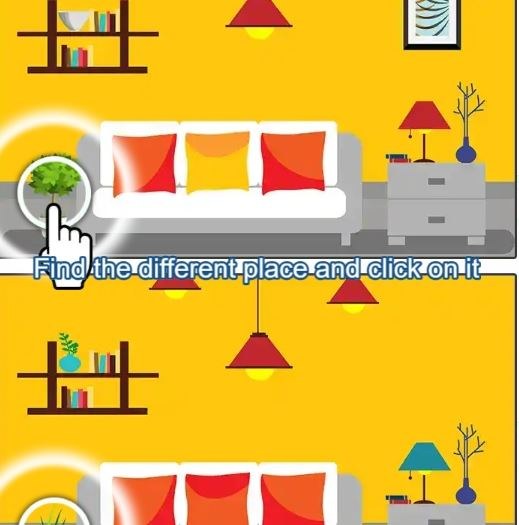
I opened Find Difference 2024 expecting a frantic race against a ticking clock, but within the first minute I realized the timer here is more of a polite suggestion than a threat. The two photographs load side by side on
I opened Find Difference 2024 expecting a frantic race against a ticking clock, but within the first minute I realized the timer here is more of a polite suggestion than a threat. The two photographs load side by side on a clean off-white background, and the ambient track is so subdued it almost whispers. You get five lives displayed as tiny hearts in the top corner. My instinct was to start tapping wildly at anything that looked slightly off, and I burned two lives in about forty seconds just from sloppy misclicks. That first minute taught me the game wants patience, not speed.
Settling Into the Compare-and-Tap Rhythm
Each level presents you with two near-identical images, usually warm interior scenes, city skylines at dusk, or cozy café tabletops. The differences aren't hidden in some pixel-hunting nightmare; they're fair but quietly tucked away. A missing spoon in one photo, a slightly different lampshade angle, a book spine that changed color. You tap the spot on either image where you spot a discrepancy, and a subtle ring confirms the hit. Miss, and you lose a life. That's the entire loop.
What I found myself optimizing for wasn't a high score, because the game doesn't push one aggressively. Instead, I got hooked on trying to clear a full scene without losing a single heart. That became my personal win condition. The game tracks your current streak at the top, and seeing that number climb past ten felt more satisfying than any flashy combo multiplier would. It's the kind of quiet progress that makes you lean closer to the screen, not sit back and button-mash.
You'll notice the difficulty doesn't ramp in a straight line. Some scenes have three differences; later ones can have up to seven. But a four-difference scene with cluttered bookshelves might trip you up more than a seven-difference scene of a minimalist bedroom. The real challenge is visual noise, not just the count. Once I accepted that, I stopped blaming the game when I got stuck and started scanning methodically instead.
The Mistakes That Ended My Runs Early
After about ten minutes of play, patterns emerged in my failures. The biggest run-killer was confirmation tapping. I'd spot something that might be different, hesitate, then tap anyway to check. That's gambling, not observing, and the game punishes it. Every missed tap costs a heart, and with only five, three careless checks can end a run before you've found half the differences.
The second mistake was fixation. I'd lock onto one quadrant of the image, usually the lower right where small details cluster, and ignore the rest. The game loves placing differences in negative space: an empty patch of wall where a picture frame vanished, a cloud slightly reshaped in the sky portion. If I didn't force my eyes to sweep the whole frame every ten seconds, I'd miss the obvious.
Third, and this was subtle, I kept tapping the wrong side. When you find a difference, you can tap either the left or right image. The game accepts both, but my brain would sometimes register the discrepancy and my finger would tap the "correct" image twice, once for the discovery and once out of muscle memory. That second tap often counted as a misclick if I'd already registered the find. Slowing my hands down to match my eyes fixed this completely.
One more thing: background distractions. I played a few rounds with a podcast on, and my accuracy dropped noticeably. The game's audio cues are gentle but useful. A soft chime on success, a dull thud on failure. When I couldn't hear those, I relied entirely on visual feedback and misjudged a few taps that I thought had registered but hadn't. Not a dealbreaker, but worth knowing if you're half-listening to something else.
Phone Versus Desktop: A Comfort Gap
I played Find Difference 2024 on both a mid-range Android phone and a standard laptop browser. The experience isn't dramatically different, but there's a comfort gap worth mentioning. On desktop, the larger screen spreads the two images wide, and you can sit back and scan with relaxed eyes. Clicking with a mouse feels deliberate. I had fewer misclicks and could play longer without fatigue.
On mobile, the images stack vertically in portrait mode or shrink side-by-side in landscape. I found portrait mode more natural because I could drag my thumb across both images without adjusting my grip. The tap zones are generous, but on a smaller screen, my fingertip obscured the very detail I was trying to check. I developed a habit of hovering my index finger just above the glass and using my peripheral vision to confirm before lowering it. A stylus would solve this, but that's not how most people play browser games casually.
Performance-wise, the game ran smoothly on both devices with no lag or loading stutters. It's a lightweight HTML5 title, so it didn't heat up my phone or drain the battery noticeably. I mention this because some free browser games can get sluggish after a few rounds, and that would ruin the relaxed pace. Here, the transitions between scenes are almost instant, which keeps the flow meditative.
Building a Small Practice Routine That Actually Helped
I'm not someone who drills games for sport, but I found a loose routine that sharpened my eye without turning the game into homework. I'd play three rounds in the morning with coffee, deliberately slow. The goal wasn't to finish all differences but to lose zero hearts. If I lost one, I'd restart the scene. This forced me to treat each tap as a tiny commitment.
After a few days of this, I added a scanning drill. Before tapping anything, I'd trace an invisible Z-pattern across the image: top left to top right, diagonal down to bottom left, across to bottom right. I'd do this twice, once for each image, then compare. It sounds robotic, but it stopped my eyes from jumping randomly and missing the quiet changes in the middle distance. I started clearing scenes with five or six differences in under two minutes, no lives lost, and it felt earned.
Another small habit: I stopped playing past the point of mild eye strain. The warm color palettes are gentle, but staring at two detailed images for twenty minutes straight is still taxing. I set a mental timer at fifteen minutes. When it went off, I'd finish the current scene and close the tab. Coming back fresh the next day, my accuracy was consistently better than when I tried to marathon sessions.
One thing the game doesn't do is punish you for taking breaks. There's no daily streak mechanic that resets, no limited-time events pressuring you to log in. You can play one scene and leave. That's rare in free browser games, and it's the main reason the relaxed strategy works. Nothing is pulling you forward except your own curiosity about the next pair of images.
What I Couldn't Figure Out (And What That Might Mean)
There are a few design choices I noticed but couldn't fully explain. The heart system doesn't regenerate during a scene, but between scenes, your lives reset to five. I tested this by intentionally losing a couple hearts, finishing the scene, and checking the next. Full hearts, every time. This means the punishment is per-scene, not cumulative. It's forgiving in a way that encourages experimentation.
I also couldn't find a hint button. No magnifying glass icon, no limited-use reveal. If you're stuck on the last difference, you either find it or you don't. I respect that, but it means the game isn't for everyone. If you're the type who wants a nudge after two minutes of scanning, you might find the silence frustrating. I learned to actually enjoy the dead ends because they forced me to slow down further and re-examine assumptions about what I'd already checked.
The image sets seem to rotate, but I didn't play long enough to see repeats. If there's a finite pool, the game would eventually become a memory test. But in the two weeks I poked at it, every scene felt fresh. The art style is consistent: slightly soft-focus photography with a warm filter, like looking through a clean window on an overcast day. It's not flashy, but it's cohesive, and that matters when you're staring for minutes at a time.
Why the Relaxed Approach Fits This Game Specifically
Some difference-spotting games lean into urgency: ticking clocks, score multipliers that decay, loud buzzers on mistakes. Find Difference 2024 does none of that. The timer counts up, not down. There's no bonus for speed. The only negative feedback is the heart loss animation and the dull thud sound, both of which are understated. The game's design language says "take your time" in every pixel.
Because of that, treating it as a speed challenge misses the point. I watched a friend try it and he tapped rapidly, cursing when he lost hearts, and quit after three scenes saying it was "too punishing." He was fighting the game's nature. When I explained the up-counting timer and suggested he ignore it, his entire posture changed. He leaned back, slowed his taps, and cleared the next scene without a single mistake. The game didn't change; his approach did.
This is where the relaxed strategy becomes practical advice rather than just a vibe. If you go in expecting a frantic puzzle dash, you'll be met with friction that feels like poor design. But if you enter with the mindset of a quiet morning puzzle, maybe with tea and no notifications, the game opens up. It's a small distinction, but it transformed my sessions from mildly irritating to genuinely calming.
You can play Find Difference 2024 for free in your browser, no download or account needed. That low barrier makes it easy to treat as a five-minute mental palate cleanser between tasks. I found myself returning not because I was addicted, but because it offered a rare pocket of stillness in a very loud internet.
When to Stop and When to Keep Going
There were sessions where I hit a wall. One scene, a rainy street with café umbrellas, had me stuck on the fifth difference for over four minutes. I scanned every inch. My eyes started to ache. I considered closing the tab. Instead, I stood up, walked to the kitchen, and came back ninety seconds later. On the very first scan, I saw it: a missing reflection in a puddle on the right side. The break reset my pattern recognition.
That's the real skill this game teaches, if you let it. Not faster scanning, but knowing when your perception has gone stale. Pushing through fatigue leads to sloppy taps and frustration. Walking away for even a minute can solve a puzzle that logic couldn't. I started applying this to other tasks and noticed I was less prone to spinning my wheels. A browser game that accidentally teaches you to take breaks is a strange and wonderful thing.
If you're someone who normally avoids "spot the difference" games because they feel like eye exams, this one might surprise you. The lack of pressure, the gentle audio, the fair placement of differences, all of it points toward a slower, more deliberate experience. I came in expecting a distraction and left with a tiny daily ritual. For a free HTML5 game, that's more than I could reasonably ask.



