
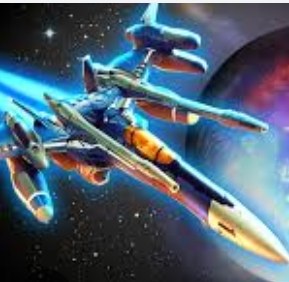
I fired up Galaxy War expecting the usual space shooter chaos, and honestly, the first 30 seconds were a bit of a mess. My ship slid around like it was on ice, enemy bullets blended into the starfield, and I died three t
I fired up Galaxy War expecting the usual space shooter chaos, and honestly, the first 30 seconds were a bit of a mess. My ship slid around like it was on ice, enemy bullets blended into the starfield, and I died three times before I even figured out what the power-up icons meant. That’s not a knock on the game — it’s just one of those browser shooters that doesn’t hold your hand, and if you’re not careful with your setup, you’ll spend more time staring at the respawn screen than actually playing.
What You’re Actually Optimizing For
Galaxy War drops you into a vertically scrolling arena where waves of alien fighters, asteroids, and occasional mini-bosses stream down from the top. Your ship auto-fires, which is a nice touch for a browser game, but the real skill isn’t shooting. It’s positioning. You’re constantly balancing two things: collecting the glowing debris that defeated enemies drop, and not getting cornered by the relentless bullet curtains that fill the screen by wave five or six.
The scrap you collect feeds into a between-wave upgrade menu. You’ll see options for weapon spread, fire rate, shield capacity, and movement speed. I learned pretty quickly that spreading your upgrades thin is a trap. Specializing hard into one or two paths — especially shield and rate of fire — keeps you alive longer than trying to be a jack-of-all-trades. The game’s difficulty doesn’t scale gently. Around wave eight, enemy formations get denser and the screen starts feeling genuinely cramped. If you haven’t built a coherent loadout by then, you’ll feel it.
One thing the game doesn’t explain well: your hitbox is smaller than your ship sprite. You can graze bullets near the wings and survive. Exploiting that turns some impossible-looking patterns into manageable squeezes. I spent a few runs just testing how close I could get to projectiles before taking damage, and it changed how I approached every fight.
Why Your Runs End Way Too Soon
The most common death I saw wasn’t from a boss or a tricky bullet pattern. It was from drifting into an enemy that spawned at the edge of the screen while I was focused on something else. Galaxy War loves spawning small, fast fighters from the sides around wave four. They don’t shoot much, but they ram you, and if you’re hugging the edge to dodge a bullet wall, you’ll collide before you react.
Another run-killer: over-prioritizing scrap. When an enemy explodes, the glowing bits drift downward slowly. Chasing them into the upper third of the screen is almost always a bad idea. You lose your retreat path, and new enemies can spawn directly on top of you. I started letting about a third of the scrap go. It feels wrong at first, but surviving a wave with half the pickups beats dying with full pockets.
Boss fights, which show up every ten waves, punish panic dodging. The first boss fires wide spreads that leave deliberate gaps. If you juke wildly, you’ll eat a hit that was meant to miss. Staying calm and moving in small, deliberate nudges works better. I died to that first boss four times before I realized my own twitchy fingers were the problem, not the pattern.
The Browser Tab Situation
Here’s where things get specific to playing Galaxy War as a free HTML5 game. This thing is sensitive to browser focus. If you click away to another tab, the game doesn’t always pause cleanly. Sometimes it keeps running in the background, and you’ll come back to a destroyed ship and a wave counter that’s advanced without you. I lost a really promising run on wave 14 because I switched tabs to check a message. Don’t do that.
Zoom level matters more than I expected. I play on a 1080p monitor, and at default browser zoom, enemy bullets were small enough that I was squinting during dense waves. Bumping the zoom to 110% or 125% made the hitboxes feel more readable without distorting the game canvas. Some browsers handle this better than others — Chrome kept things crisp, while Firefox had a slight blur at 125% that actually made the starfield background less distracting, which I weirdly preferred. Experiment for yourself, but don’t just accept the default size.
If you’re on a laptop with a smaller screen, the game scales down but doesn’t adjust difficulty. Those side-spawning enemies I mentioned become even harder to spot. I’d recommend playing in a focused window rather than fullscreen on smaller displays, just so your peripheral vision covers the edges more naturally.
Phone vs Desktop: A Different Game Entirely
I tried Galaxy War on my phone, and it’s functional but essentially a harder version of the same experience. The touch controls use a virtual joystick that appears wherever you put your thumb, which is fine in theory. In practice, your finger covers a chunk of the screen near your ship, and that’s exactly where you need to see incoming bullets. I found myself dying to projectiles I literally couldn’t see because my thumb was in the way.
On desktop, keyboard or mouse control gives you precision that touch just can’t match. The arrow keys feel responsive, though there’s a tiny bit of inertia on the ship movement — it doesn’t stop instantly when you release a key. You get used to it after a few runs, but on mobile, that same inertia combined with imprecise thumb positioning makes tight dodges feel luck-based. If you have the choice, play this one on a computer. Your wave count will probably be double what you’d manage on a phone.
One mobile-specific tip if you’re stuck there: try holding the phone in landscape and using two hands, one for movement and one ready to tap power-ups that appear. Some power-ups require a quick tap to activate, and fumbling for them mid-wave gets you killed.
A Practice Plan That Actually Builds Skill
If you want to get past wave 20 consistently, I’d suggest a short, focused practice routine rather than just grinding runs and hoping for good upgrades. Here’s what worked for me after about an hour of deliberate play:
Spend three runs ignoring your score entirely. Focus just on staying in the lower quarter of the screen for as long as possible. Don’t chase scrap. Don’t try to kill everything. Just dodge. You’ll die earlier than usual, but you’ll start to internalize bullet patterns and the rhythm of enemy spawns. The game uses recognizable wave compositions that repeat with variations, and once you’ve seen the “three spread shooters plus two side rushers” formation a few times, your brain starts prepping for it before it fully appears.
Next, do two runs where you only invest in shields and movement speed. Ignore weapons entirely. This will feel terrible for damage output, but it teaches you how long you can survive when your ship is tanky and nimble. You’ll get a feel for the maximum time you can spend in dangerous positions, which is information you can use later when you’re running a more aggressive build.
After that, do a run where you commit to one weapon type and max it out as fast as possible. The spread shot gets wide coverage but low per-bullet damage. The focused laser hits hard but requires precise aim. Knowing which upgrade path matches your natural playstyle makes future upgrade decisions faster, and speed matters in that between-wave menu. You only have a few seconds to pick.
Finally, practice the boss fights in isolation if the game lets you. Galaxy War restarts you from wave one every time, so you can’t directly practice wave ten without replaying the early waves. That’s annoying, but you can speed through the first nine waves once you’re comfortable with them. The early game becomes a warmup rather than a chore.
Small Details That Add Up
A few things I noticed that the game never tells you: the audio cues are actually useful. Different enemy types have distinct spawn sounds, and the low-health warning beep kicks in with enough time to react if you’re not already surrounded. I started playing with headphones after initially muting the tab, and my survival rate improved noticeably.
The starfield background isn’t purely cosmetic. In later waves, the background darkens slightly before a boss appears. It’s subtle, but if you’re paying attention, you get a two-second heads-up to clear your immediate area before the boss slides in. I didn’t catch this until maybe my tenth run, and it felt like finding a secret the game had been hiding in plain sight.
Power-ups that drop mid-wave have a faint glow that pulses faster as they’re about to disappear. If you see one flickering rapidly, it’s got maybe two seconds left. Don’t dive for it unless you’re absolutely clear. I’ve thrown away more runs chasing a fading shield pickup than I care to admit.
Galaxy War isn’t going to blow your mind with narrative depth or revolutionary mechanics. It’s a competent, sometimes punishing browser shooter that rewards calm hands and smart upgrade choices. The fact that it runs free in a browser tab means you can drop in for a quick session without installing anything, which lowers the barrier to practicing those early waves until they become second nature. Just remember: close your other tabs, bump the zoom a little, and keep your ship near the bottom. The galaxy can wait.



