
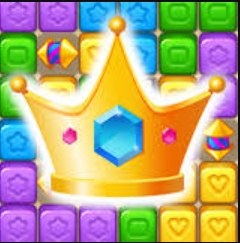
First Minute on the Board I clicked play and landed on a square grid that looked a bit like a jewel-toned chessboard. Crowns sat on some tiles, little pixel-perfect royal headpieces. A bomb timer started counting down fr
First Minute on the Board
I clicked play and landed on a square grid that looked a bit like a jewel-toned chessboard. Crowns sat on some tiles, little pixel-perfect royal headpieces. A bomb timer started counting down from maybe 15 seconds. No tutorial, no hand-holding. I tapped a crown, dragged it one tile over, and a small chain reaction popped three adjacent tiles. The timer reset. Okay. I get it now. The first minute feels like you've walked into a room where a puzzle is already mid-swing — you either catch the rhythm or you watch the bomb go off while you're still reading the room.
There's a subtle pressure right away, but it's not frantic. More like a kitchen timer you forgot you set. You'll notice the board doesn't scramble or throw curveballs. It waits. It watches. You have exactly enough time to make one decent move if you scan quickly, but if you hesitate staring at a corner grouping that isn't there, the fuse runs down. That first explosion caught me off guard — a polite little boom, then the board resets and you're back at zero score. No fanfare, no "try again" animation with a sad crown. Just a clean restart, which I honestly appreciated.
What You're Actually Optimizing For
If you've played any match-and-clear game in a browser, the skeleton here will feel familiar. You drag crowns into empty adjacent spaces. Line up three or more in a row or column, they vanish, new crowns drop in from the top, and you get points. The twist — and the reason the word "Blast" sits in the title — is that bomb timer. Every move resets it to full, but you don't get bonus seconds for big combos. A five-crown clear and a basic three-crown clear both give you the same full timer reset. So the game quietly punishes you for chasing elaborate setups.
What you're actually optimizing for is move frequency, not move quality. That took me about five runs to internalize. I kept trying to set up satisfying L-shaped clears or wait for a crown color to cluster, and the bomb would tick down to three seconds while I planned. The scoring system reinforces this: points seem to accumulate per crown cleared with a small multiplier for chains that happen accidentally when new crowns fall into place. But the multiplier isn't juicy enough to justify the risk of standing still. After ten minutes, I'd recalibrated my brain to treat every second of idle thought as lost points. The game becomes less about "find the best move" and more about "find any legal move in under four seconds."
There's no level progression — at least not in the version I played. No bosses, no unlockable crown designs, no story about reclaiming a kingdom. You play one endless board. Your score climbs until the bomb catches you. That's it. For some people that'll feel refreshingly pure. For others it'll feel like a game missing its second act. I landed somewhere in the middle. I liked the clarity of purpose, but around minute twelve I did wish for a small dopamine hit beyond a number going up — maybe a brief screen shake on big clears or a subtle background color shift at score thresholds.
Mistakes That End Runs Early
Let me save you the first five frustrating restarts I went through. These are the concrete things that killed my runs before they hit any kind of respectable score:
Corner fixation. The board edges and corners are traps. Crowns in corners have fewer adjacent empty tiles, so your dragging options shrink. I'd spot a cluster near the top-left corner and waste three seconds trying to figure out a legal slide, only to realize the crown was boxed in. If a crown's in a corner and doesn't have an immediate clear, ignore it. Move something from the middle of the board where you have four-direction freedom. Corner crowns will often resolve themselves when new pieces drop and shift the board state.
Color blindness to the timer. This sounds obvious, but the timer's visual design makes it easy to tune out. It's a thin bar or a set of digits — I genuinely can't remember which because I stopped looking at it consciously. Your peripheral vision needs to track it. After three runs I trained myself to glance at the timer after every single move, even if I'd already spotted my next play. There were several runs where I made a move, felt clever, started scanning for the next one, and exploded mid-scan because I'd assumed I had more time than I did.
Chasing a specific color. The board has maybe four or five crown colors. Sometimes you'll see three red crowns separated by one tile each and think "I can fix this in two moves." You can't. By the time you reposition the first red crown, the board state has changed from the cascade of your first move, and the alignment you planned is gone. Take what the board gives you right now. If that means clearing two separate three-crown lines of different colors on back-to-back moves, do that. The game doesn't reward color loyalty.
Over-swiping on mobile. I'll get into device specifics below, but the short version: drag gestures on a phone screen can accidentally trigger two moves when you meant one, especially if your finger slides past the adjacent tile. This dumps you into a board state you didn't intend and burns precious seconds re-orienting. I lost a run at 400-something points because a sloppy drag moved a crown two tiles instead of one, breaking a chain I'd lined up.
Phone vs Desktop: The Feel Changes
I played about two-thirds of my time on a laptop trackpad and the rest on a mid-range Android phone. The experience splits in ways worth mentioning if you're deciding where to spend your break.
On desktop with a mouse or trackpad, drag precision is high. You can make fast, short movements and the game registers exactly one tile of displacement. My scores on desktop were consistently higher — not dramatically, but enough that I'd recommend it if you're chasing a personal best. The board also sits nicely in the center of a browser window, and the larger screen lets you take in the whole grid without scrolling or squinting. Keyboard shortcuts don't seem to exist; this is purely a click-and-drag affair.
On mobile, the game loads fine in a standard browser. No app install needed. The board scales to fill your screen, which makes individual tiles larger and easier to tap. That's the good part. The friction comes from drag sensitivity. On my phone, a crown would sometimes snap two tiles over if my thumb moved a millimeter too far. I also had a few instances where my dragging finger covered the very tile I was trying to aim for, so I'd release and land on the wrong spot. It's playable, and I suspect someone with smaller thumbs or a stylus would have fewer issues. But I'd budget a couple of throwaway runs just to calibrate your swipe length before trying for a real score.
One practical note: if you're playing on a phone with a browser that shows the URL bar at the top, that bar's appearance and disappearance as you scroll can shift the board position slightly. The game doesn't require scrolling, but an accidental upward flick near the edge of the screen might reveal the browser chrome and nudge everything down a few pixels. Not a dealbreaker, just a small annoyance I ran into twice.
The Loop Settles After About Ten Minutes
There's a moment — it hit me around the ten-minute mark — where the game stops feeling like a puzzle and starts feeling like a rhythm exercise. You stop seeing individual crowns and start seeing the board as a field of potential energy. Three blues here, two reds there, a gap you can slide a yellow into. Your hand moves before your brain fully articulates the plan. That flow state is what Royal Crown Blast is actually selling. The bomb timer, which felt like a threat in the first minute, becomes a metronome. You don't resent it anymore. You sync with it.
The downside is that once you've found that rhythm, the game doesn't introduce anything to disrupt or deepen it. No new mechanics appear. No speed increases. The board size stays fixed. I kept playing because the loop was pleasant, but I wasn't discovering anything new. For a short break game, that might be exactly what you want — predictability, a reliable groove. If you're the kind of person who likes a game to unfold surprises over time, this one shows you its full hand in the first three minutes.
I did notice one wrinkle I can't fully explain: occasionally, a cascade after a clear would create a new match that I hadn't seen coming, and the game seemed to pause very briefly — maybe a quarter-second — before registering the chain. It wasn't lag exactly. More like the game was processing the board state. On desktop this was barely perceptible. On mobile it was more noticeable and once disrupted my rhythm enough that I made a rushed follow-up move and fumbled. Not a bug, just something to be aware of if you're on a slower device.
A Short Practice Plan If You Want to Get Decent
I'm not going to pretend this game needs a training regimen. But if you're the type who likes to feel competent quickly, here's how I'd structure your first fifteen minutes to avoid the frustration I hit early on.
Minutes 1–3: Let the bomb win. Seriously. Don't try to score. Just watch the timer, drag a few crowns, and deliberately let it explode two or three times. Get a feel for how many seconds you actually have and how the board resets. You're calibrating your internal clock here.
Minutes 3–6: Speed-only mode. Make the first available move you see. Don't evaluate. Don't plan. Every time you spot a valid three-in-a-row, execute it instantly. Your score won't be high because you'll miss chains, but you're training your eyes to scan for low-hanging fruit. Aim to make ten moves without the timer dipping below half.
Minutes 6–10: Introduce one-step lookahead. Now you can pause for exactly one second after a move to check whether the cascade created a new obvious match. If yes, take it. If no, revert to speed mode. This is where you'll start seeing scores in the 200–400 range consistently.
Minutes 10–15: Push for a number you're happy with. By now you'll know the board's rhythm. Set a small score goal — 500 points is a satisfying early target — and play normally. If you hit it, great. If the bomb gets you, the reset is so fast you'll be back in a new run before you can get annoyed.
One thing I wouldn't recommend: grinding for a high score in one sitting. The game doesn't save your best run between sessions (at least not in the browser version I played), so marathon sessions only make sense if you're screenshotting your own records. Treat it like a solitaire hand — play until you lose, note the number, and come back later with fresh eyes.
Who This Is For
Royal Crown Blast fits neatly into the "tea break" slot. It loads instantly in a browser tab, costs nothing, and doesn't ask for an email or a sign-up. You can play it during a five-minute gap between meetings or while waiting for a download to finish. The visual design is clean enough that it won't raise eyebrows if someone glances at your screen — no gore, no suggestive content, just little crowns on a grid.
It's not going to replace whatever your main game is. There's not enough depth for that. But depth isn't the point. The point is a small, self-contained challenge that resets cleanly and doesn't punish you for walking away mid-run. I closed the tab after my session, reopened it the next day, and the game was right where I'd left it — same board, same rules, no progress lost because there's no progress to lose.
If you like games where you optimize a simple system under a gentle time constraint, give it a few runs. If you need narrative, progression, or unlockables to stay engaged, you'll bounce off in under five minutes. Either way, the bomb timer means you'll know which camp you're in quickly.



