
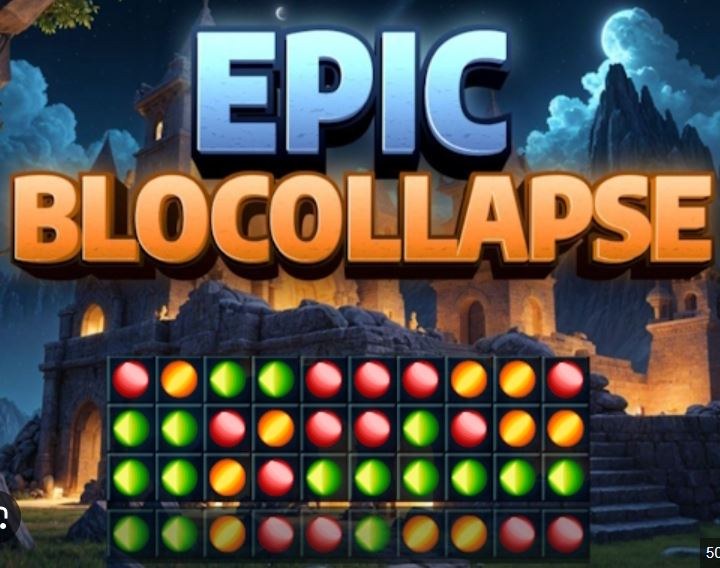
First Minute on the Grid You click the first block and the whole thing wobbles. That's the immediate surprise. Epic Blocollapse doesn't sit still. Blocks shift, settle, and occasionally lean into each other like they've
First Minute on the Grid
You click the first block and the whole thing wobbles. That's the immediate surprise. Epic Blocollapse doesn't sit still. Blocks shift, settle, and occasionally lean into each other like they've had a long day. The first tap feels destructive in a satisfying way — a soft pop, a little screen shake, and then the structure above it drops. I spent my first fifteen seconds just tapping random blocks to watch the domino reactions. That's fun until you realize you've got three lonely blocks left, no chain possible, and the level's effectively dead. The game lets you restart fast, which is a mercy.
The color palette is bright without being candy-sweet. Blocks are chunky, almost like building bricks, and they make a low thud when they land. No timer ticks in the early stages, so you can sit and stare. That's a trap, by the way. Staring too long makes you overthink formations that would've collapsed on their own if you'd just committed.
How the Loop Actually Works
You're looking at a grid of colored blocks, usually stacked in uneven towers or wide platforms. Tap a connected group of two or more same-colored blocks and they vanish. Everything above falls. If a falling block lands next to a matching neighbor, they'll auto-merge and sometimes trigger a cascade. That cascade is the real game. Single-tap clears are fine, but the levels with sticky layouts demand you engineer multi-step collapses.
The scoring isn't just about clearing fast. Group size matters. Popping a cluster of six gives you more points than two clusters of three. But here's where it gets tactical: sometimes leaving a large cluster alone lets it become the foundation for an even bigger chain later. I've held off on obvious moves for three or four turns just to let gravity clump stragglers together. The game rewards patience, then punishes it when you realize you've left yourself no viable moves.
What you're optimizing for shifts by mid-game. Early on, it's raw clears. Later, it's move economy — how many blocks can you remove per tap, and can you set up a situation where one tap triggers two or three secondary clears without you touching the screen. The most satisfying moments come when you pop a small group on the left, the entire middle column slumps sideways, and suddenly a massive same-color blob forms that wasn't there a second ago.
There's no move counter visible on most stages, but you can feel when you're burning through options. The board gets sparse, colors spread out, and you start hunting for pairs that aren't adjacent. That's the danger zone.
Mistakes That End Runs Early
The biggest one I kept making: clearing the "easy" groups first without looking at what they're supporting. Blocks act as structural pieces here — remove the wrong base block and you strand a bunch of mismatched colors up top with no way to reach them. They'll sit there, mocking you, until you restart.
Another classic blunder is ignoring the edges. Corner blocks and blocks along the side walls only have three neighbors instead of four. They're harder to match and easier to isolate. Once an edge block is alone, it's basically dead weight unless a falling block happens to land perfectly next to it. I now check edges on turn one and try to incorporate them into clears early, even if the group is small.
Tunnel vision on one color kills runs too. You'll spot a juicy cluster of blues, clear it, then notice the greens that were scattered are now even more scattered because the blues were holding the structure together. Rotate your attention. After every clear, scan the whole board for new adjacent matches — don't just chase the color you were already working on.
Over-tapping is a subtler mistake. The game doesn't always have input lock, so if you tap twice fast on a group that's mid-animation, you might accidentally trigger a second clear you didn't intend. I've ruined perfect setups that way. Let the blocks finish falling before you plan your next move. The physics settle in waves, and sometimes there's a tiny bounce that changes adjacency.
Lastly, restart reluctance. Some boards generate with terrible color distribution. You'll see it immediately: three colors dominating, one color barely present, and that rare color is smeared across isolated single blocks. You can fight it, but you'll burn ten moves clearing nothing useful. The restart button is there for a reason. Use it.
Sticky Stages and When the Game Fights Back
Around the middle levels, the game introduces what I'm calling "sticky" layouts. These are boards where blocks are arranged in L-shapes, narrow columns, or checkerboard patterns that prevent large groups from forming naturally. The usual strategy of "find the biggest cluster and pop it" stops working because there are no big clusters. You're staring at a board of twos and threes, all separated by different colors.
Here's what I figured out for these stages: you have to create your own clusters. That means targeted clearing. Look for a column where two same-colored blocks are separated by one different block in between. Clear that middle block, let gravity drop the top one down, and now you've got a cluster of three. It's slow, deliberate work, and it feels wrong after the early levels trained you to think big. But it's the only way through.
Another sticky-stage trick: prioritize horizontal clears over vertical ones. When you clear a horizontal group, the blocks above drop straight down and often stack neatly. Clear a vertical group, and you create a gap that neighboring columns slump into — sometimes that's good, but on sticky boards it usually just spreads colors out more. Horizontal clears keep the board tighter.
Watch for "bridge" blocks. These are single blocks of a color that connect two larger groups across a gap. If you clear the bridge, you might merge the groups after the fall. But if you clear one of the groups first, the bridge turns useless. Scan for these connectors before committing to a big clear.
Phone vs Desktop: It Matters More Than You'd Think
I played on both. Phone is the natural home for this — tapping blocks with your thumb feels immediate, and the portrait orientation fits the board shape. But on smaller screens, especially phones under six inches, fat-fingering becomes a real problem. I mis-tapped adjacent blocks at least a dozen times in my first session because the hitboxes feel slightly generous. You think you're tapping the blue group, but your thumb overlaps onto the green block next to it, and nothing happens, or worse, you select a single green block and waste a move.
Desktop with a mouse solves the precision issue completely. Clicks are exact. You can hover and think. The downside is speed — dragging a mouse feels slower than tapping, and on levels where you're trying to chain reactions quickly, that tiny delay matters. I found myself playing more methodically on desktop and more impulsively on phone. Neither is wrong, but if you're stuck on a sticky stage, switch to desktop for a few attempts. The precision helps with those surgical single-block removals.
Tablet is the sweet spot if you have one. Big enough to see color boundaries clearly, small enough to tap naturally. I don't have a tablet, so I stuck mostly to phone and accepted the occasional mis-tap as part of the experience.
One note about performance: the physics engine runs fine on older phones, but I noticed slight stuttering during large cascades on a four-year-old Android device. It didn't break anything, but it made timing my next tap trickier because the block settling animation lagged just enough to throw off my rhythm.
A Practical Practice Plan
If you're hitting a wall, here's a focused way to improve without grinding aimlessly. Spend your next session like this:
Session one (15 minutes): Don't try to beat levels. Just restart the first stage ten times and practice identifying the largest cluster in under three seconds. Speed matters for building instinct. Once you can spot the big group fast, add the second step: before you tap it, predict where the blocks above will fall. Say it out loud if it helps. "The reds will drop left." Get three predictions right in a row, then move on.
Session two (15 minutes): Play only sticky stages — whatever level number that means for you. Force yourself to never clear a group larger than three blocks. This sounds counterproductive, but it trains you to think in small, structural moves. You're learning board manipulation, not score-chasing. Count how many turns it takes to clear 80% of the board. Try to reduce that number each attempt.
Session three (ongoing): Alternate between "fast" runs and "perfect" runs. Fast runs mean you tap whatever looks good, no overthinking, accept the outcome. Perfect runs mean you take as long as you want, but you're aiming for zero stranded blocks. The contrast builds two different skills: intuition and analysis. Most players lean one way; practicing both makes you adaptable when the game throws a curveball board.
Between sessions, step away. The color-matching part of your brain keeps working offline. I've come back after a break and immediately seen a chain I missed before. That's not mysticism — it's just pattern recognition settling in.
Epic Blocollapse doesn't demand constant play. It rewards short, attentive bursts. The game is free in your browser, no download, no sign-up, so you can drop in for ten minutes and leave. That low barrier makes it easy to practice without commitment pressure. Some levels will frustrate you. Some boards are genuinely unlucky. But when you pull off a four-step chain you set up three moves in advance, it clicks in a way few puzzle games manage.



