
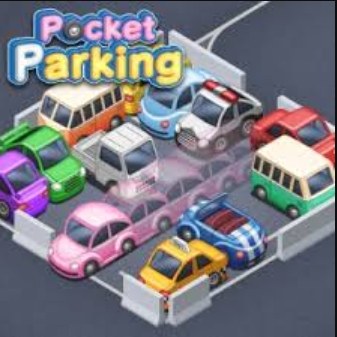
I'll be honest: the first time I loaded up Pocket Parking, I spent a solid 30 seconds just tapping the screen and wondering why my little sedan was gently nosing into a guardrail. The controls aren't bad—they're just int
I'll be honest: the first time I loaded up Pocket Parking, I spent a solid 30 seconds just tapping the screen and wondering why my little sedan was gently nosing into a guardrail. The controls aren't bad—they're just intentionally mushy in a way that makes you second-guess every input. That slight slide after you let go of the key? It's the whole game. Once I stopped fighting it and started treating momentum as the puzzle, everything clicked. The opening screen dumps you straight into a tight lot with maybe eight cars wedged into spots that look like they were designed by someone who has never seen a real parking space. Your job is simple: get your car into the glowing rectangle without tapping anything else. It sounds trivial, but the first time you overcorrect and send your bumper kissing a cement pillar, you'll understand why this game has that slightly addictive, slightly infuriating rhythm.
The Loop Feels Simple Until It Isn't
At its core, Pocket Parking is a precision driving game stripped down to one mechanic: you hold a button or key to move forward, release to stop. There's no reverse gear in the early levels, no camera rotation, and certainly no handbrake turns. What you're actually optimizing for is the relationship between your car's coasting distance and the available space. Every vehicle has a different weight, wheelbase, and turning radius. The compact hatchback stops on a dime but pivots like a shopping cart with a bad wheel. The pickup truck needs a runway to slow down but can angle into spots that would make the sedan weep. You learn to read these differences within the first ten levels, usually by failing spectacularly.
The scoring system rewards you for completing a park in as few adjustments as possible. One fluid motion into the spot nets you three stars and a little dopamine hit. Shuffle back and forth five times and you'll still pass the level, but the game quietly judges you with a single star. There's no timer, which is the smartest design choice here—rushing is exactly what gets you wedged sideways between a minivan and a concrete bollard. The pressure is entirely self-imposed. After about level 15, the spaces start shrinking and the obstacles multiply. Suddenly there are shopping cart corrals, oddly placed planters, and other parked cars that jut out at angles designed to punish the slightest misjudgment.
The Physics Are Your Real Opponent
Let's talk about what's actually happening under the hood, because understanding this made a huge difference in my runs. Pocket Parking uses a simplified physics model that emphasizes inertia and pivot points. When you turn while moving forward, the rear of your car swings in a wider arc than the front. This is realistic but exaggerated just enough to matter. The game also applies a brief deceleration curve when you release the controls—your car doesn't stop instantly. It slides for a fraction of a second, and that slide distance increases with larger vehicles. I wasted a dozen attempts trying to stop exactly on the marker, only to drift past it by inches and tap the car behind me. The fix was counterintuitive: stop slightly earlier than you think and let the residual momentum carry you into position.
Another quirk I noticed around level 25 is that angled parking spaces introduce a visual distortion that messes with your depth perception. The isometric-ish camera angle stays fixed, so you're always viewing the lot from roughly three-quarter overhead. This means the lines on angled spots don't align with your screen edges, and your brain will try to square them up instinctively. I started turning my head slightly to match the angle of the space, which looks ridiculous but honestly helped. The game doesn't offer camera controls, so you're stuck with this perspective. Adapting to it is part of the challenge.
Mistakes That Will End Your Run Early
Most of my early failures came from the same handful of errors. First, oversteering while stationary. It's tempting to crank the wheel fully before moving, but the game registers turn input relative to your forward motion. If you're sitting still with the wheels at full lock and then accelerate, the car lurches sideways immediately and clips whatever is next to you. Start moving straight first, then turn gradually. This alone saved me from restarting at least half my attempts.
Second, forgetting which car you're driving. The game switches vehicles every few levels without much fanfare. You'll be cruising through a set with the nimble hatchback, then suddenly you're behind the wheel of a delivery van that handles like a refrigerator on casters. I developed a habit of doing a tiny test nudge at the start of each level—just a tap forward and stop—to feel out the weight before committing to a parking attempt. It costs nothing and prevents the soul-crushing moment of realizing you're in the van only after you've already plowed through a row of shopping carts.
Third, tunnel vision on the parking rectangle. The glowing target is obviously where you need to end up, but staring at it exclusively means you'll miss the fire hydrant two feet to your left. I started scanning the entire lot before touching the controls: note where the obstacles are, check if there are any cars angled awkwardly into neighboring spots, and plan your approach angle. The best runs happen when you have a rough path in mind before you ever press the gas.
Fourth, panic tapping. When you're millimeters from a perfect park and the car is still drifting, the instinct is to jab the controls to stop immediately. This often results in a sudden lurch in whatever direction you're steering, which is almost always into something solid. Learning to trust the deceleration curve—or giving one very deliberate, single tap—is more reliable than flailing.
How the Difficulty Actually Ramps
The game doesn't tell you this, but the level progression follows a clear pattern that I pieced together after about 40 levels. The first dozen stages teach you basic parallel and perpendicular parking with generous margins. Levels 13 through 30 introduce compound obstacles: cars on both sides, narrow lanes, and spaces that require you to approach from an angle rather than straight on. Around level 31, the lot layouts start feeling actively hostile. You'll encounter spaces tucked behind pillars, spots where you have to thread between two vehicles with your mirrors practically grazing both, and one particularly nasty level where the parking rectangle is partially obscured by a tree. Whether that tree placement is intentional or a quirk of the fixed camera, I still can't decide.
What keeps it from feeling unfair is that the physics remain consistent. The same slide distance, the same turn radius, the same vehicle weights. Once you internalize those rules, the challenge shifts from "why did that happen" to "how do I solve this with the tools I have." That's a satisfying shift, and it's where the game transitions from frustrating time-waster to genuine puzzle box.
Phone vs Desktop: What Actually Matters
I tested Pocket Parking on both my phone and a laptop browser. The experience is noticeably different, and your choice affects how the game handles. On a phone, you're using a touch-and-hold mechanic. Press anywhere on the screen to accelerate, drag left or right to steer, release to brake. The touch controls work fine for casual play, but your finger will obscure part of the screen, which becomes a real problem on levels with tight tolerances. I missed seeing a low concrete barrier more than once because my thumb was covering it. The haptic feedback—if your device supports it—gives a subtle buzz when you're close to an obstacle, but it's not precise enough to rely on.
On desktop, you're using keyboard controls, typically arrow keys or WASD. The keyboard offers more precision because you're not blocking any of the screen, and the key presses feel more deliberate than touch-and-drag. The tradeoff is that steering on a keyboard is digital—you're either turning or you're not, with no gradient. The game compensates with a slight turn-in delay that smooths things out, but it's not the same as the analog steering you get from dragging on a touchscreen. For levels requiring very fine angle adjustments, I actually preferred the phone. For everything else, the desktop's unobstructed view won out.
One practical thing: if you're playing on a phone browser, close other apps first. Pocket Parking isn't graphically intensive, but it does not like sharing memory. I had it stutter badly when a messaging app decided to sync in the background, and that stutter cost me a three-star run on a level I'd been stuck on for ten minutes. On desktop, a stable browser tab is all you need. The game runs smoothly in Chrome and Firefox from what I can tell; I didn't encounter any compatibility hiccups.
What to Do When the Game Slows Down
Performance issues can sneak up on you in a browser game like this. If Pocket Parking starts chugging—delayed input response, frame drops, the car teleporting slightly between positions—there are a few quick things to try. First, clear your browser cache. HTML5 games store temporary data that can bloat over multiple sessions, and a quick cache wipe often resolves stuttering. Second, close other tabs, especially anything running video or heavy scripts. I had a news site with auto-playing ads open in another tab once and didn't realize it was eating resources until my parking attempts started feeling like I was driving through molasses. Third, check if your browser has hardware acceleration enabled. In Chrome, it's under Settings > System. Turning this on lets the game use your GPU more effectively, which helps with the physics calculations. If it's already on and you're still having issues, try toggling it off and back on—sometimes the setting gets stuck in a weird state.
For phone players, the biggest culprit is usually background processes. Put your device in Do Not Disturb mode to prevent notifications from interrupting, and if you're on an older phone, consider lowering your screen brightness slightly. It sounds unrelated, but thermal throttling from a bright screen can absolutely impact browser game performance. I learned this the hard way on a sunny afternoon when my phone decided it was more interested in cooling itself than rendering my parking attempts smoothly.
A Practice Plan That Won't Make You Hate the Game
If you're serious about improving without burning out, I worked out a short routine that helped me push past the mid-game wall. Spend your first session just playing the initial five levels repeatedly with different cars when the game cycles them. Focus entirely on the brake timing—release early and watch how far each vehicle coasts. Don't worry about stars. Just internalize the stopping distances. It's boring but effective, and it takes maybe ten minutes.
For the next chunk of levels, pick one approach angle and stick with it for every perpendicular spot. I chose a wide entry from the left, swinging out before turning in. Committing to one angle teaches you how your chosen car pivots, and you'll start recognizing when a space demands a different approach versus when you just executed poorly. This consistency matters more than trying to be clever on every level.
When you hit a level that feels impossible—and you will, probably somewhere in the 30s—stop playing it for a day. Come back, watch the lot layout for a full 30 seconds without touching anything, and try to identify the single obstacle that's actually causing your failures. It's rarely the one you think. On a level I was stuck on for two days, the problem wasn't the tight space but a low planter I kept clipping because I was so focused on the parking rectangle. Once I mentally prioritized avoiding the planter over perfect placement, I cleared the level in three attempts.
Finally, if you're chasing three-star completions, accept that some levels will require multiple sessions. The game's difficulty curve isn't perfectly smooth—there are spikes that feel more like luck checks than skill tests. When you hit one, move on mentally. The stars are nice but the satisfaction comes from the clean park itself, not the little graphic that pops up afterward.
Pocket Parking isn't going to blow anyone away with production values or narrative depth. It's a free browser game that does one specific thing and refines it enough to keep you coming back. The friction is intentional. The slidey physics are the point. And once you stop fighting the controls and start working with them, there's a genuinely meditative rhythm to slotting a car perfectly into place on the first try. Just remember to let off the gas a little earlier than you think.



