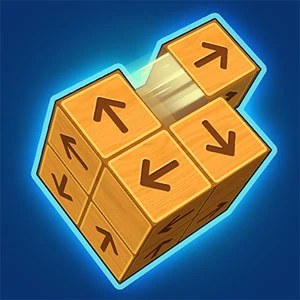
Unblock It 3D is a browser puzzle game where you rotate a cluster of bricks and slide out unblocked tiles. Classic Mode offers hundreds of puzzles with unlimited moves, while Adventure Mode adds 25 themed levels. Best for patient fans of spatial logic puzzles.
Unblock It 3D is a puzzle game built around a rotating cluster of bricks. The catalogue description frames it as a test of logic and spatial reasoning: you rotate the cluster, look for unblocked tiles, and slide those tiles away without hitting any obstructions. That single sentence describes the whole core loop, and it is worth reading closely before you touch anything, because the control scheme has to support two different kinds of input at once. You are not just tapping tiles. You are also turning the whole structure to find the angles where a tile has a clear path out.
The description lists two modes. Classic Mode offers hundreds of intricate puzzles with unlimited moves, plus new cube designs and backgrounds to unlock. Adventure Mode adds 25 levels of increasing complexity and size, set across themed eras including Ancient Egypt, Medieval Europe, the Aztec Empire and feudal Japan. Those are the confirmed facts. Everything below about controls is either drawn from how this kind of puzzle game typically behaves or flagged plainly as a suggestion rather than a guarantee.
What the catalogue actually tells you about controls
Here is the honest starting point: the catalogue description does not spell out a control scheme. It does not list button bindings, swipe gestures, or a fullscreen toggle. The headline of this article promises touch, keyboard and fullscreen tips, and that framing comes from the editor, not from the supplied game text. So treat the specifics in this section as genre-based guidance rather than verified documentation.
What the description does confirm is that rotation is central. You rotate the cluster of bricks to find unblocked tiles. That means any control scheme has to handle a camera-style rotation and a tile-selection action, and those two actions need to stay distinct. In a browser puzzle game, the usual split is this: on a phone or tablet, dragging across the cluster rotates it, while a tap selects a tile to slide. On a desktop, the mouse often handles rotation by dragging and selection by clicking, with the keyboard sometimes offering a fallback for one or both. None of that is confirmed for Unblock It 3D specifically, so test it yourself in the first minute of play rather than assuming.
One verified data point is worth passing along: an automated check of the desktop version recorded a load time of roughly nine seconds. That is not a fault in the game, and it is not a recommendation about your connection. It is simply a reminder that the first load can take a moment, so give the page time before you conclude that the controls are unresponsive. Tapping a still-loading canvas and getting no reaction is a common false alarm.
The loop, and what you are actually optimizing
Strip away the themes and the unlockable backgrounds and the loop is small. Rotate. Spot a tile with nothing in its way. Slide it out. Repeat until the cluster is cleared. The catalogue says you slide tiles "without hitting any obstructions," which tells you the failure condition is spatial, not timed. There is no clock mentioned, and Classic Mode explicitly offers unlimited moves. So the thing you are optimizing is not speed. It is the accuracy of your read on a three-dimensional shape.
That distinction matters for how you practice. In a timed game, hesitation costs you. Here, hesitation is free in Classic Mode, and a wrong slide is the only real cost. The skill you are building is the ability to look at a rotated cluster and correctly judge whether a path is clear from the angle the tile will actually travel, not from the angle you happen to be viewing. Those are not the same thing, and the gap between them is where most of the difficulty lives.
Adventure Mode changes the shape of the problem. Twenty-five levels of increasing complexity and size means the clusters get bigger and the obstructions get denser. On a larger cluster, more of the structure is hidden behind other bricks at any given rotation, so you will be rotating more often between moves. If Classic Mode teaches you to read a small shape quickly, Adventure Mode asks you to hold a bigger mental model in your head while you turn it.
Mistakes that cost you moves
Sliding from the wrong viewing angle. This is the big one. You rotate until a tile looks free, then slide, and it catches something you could not see from where you were looking. The fix is mechanical: before committing, rotate slightly past the angle you think is correct and check the tile's exit path from a second viewpoint. The catalogue's own phrasing, "find unblocked tiles you can slide away without hitting any obstructions," implies that unblocked is something you determine, not something the game tells you. Do the check.
Treating rotation as a last resort. Some players rotate once at the start and then work the visible face until it is exhausted. That works briefly and then stalls, because the tile you need is often on the far side. Rotation is not a rescue move. It is part of every move.
Ignoring the order of removals. Pulling a tile that looks easy can open a path or close one, depending on what it was blocking. On a small cluster this rarely bites. On the larger Adventure Mode levels it does. When two tiles look equally free, prefer the one whose removal exposes more of the structure, since that gives you more information for the next decision.
Fighting the camera. If dragging to rotate feels jerky, it is usually because the drag is starting on a tile rather than on empty space around the cluster, so the game reads it as a selection attempt. Start rotation drags from the background. Again, this is a common pattern in browser 3D puzzles rather than a confirmed behaviour here, so adjust if the game responds differently.
Playing a long session on a small screen without a break. Not a rules mistake, but a practical one. Small clusters on a phone screen invite close staring, and misreads climb as your eyes tire. In a game with unlimited moves and no timer, a thirty-second pause costs you nothing.
Phone versus desktop
Touch is the natural fit for a game about rotating an object. Dragging a finger across the cluster to turn it is direct in a way a mouse is not, and on a phone the game is always with you, which suits a puzzle with hundreds of Classic Mode levels. The trade-off is precision and screen size. On a large cluster, small tiles sit close together, and a tap meant for one tile can land on its neighbour.
Desktop gives you a bigger view and a cursor that hits exactly what you point at. If a keyboard scheme exists, it may let you rotate in fixed increments, which is often more controllable than free dragging when you are trying to reproduce an exact angle. The nine-second load time recorded in the automated desktop check is a reason to be patient on first arrival, not a reason to avoid the platform.
A middle option worth trying: play on whichever device you find comfortable, but do the harder Adventure Mode levels on the larger screen. The catalogue describes those levels as increasing in both complexity and size, and size is exactly what a phone struggles with.
Fullscreen, without overpromising
Browser games commonly offer a fullscreen option, usually a button in the game frame or a keyboard shortcut handled by the browser itself. The catalogue does not confirm one for Unblock It 3D, so look for a fullscreen icon near the game area before assuming there is none. If you find it, the benefit is straightforward: more screen for the cluster, less surrounding clutter, and fewer accidental taps near the edges. If you cannot find it, your browser's own fullscreen command may do the same job. Either way, fullscreen is a comfort setting here, not a strategy. It will not change the puzzle.
A short practice plan
- First two minutes: calibrate the controls. Rotate the cluster one full turn. Try selecting a tile. Notice whether drags on the background rotate and drags on tiles select. Do not try to solve anything yet. You are learning the input, not the puzzle.
- Next ten minutes: Classic Mode, small puzzles. With unlimited moves, there is no penalty for experimenting. Practice the two-angle check before every slide until it becomes automatic.
- Then: deliberate ordering. On each puzzle, before your first slide, pick out two or three tiles that look free and decide the order you would remove them. Compare that plan with what actually happens. This builds the mental model that larger clusters demand.
- Later: Adventure Mode. Move over once small clusters feel routine. The themed eras and rising complexity give you a natural difficulty curve, and the 25 levels are a finite, finishable stretch rather than an endless grind.
- Whenever you stall: rotate, do not stare. A stalled puzzle usually means you are looking at the wrong face. Turn the cluster and the answer is often suddenly obvious.
None of this requires an account, a download, or a payment. It is a free browser puzzle, and the loop is simple enough that the real work is in your head: rotate, check the path, slide, repeat. The controls are just the doorway. Walk through them slowly at first, and the spatial reasoning the catalogue promises to sharpen has a chance to actually develop.